

Apple Seeds Third Beta of Upcoming macOS Catalina 10.15.4 Update to Developers - MacRumors
Skip to Content

Apple Seeds Third Beta of Upcoming macOS Catalina 10.15.4 Update to Developers

by

Apple today seeded the third beta of an upcoming macOS 10.15.4 update to developers for testing purposes, one week after seeding the second beta and a month after releasing macOS Catalina 10.15.3.

The new ‌‌macOS Catalina‌‌ beta can be downloaded using the Software Update mechanism in System Preferences after installing the proper software from the Developer Center.
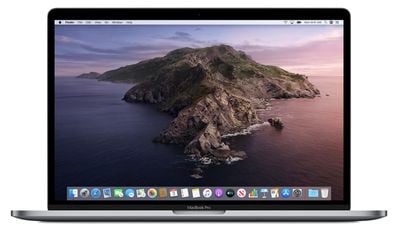
macos catalina wallpaper
macOS Catalina 10.15.4 includes Screen Time Communication Limits, a feature first brought to the iPhone in the iOS 13.3 update, and it brings a new Head Pointer Accessibility option that allows the cursor to be controlled with head movements using the Mac's camera.

Real-time lyrics are included in macOS 10.15.4, bringing an iOS feature introduced in iOS 13 to the Mac. Real-time lyrics allow the lyrics for a song to scroll in real-time to the music so you can follow along with what's being sung.

References to AMD processors have also been discovered in the macOS 10.15.4 beta, leading to speculation that Apple is working on AMD-based Macs, but these references could simply be for internal testing rather than evidence of an AMD Mac.

Though not directly related to macOS Catalina 10.15.4, Apple is adding a new universal purchase option for macOS and iOS apps, which will allow Apple device users to purchase one app that works across multiple platforms.


Related Forum: macOS Catalina

Top Rated Comments

FixAppleMail Avatar
80 months ago
Hi,

I am sitting and watching a movie on a full screen. Apple Mail is running in hidden or minimized state so it fetches emails. At some point the Mail app appear as a full screen split window next to my movie. My movie watching experience is interacted. I watch the Mail - there should be a new mail, right - NO, no new email. Apple Mail window decided to manifest itself and pop right next to my full screen movie experience in order just to show up - NO NEW MAIL.

My email provider is Gmail, why you would ask - well because professional companies want @yourdomain.com or @gmail.com, maybe @outlook.com in some cases, @icloud.com is not "pro" enough, so that's why I use Gmail. I don't know if your interaction with Gmail is the cause.

Now I just quit my Apple Mail each time I want to watch a movie or a video in full screen in order for it not to show up.

That bug is clearly irritating, it is there from many of the past versions of the OS. I tough it was just me. I have a MacBook Air with clean-installed Catalina on it - happens there as well, so the glitch comes from the OS itself and your Apple Mail application.

Opening MacRumors or 9to5Mac comment threads you'll see TONS of people complain for that under each news of new stable, beta or alpha version of the OS or an update. EVERY THREAD has someone saying something about THIS BUG.

I have complained about it MANY TIMES throw different channels.

I am starting a petition if the next version of the OS doesn't update this. I will be contacting news and blog publishers regarding this petition.

THIS IS A SERIOUS BUG! PLEASE FIX IT!

Kind Regards
Score: 5 Votes (Like | Disagree)
80 months ago
I wonder if Mail keeps popping up and ruining full screen apps that play videos.i have this issue since Yosemite. Probably there is a fix but I haven’t managed to find out.
Score: 4 Votes (Like | Disagree)
macintoshmac Avatar
80 months ago
Build 19E242d for those who miss the info in the MR article like it used to be given.
Score: 4 Votes (Like | Disagree)
MacGizmo Avatar
80 months ago

Hi,

Kind Regards
The only three words in your response worth reading and that didn't make me laugh.
Score: 2 Votes (Like | Disagree)
dogslobber Avatar
80 months ago
Love a new beta. Most exciting part of my life!
Score: 2 Votes (Like | Disagree)
NoWayBehind Avatar
80 months ago

I wonder if Mail keeps popping up and ruining full screen apps that play videos.i have this issue since Yosemite. Probably there is a fix but I haven’t managed to find out.
This must be one of the longest-lasting, most frustrating issues I have ever experienced in any software. It's so incredibly annoying and can sometimes even crash or freeze applications. Are they not using their own software and find it annoying as well? I mean there are more important things to fix, but come on, this has been an issue for so long and is incredibly widespread.
Score: 2 Votes (Like | Disagree)

Popular Stories

Four iPhone 18 Pro Colors Mock Feature

iPhone 18 Pro Launching in September With These 10 New Features

Monday April 20, 2026 7:13 am PDT by
While the iPhone 18 Pro and iPhone 18 Pro Max are not launching until September, there are already plenty of rumors about the devices. It was initially reported that the iPhone 18 Pro models would have fully under-screen Face ID, with only a front camera visible in the top-left corner of the screen. However, the latest rumors indicate that only one Face ID component will be moved under the...
Tim Cook Rainbow

Apple CEO Tim Cook Stepping Down, John Ternus Taking Over

Monday April 20, 2026 1:33 pm PDT by
Apple CEO Tim Cook is stepping down as Apple's chief executive officer, and hardware engineering chief John Ternus is set to take over, Apple announced today. Cook will continue on as Apple CEO through the summer, with Ternus set to join Apple's Board of Directors and take over as CEO on September 1, 2026. Cook is going to transition to executive chairman, and he will "assist with certain...
macOS 27 on MacBook Pro

macOS 27 Will Mark the End of an Era

Saturday April 18, 2026 6:45 am PDT by
During its Platforms State of the Union segment at WWDC 2025, Apple revealed that macOS 26 Tahoe is the final major macOS version for Intel-based Macs. The upcoming macOS 27 release will be compatible with Apple silicon Macs only, meaning that you will need a Mac with an M-series chip or a MacBook Neo with an A18 Pro chip in order to install the software update. macOS 27 should be available...














