During yesterday's keynote, Apple packed a ton of information on iOS 8 into a short period of time, showing off a multitude of new features like interactive notifications, QuickType predictive text, enhancements to group messages, new family sharing options, and more.
Given the time constraints, many new iOS 8 changes went under the radar and while we detailed a few of these yesterday, now that iOS 8 has been downloaded on thousands of developer devices, even more minor additions to the operating system have come to light. Our forum members and iOS 8 users on Twitter have detailed a huge number of the new changes, and we've catalogued the more interesting improvements below.
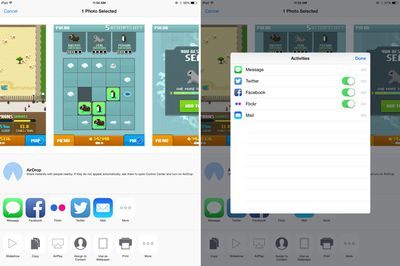
Share sheet customizations - When sharing an image, website, or other type of media, users can now customize their sharing options. The list of apps where content can be shared can be rearranged and disabled, as can the media options like Copy, Print, and AirPlay. Some sheet icons also have a new look that eliminates the black border in iOS 7.
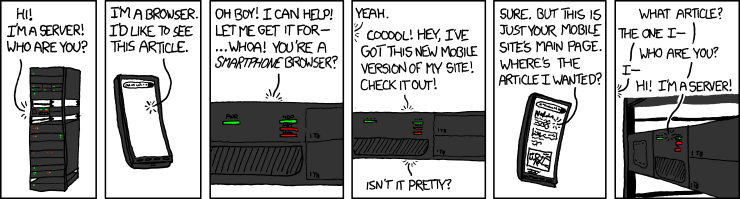
Request desktop site in Safari - As noted by a Twitter user, Safari now includes an option to "Request Desktop Site," which will load the desktop version of a site rather than the mobile version.

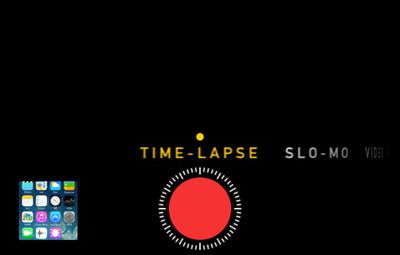
Time-Lapse mode for Camera - The Camera app has gained a new Time-Lapse mode, which captures a series of images and then compiles them into a time-lapse video. There are also new manual exposure controls, which allow exposure to be selected when taking a photo, and a self-timer mode that can be set for three or 10 seconds.
DuckDuckGo search - Users can now opt to select DuckDuckGo as their default search option in Safari. DuckDuckGo is known for its anti-tracking stance, opting not to profile its users.
iBooks - iBooks now comes preinstalled on iOS devices with iOS 8. Previously, it was a separate download in the App Store. There's also a new auto night mode and an organization option to group books from a series together.
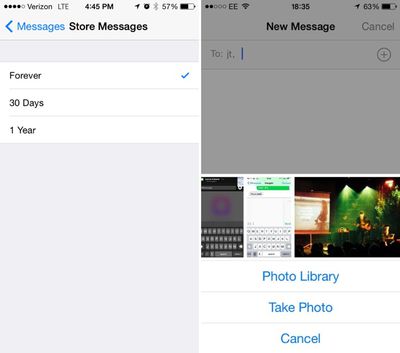
Messages - Along with several improvements to group message management, there are now options to remove stored messages after a set period of time of 30 days or one year, which will allow users who have extensive iMessage threads to free up valuable space. When adding an image to a message, there's a new feature displaying recent photos for quick insertion.
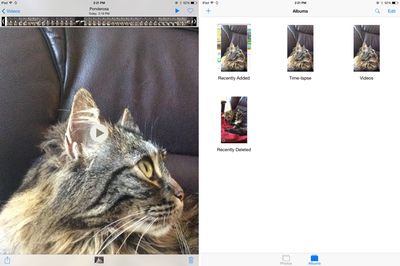
Photos - The Photos app has received new organizational options, including two albums for "Recently Added" and "Recently Deleted." The Recently Deleted section temporarily displays images that have been removed from the app in case of accidental deletion. The date and time a photo was taken is also displayed.
WiFi Calling - iOS will include an option for WiFi calling, allowing users to place calls over WiFi instead of cellular when connected to a WiFi network, saving minutes and data. Several carriers, including T-Mobile, have already announced support for the feature.
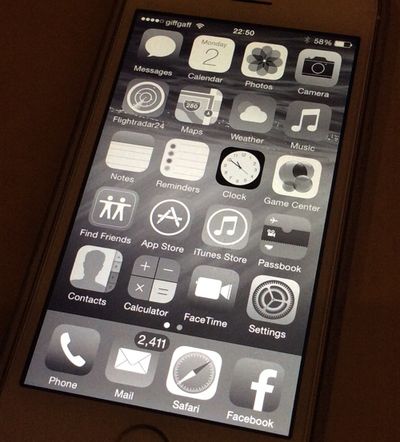
Grayscale mode - There are several new Accessibility options, including a new "Grayscale" mode that shifts the entire operating system into shades of black and white. There's also Improved Zoom option.
Keep up with all of the new changes introduced with iOS 8 on our forums, where our readers are discussing and sharing a seemingly endless number of feature enhancements and tweaks in the "iOS 8, All The Little Things" thread.





 (http://xkcd.com/869/)