

Edwin the Duck is an iPhone-connected rubber duckie that was first introduced to the world in 2014 via Kickstarter. The Kickstarter campaign failed to get enough interest and didn't reach its funding goal, but Edwin's creators, who had a vision of a better rubber duckie, didn't give up. Edwin was shown off at CES in January of 2015, made it into production, and began shipping later in 2015.
Edwin caught a lucky break in December of 2015, winding up in the Apple Online Store, a sign of Apple's approval. Edwin is also now sold in other major retail locations, like Best Buy, where he's been getting some positive reviews from parents and kids alike.
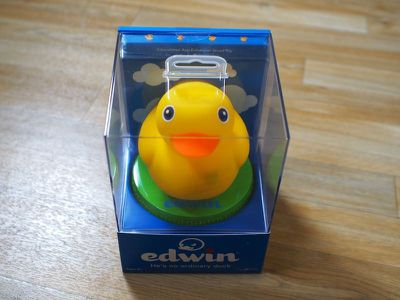
When we at MacRumors saw Edwin the Duck on Apple's site, we scoffed at the prospect of a $100 rubber duckie, which led to an invitation to try Edwin for ourselves to see whether or not it's worth shelling out $100 for an iPhone-connected duck.

As something of a toy enthusiast, I gladly accepted the challenge. I'll say up front that I have no children to gauge a child's response to Edwin, but even as an adult, I was charmed by Edwin's design and impressed with his range of features. Edwin is cute, but he isn't perfect - there are some definite shortcomings, which I'll cover in my review.
Design
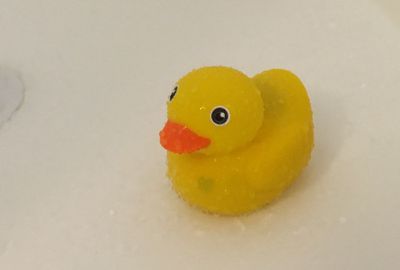
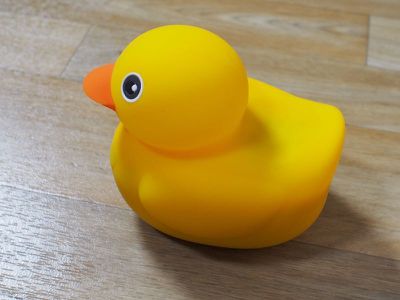
Edwin looks like a traditional yellow rubber duckie, which is part of what makes him so endearing. It's a design that kids and adults of all ages have become accustomed to. Edwin fits in the palm of a hand and is made from a supple, pliable rubber that's soft and smooth to the touch. If you have a pet, Edwin's rubbery material has a tendency to pick up fur (and dust), but it's easy enough to rinse the duck off.
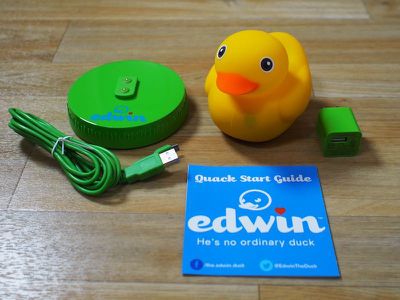
Edwin's head is squishy and squeezable, but his body, where electronics are housed, is hard like a standard plastic toy. Built into Edwin is a speaker, multiple LEDs, an accelerometer, and sensors at the wings, tail, and chest that detect taps. There's a heart-shaped LED on Edwin's chest, which blinks red or green to denote iPhone connectivity. When connected to an iPhone, it blinks red.
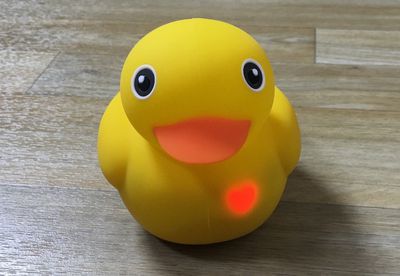
Aside from sleepy time mode, where Edwin is used as a nightlight, these LEDs do not turn off and constantly blink; a visual stimulus that can be distracting and irritating.
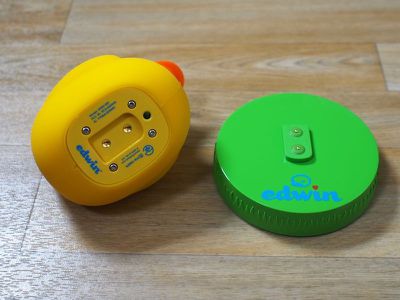
Underneath Edwin, there's a plate that houses his battery. Edwin uses inductive charging and ships with a green stand where he can be placed at night. The battery lasts for up to eight hours, which in my experience, was enough for a full day of usage accessing the app and playing music.
Features
For a rubber duckie, Edwin can do a surprising number of things. Edwin is entirely waterproof, so he can be used as a bath toy in a bath or a shower. There's a built-in speaker so Edwin can be used to play music, but I should point out that the speaker isn't great quality. It's perfect for Edwin's interactive story telling feature and children's songs, but other content can sound a bit muddy and distorted.

I can use Edwin to listen to Apple Music or an audiobook in the shower, but it doesn't sound nearly as clear or crisp as my dedicated waterproof speaker. Music controls (except for volume) are also non-existent, a bit of a disappointment given Edwin's built-in accelerometer. With an accompanying app, Edwin is able to play soothing nighttime sounds.
There's an LED inside of Edwin, allowing the duck to be used as a nightlight with a tap on his wing. Using the app, the brightness of the light can be controlled and a timer can be set to have it turn off after a set period of time.
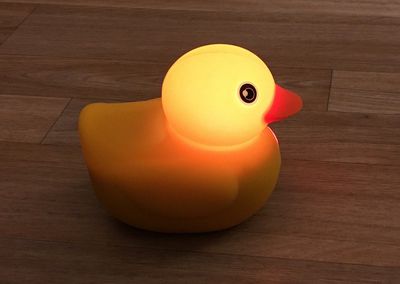
Edwin will also quack when hit on the tail feathers and the accelerometers at the wings allow him to be used with in-app games and interactive stories. While the wings and tail can be used to control functions within the app, it would be nice to see something like this generally applied to all audio for things like switching a song. Having more control over the LED inside would also improve Edwin's functionality.
App
While Edwin will serve as a Bluetooth speaker and a nightlight without needing to connect to an app, most of his key features are reliant on an iOS device and one of two accompanying apps: Edwin the Duck and Edwin's Sleepy Time.
Since Edwin requires an iOS device, parents are going to need to provide children with a dedicated iOS device or hand over their own iPhone or iPad when a child wants to play with Edwin.
Much of the content in the Edwin the Duck app seems to be oriented at very young children, specifically those who are at the age to learn about shapes. There are two interactive games available in the app right now, both of which focus on shapes. One of the games, "Shapes With Edwin," asks children to pick out the named shape.
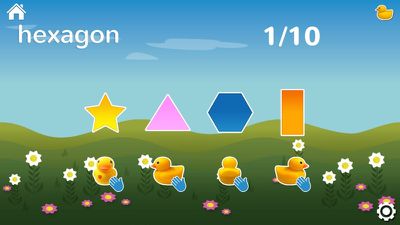
Choosing an option is done using Edwin's accelerometer, tapping on his right wing, left wing, tail feathers, or chest to select the correct answer. Children can also tap directly within the app. When the proper shape is selected, Edwin quacks and flashes green. For a wrong answer, he'll flash red.
A second game, "Edwin's Shape Matching," is similar, requiring kids to match the outline to the correct shape through the same gestures. Each game goes through ten shapes, which are limited to square, circle, triangle, diamond, rectangle, star, and hexagon.
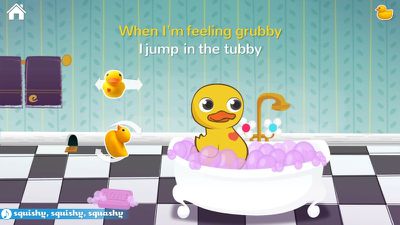
Along with the two games, there's a bath time song that's got quite the catchy chorus: "Squishy squishy squashy give Edwin a washy, Squishy squishy squashy give myself a washy." When the song is playing, kids can shake Edwin back and forth or rotate him to make splashing sounds and quacks.
The app is rounded out with a story. As with the games, kids can help Edwin through the tale by tapping on him as he brushes his teeth, eats breakfast, and does his chores. There are mini games built in, like collecting balloons, tossing shirts in a drawer, and winning a race, making the story the most entertaining and interactive portion of the app.
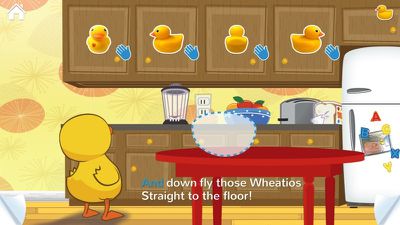
Other than the two games, the story, and the song, there's no other content in the app. Everything else is labeled as "Coming soon," which is disappointing. I'm not a two-year-old, but two similar games with the same look and the same shapes seemed to get old quickly. The song and the story were more interactive, but there's a definite lack of content available for Edwin.
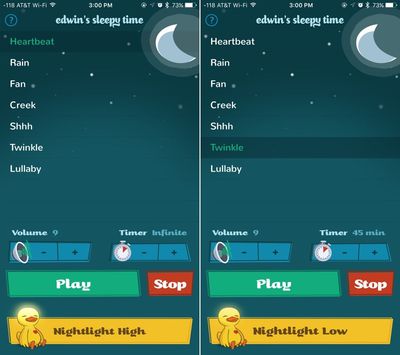
The other app available for Edwin, Edwin's Sleepy Time, lets parents turn Edwin into a nighttime noise machine and nightlight. With the app, Edwin can play soothing sounds like rain or a heartbeat, or he can play lullabies like Twinkle Twinkle Little Star. There's an option to turn the LED inside Edwin on low, medium, or high, and there are timers that will turn the sound off after a set time period.
Bottom Line
Edwin is an undeniably cute toy that's going to appeal to kids and adults alike thanks to a classic rubber duckie design. With built-in features like a speaker and a nightlight, Edwin has a lot of utility and can be used on a daily basis, giving the product longterm value.
That said, Edwin's main appeal is its app connectivity and the ability to serve as an interactive toy, and in that department, Edwin is lacking. The two apps that work with Edwin are decent, but there's a very limited amount of content available and the apps and games that are included are short.
As I mentioned, I don't have children, but I have a hard time seeing how one story, one song, and two shape-oriented educational "games" are going to keep kids entertained for any significant period of time. I wouldn't shell out $100 for these features, but as a bath time speaker and a soothing night time companion, Edwin may be worth the money.
Since I have no kids to test Edwin with, I read every consumer review I could find on Edwin. Edwin's been receiving a largely positive response from parents and kids both in online reviews and in the App Store, suggesting it is a toy that's able to provide enough value for the price. I'm also hoping ongoing development will add more value going forward.
The team behind Edwin tells me a new game will be available for Edwin in the very near future, with additional songs and stories planned for early 2016. LED color controls for the built-in light will be added in a future update to the Sleepy Time app and an upcoming bath app will highlight a built-in temperature sensor, turning Edwin red when bath water is too warm.
Pros:
- Charming rubber duckie design
- Nightlight
- Speaker
- Waterproof
Cons:
- Not enough content
- Included content is short
- Can't turn off blinking heart light
- Body attracts dust/fur
How to Buy
Edwin the Duck can be purchased from the Edwin the Duck website for $99. It's also available from the Apple Online Store and some retail Apple locations at the same price point.
Note: MacRumors received no compensation for this review.




















Top Rated Comments