Pages, Numbers, and Keynote Apps for iPad Now Support Apple Pencil Hover
Apple today updated its Pages, Numbers, and Keynote apps for iPad with Apple Pencil hover support. Apple says this feature "makes it easy to navigate, write, sketch, and illustrate with greater precision" on the latest 11-inch and 12.9-inch iPad Pro.

The latest iPad Pro models can detect the second-generation Apple Pencil while it hovers up to 12mm above the display, allowing users to preview their drawing before they make it. And for the Scribble feature, which converts handwriting to text on the iPad, text fields automatically expand when the Apple Pencil is hovered over the screen.
Apple Pencil hover gained tilt and azimuth support with iPadOS 16.4, released earlier this week. Apple discussed the feature in a recent interview.
Pages, Numbers, and Keynote received a few other improvements on both iOS and macOS, including bug fixes and the ability to export and send a copy of a document, spreadsheet, or presentation in a different format from the Share menu. The updates are available for free on the App Store and Mac App Store.
Popular Stories
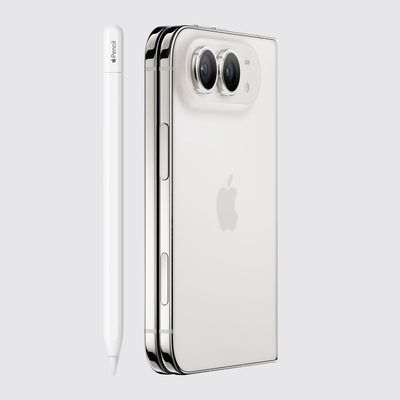
As noted by Creative Strategies analyst Max Weinbach, the iPhone Duo is gaining Apple Pencil support with iOS 27.2, which is expected to be released to the public next week. You can use the USB-C version of the Apple Pencil to draw, annotate, and scroll within supported apps on the iPhone Duo's inner and outer displays.
In a post on X, Weinbach confirmed that Apple Pencil support was enabled...
Apple today sent out invites for an experience in Los Angeles on Wednesday, October 28, and the "Pro and tell" tagline on the invitation likely means that the rumored MacBook models with touch-enabled OLED displays will stick with MacBook Pro branding instead of the once-rumored "MacBook Ultra" name.
The long-rumored "iPhone Ultra" ended up being named iPhone Duo, so speculation that Apple...
With just three days to go until the iPhone Duo is released, Apple is getting ready for the launch. Behind the scenes, the App Store now has screenshots of Apple's built-in apps running on the Duo. We've seen some apps in marketing materials, but images of the ones we haven't seen give us an idea of what it will be like using the iPhone Duo day to day.
Many apps are shown in landscape...