Android Users Can Soon Add Emoji Reactions to iPhone Texts With Annoying Catch
Google today announced that Android users will be able to add emoji reactions to SMS texts received from iPhone users in Google's Messages app. This feature and other improvements to the app will begin rolling out in the coming weeks.
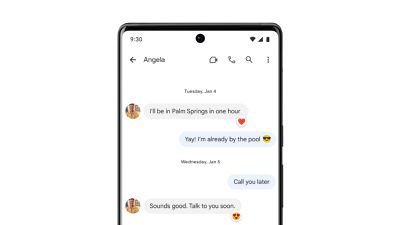
Given that the Messages app on iOS lacks support for the Rich Communication Services (RCS) protocol, emoji reactions from Android users will appear as annoying follow-up SMS text messages on the iPhone, according to CNET. For example, the message will say something along the lines of "Joe reacted with Heart to 'let's go to the movies tonight.'"
Google's head of its Messages app Jan Jedrzejowicz told CNET that it will be up to Apple to decide whether or not to parse those texts into the appropriate Tapback reaction on the iPhone, similar to how Tapbacks now appear properly on Android.
The feature seems to be at least partly an attempt at Google encouraging Apple to support RCS on the iPhone, as this would eliminate the annoying follow-up SMS messages. Google launched a campaign earlier this year pushing for Apple to adopt RCS, but Apple CEO Tim Cook suggested the feature has not been highly requested by iPhone users.
Popular Stories
Google today said its digital wardrobe option is available in the Google Photos iOS app in the U.S., India, and Brazil.
Google first announced the feature back in April, but it was limited to Android users until now. The wardrobe option uses AI to pull images of clothing from the Google Photos library, organizing them into a digital closet.
Users can put items together to create outfits ...
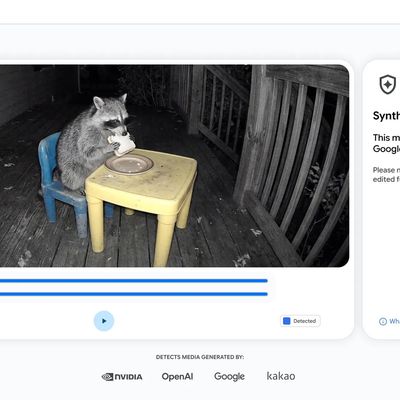
Google today said it is making its SynthID Detector available to everyone for identifying content created using AI.
SynthID Detector first rolled out to members of the media last year, and it is now available worldwide in English. SynthID Detector is a website that lets users upload a photo, video, or audio file to determine whether it has a SynthID watermark that identifies it as...
Apple today sent out invites for an experience in Los Angeles on Wednesday, October 28, and the "Pro and tell" tagline on the invitation likely means that the rumored MacBook models with touch-enabled OLED displays will stick with MacBook Pro branding instead of the once-rumored "MacBook Ultra" name.
The long-rumored "iPhone Ultra" ended up being named iPhone Duo, so speculation that Apple...






/https://forums.macrumors.com/attachments/2098540/)













































