

Some iPhone 14 Pro owners are having problems with the Camera app, with multiple complaints on the MacRumors forums suggesting that the camera can take several seconds to load when it is opened.
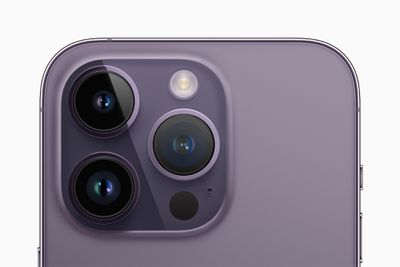
Affected users are seeing the Camera app take four to five seconds to activate after the Camera app icon is tapped, with the problem occurring after the camera has been opened once already. From MacRumors reader Sephiroth0:
I have the same issue with my iPhone 14 Pro (non Max). When restarting the phone and starting the camera app the camera turns on immediately. After closing and opening the camera app it always takes 4 - 5 seconds for the camera to turn on. I've tested other apps using the camera and there it it turns on instantly. I assume this is a SW bug.
The problem does not happen if the Camera app has been manually closed and reopened, or after a software restart. It seems to exclusively occur when the Camera app has been running in the background, and this is not a problem that appears to be affecting all users. The complaints are primarily from iPhone 14 Pro and Pro Max users, and it happens in all photo modes.
In our own testing, we ran into the same issue with the Camera app taking several seconds to open, but it did not happen every time that we opened the app, just on occasion. MacRumors readers have noticed that the issue is limited to the Camera app and does not affect third-party camera apps, and it also does not appear to happen when the Camera app is set to video mode instead of photo mode.
The iOS 16.0.1 update does not appear to fix the issue for those who are impacted. Restarting the iPhone does not provide a permanent fix, and neither does factory resetting the device. Some MacRumors readers have speculated that it could be a RAM management issue. From MacRumors forum member xyz2610, who also shared a video:
I've just discovered that it may be a RAM management issue with the camera app. When I clear my iPhone 14 Pro's RAM by first enabling Assistive Touch in the Accessibility Settings, then press Volume Up, Volume Down and hold the Power Button until the shutdown menu comes up and then long press the Home Button on the Assistive Touch menu to clear the RAM, the Camera App always launches quickly on the first try. For subsequent camera app launches, however, the app still takes around 5 seconds to open.
Slow loading is not the only issue affecting the Camera. iPhone 14 Pro models have also run into a static or clicking noise coming from the camera, and there is a major problem when recording video using third-party apps. In apps like Snapchat, TikTok, and Instagram, the camera vibrates uncontrollably, causing shaky footage. Unlike the slow loading Camera app, this issue is limited to third-party apps.
Multiple MacRumors readers have reported camera issues to Apple, and it is likely that a fix is in the works. We could soon see an iOS 16 update that will address the multitude of bugs that the new devices appear to be experiencing.


























![Apple Pulls Keynote, Pages and Numbers From App Store [Update: Back]](https://images.macrumors.com/t/Okb7kitB_gNr6qe5Pex9nQIysD8=/112x112/article-new/2026/01/Apple-Creator-Studio-iWork-suite.jpg)





















