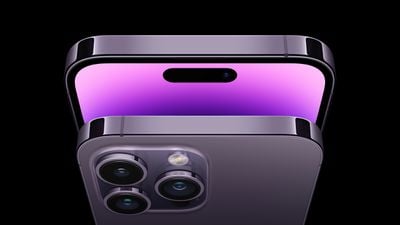
Apple is investigating a bug that may cause iPhone 14 Pro and iPhone 14 Pro Max models to freeze after customers transfer their data from an older iPhone, the company said today in an internal memo obtained by MacRumors.
In the memo, Apple says it is "aware of this issue happening and is investigating." Apple specifically says that some customers may find their new iPhone 14 Pro or iPhone 14 Pro Max models freezing and becoming unresponsive after an iCloud restore or data transfer from their previous iPhone during the Quick Start process.
As a temporary fix, Apple advises customers to force restart their iPhone if it becomes unresponsive for more than five minutes. New iPhone 14 Pro customers faced a similar issue on Friday regarding device activation. While the iPhone 14 Pro ships with iOS 16, there is an available iOS 16.0.1 update that customers should install after setting up their new devices.
Some Apple retail employees have been told to warn customers against visiting to purchase an iPhone Duo without a pre-order on Friday, October 23.
Apple Store employees told MacRumors that they have been advised that there will likely be no iPhone Duo stock available for walk-in purchases on launch day. Staff have been instructed to discourage customers without pre-orders from coming in...
Friday October 16, 2026 4:37 pm PDT by Juli Clover
Verizon plans to charge customers $10 per month for the iPhone Handoff feature that Apple added in iOS 27. iPhone Handoff allows one phone number to be shared across two separate iPhones.
Pricing was included in Verizon's iPhone Duo announcement today, with the carrier confirming iPhone Handoff will work with the iPhone Duo and the iPhone 18 Pro models.
Verizon will support iPhone Handoff,...
Apple has begun inviting selected members of the media to a product launch experience in Los Angeles on Wednesday, October 28, according to Bloomberg's Mark Gurman.
In a post on X, Gurman described the gathering as an "all-day product launch experience" for touchscreen MacBooks, a new iPad mini, and Macs equipped with M6 chips.
Gurman previously reported that Apple would introduce the...
I did not do a transfer using iCloud. I do not use iCloud. I restored from a local backup in iTunes, an iPhone backup that I’ve literally been maintaining since 2007. Thankfully everything seems to be okay on my 14 Pro Max as far as I can tell a day and a half in.
People here like to constantly talk smack about me still using iTunes for updates instead of OTA, and backups instead of iCloud; because “eeewwww that uses wires” and “that’s old!” But it’s increasingly proving itself to be the more reliable method of device management. Idk, keep enjoying the paid less secure/less functional alternative i guess.
iPhones have come a LONG way and are much more complex than they were 10-15 years ago.
First that’s an excuse….second Apple has chosen to make things complicated. Hell iTunes was using mostly legacy code till a couple years ago…..20 years later. I expect better from apple and when people just let stuff go and make excuses enables them to continue this garbage.
I experienced it transferring from my 13 Pro. My 13 Pro said it finished transferring, and my 14 Pro was completely unresponsive. Luckily, it just needed a hard reboot, and it kept all the transferred data. It was a bit scary at first though.
That’s a really crummy customer experience for a $1000+ phone…not that “apple way”
Apple's first foldable iPhone, with a book-style design featuring a 5.4-inch outer display and a 7.6-inch inner display with a minimal crease down the middle.