Apple Highlights Upcoming October 18 Event With Interactive AR Logo
Apple just announced its second fall event, which is set to take place on Monday, October 18. As usual, the Apple Events webpage features an augmented reality logo that you can see when viewing the page on an iOS device.
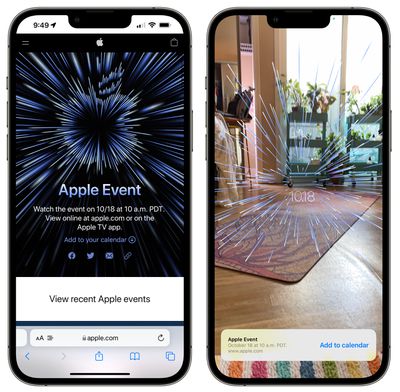
Open up the Apple Events page on an iPhone or an iPad and then tap on the logo to open the augmented reality interface. Apple asks you to scan around the room and then projects the graphic from the event invite into the area.
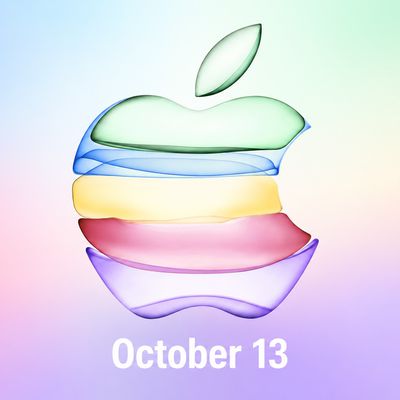
For the Unleashed event, the augmented reality view features beams of blue light that are arranged in the shape of an Apple logo, along with the date "10.18."
Apple's October event is expected to focus on new MacBook Pro models, but we could also see the AirPods 3 and a refreshed version of the Mac mini. Apple plans to livestream the event, but MacRumors will also have live coverage both here on MacRumors.com and on our MacRumorsLive Twitter account.
Popular Stories
As usual, September has been a very busy month for Apple, with the company unveiling the iPhone 18 Pro, iPhone Duo, AirPods 5, Apple Watch Series 12, Apple Watch Ultra 4, Beats 360, and more. Nevertheless, Apple reportedly still has many more products to release later this year, including a new iPad mini, Apple TV, HomePod mini, iMac, and more.
It seems quite likely that Apple will hold an...
Last week, Bloomberg's Mark Gurman reported that Apple plans to unveil an all-new smart home hub, a new HomePod mini, and a new Apple TV 4K on Tuesday, October 13.
In his Power On newsletter today, Gurman specified that "Apple is planning to hold an event" that...
Earlier this week, Daring Fireball's John Gruber floated Tuesday, October 13 as a potential date for Apple to hand out iPhone Duo review units to selected reviewers in person, and it appears that he might have been on to something.
Bloomberg's Mark Gurman today reported that Apple plans to unveil its all-new smart home hub, a second-generation HomePod mini, and a new Apple TV 4K model on...