Common Windows Malware Can Now Infect Macs
A common form of malware on Windows systems has been modified into a new strain called "XLoader" that can also target macOS (via Bleeping Computer).

Derived from the Formbook info-stealer for Windows, XLoader is a form of cross-platform malware advertised as a botnet with no dependencies. It is used to steal login credentials, capture screenshots, log keystrokes, and execute malicious files. The malware was discovered by security researchers at Check Point Software.
A server hosting the macOS version of XLoader is available to bad actors on the dark web for $49 per month. Check Point tracked XLoader for a six-month period, seeing requests from 69 countries, indicating significant use across the world. More than half of all victims were based in the United States.
Formbook continues to be a prevalent threat, being part of over 1,000 malware campaigns in the last three years, and XLoader is expected to have even wider use given its cross-platform capability and greater level of sophistication.
Head of Cyber Research at Check Point, Yaniv Balmas, said that macOS's growing popularity has exposed it to increasing attention from cybercriminals, who see the platform as a worthwhile target.
While there might be a gap between Windows and macOS malware, the gap is slowly closing over time. The truth is that macOS malware is becoming bigger and more dangerous.
According to Check Point, XLoader is stealthy enough for it to remain hidden to most users. It is possible to check for its presence by using macOS's Autorun to check the username in the OS and look into the LaunchAgents folder, where entries with suspicious filenames should be deleted.
Popular Stories
Apple should unveil the iPhone 17 series in September, and there might be one bigger difference between the Pro and Pro Max models this year.
As always, the Pro Max model will be larger than the Pro model:iPhone 17 Pro: 6.3-inch display
iPhone 17 Pro Max: 6.9-inch displayGiven the Pro Max is physically larger than the Pro, it has more internal space, allowing for a larger battery and...
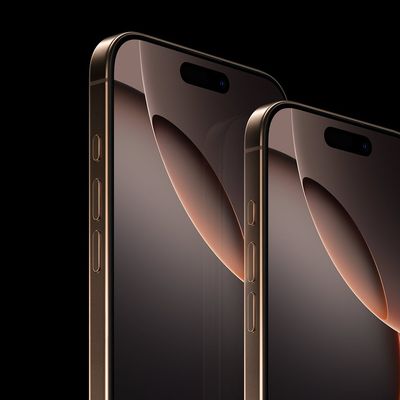
Since the iPhone X in 2017, all of Apple's highest-end iPhone models have featured either stainless steel or titanium frames, but it has now been rumored that this design decision will be coming to an end with the iPhone 17 Pro models later this year.
In a post on Chinese social media platform Weibo today, the account Instant Digital said that the iPhone 17 Pro models will have an aluminum...
The calendar has turned to July, meaning that 2025 is now more than half over. And while the summer months are often quiet for Apple, the company still has more than a dozen products coming later this year, according to rumors.
Below, we have outlined at least 15 new Apple products that are expected to launch later this year, along with key rumored features for each.
iPhone 17 Series
iPho...
Apple is continuing to refine and update iOS 26, and beta three features smaller changes than we saw in beta 2, plus further tweaks to the Liquid Glass design. Apple is gearing up for the next phase of beta testing, and the company has promised that a public beta is set to come out in July.
Transparency
In some apps like Apple Music, Podcasts, and the App Store, Apple has toned down the...
In 2020, Apple added a digital car key feature to its Wallet app, allowing users to lock, unlock, and start a compatible vehicle with an iPhone or Apple Watch. The feature is currently offered by select automakers, including Audi, BMW, Hyundai, Kia, Genesis, Mercedes-Benz, Volvo, and a handful of others, and it is set to expand further.
Apple has a web page with a list of vehicle models that ...
Apple's next-generation iPhone 17 Pro and iPhone 17 Pro Max are just over two months away, and there are plenty of rumors about the devices.
Below, we recap key changes rumored for the iPhone 17 Pro models.
Latest Rumors
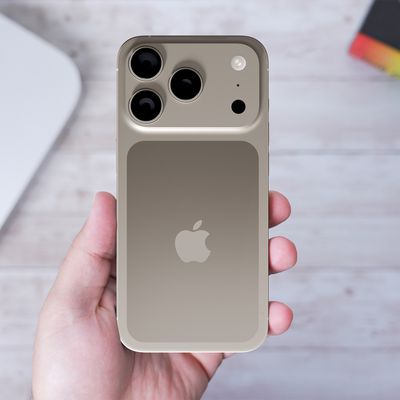
These rumors surfaced in June and July:Apple logo repositioned: Apple's logo may have a lower position on the back of the iPhone 17 Pro models, compared to previous...
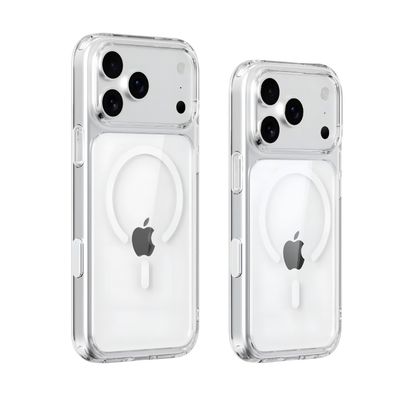
New renders today provide the best look yet relocated Apple logo and redesigned MagSafe magnet array of the iPhone 17 Pro and iPhone 17 Pro Max.
Image via Majin Bu.
Several of the design changes coming to the iPhone 17 Pro model have been rumored for some time, such as the elongated camera bump that spans the full width of the device, with the LiDAR Scanner and flash moving to the right side.
...
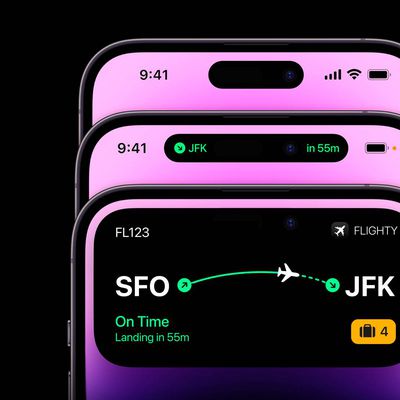
iPhone 17 models will feature a redesigned Dynamic Island user interface, according to a post today from Digital Chat Station, an account with more than three million followers on Chinese social media platform Weibo. The account has accurately leaked some information regarding future Apple products in the past.
The account did not share any specific details about the alleged changes that are ...
Amazon is back with its annual summertime Prime Day event, lasting for four days from July 8-11, the longest Prime Day yet. As it does every year, Prime Day offers shoppers a huge selection of deals across Amazon's storefront. With the event now underway, we're tracking numerous all-time low prices on Apple gear right now.
Note: MacRumors is an affiliate partner with Amazon. When you click a...