

Microsoft Visual Studio Code Updated With Official Apple Silicon Support

Microsoft has updated Visual Studio Code with official support for M1 Apple Silicon Macs, offering developers the ability to use the software without the need for emulation on Rosetta.
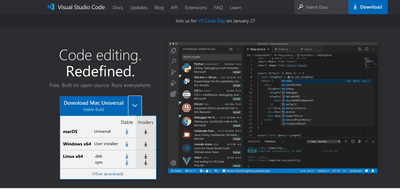
macOS universal download
The support is coming to the web and cloud app code editor as part of its February 2021 1.54 build, which alongside ‌Apple Silicon‌ support, includes several improvements and updates. Microsoft says that with native ‌Apple Silicon‌ support, ‌M1‌ Mac mini, MacBook Air, and Macbook Pro users will notice better performance and longer battery life.

We are happy to announce our first release of stable Apple Silicon builds this iteration. Users on Macs with M1 chips can now use VS Code without emulation with Rosetta, and will notice better performance and longer battery life when running VS Code. Thanks to the community for self-hosting with the Insiders build and reporting issues early in the iteration.

With version 1.54, Visual Studio Code is now also a Universal build download. Users with Intel or Apple Silicon-based Macs will be prompted to download the same file, which will automatically work for whichever Mac chip they're using. Microsoft is also offering users the ability to download the specific version of Visual Studio Code that works for their Mac's architecture on its Downloads page.


Popular Stories

iPhone Top Left Hole Punch Face ID Feature Purple

iPhone 18 Pro Launching Later This Year With These 12 New Features

Thursday January 15, 2026 10:56 am PST by
While the iPhone 18 Pro and iPhone 18 Pro Max are not expected to launch for another eight months, there are already plenty of rumors about the devices. Below, we have recapped 12 features rumored for the iPhone 18 Pro models, as of January 2026: The same overall design is expected, with 6.3-inch and 6.9-inch display sizes, and a "plateau" housing three rear cameras Under-screen Face ID...
2024 iPhone Boxes Feature

Apple Adjusts Trade-In Values for iPhones, Macs, and More

Thursday January 15, 2026 11:19 am PST by
Apple today updated its trade-in values for select iPhone, iPad, Mac, and Apple Watch models. Trade-ins can be completed on Apple's website, or at an Apple Store. The charts below provide an overview of Apple's current and previous trade-in values in the United States, according to the company's website. Most of the values declined slightly, but some of the Mac values increased. iPhone ...
iPhone Top Left Hole Punch Face ID Feature Purple

New Leak Reveals iPhone 18 Pro Display Sizes, Under-Screen Face ID, and More

Wednesday January 14, 2026 7:09 am PST by
While the iPhone 18 Pro models are still around eight months away, a leaker has shared some alleged details about the devices. In a post on Chinese social media platform Weibo this week, the account Digital Chat Station said the iPhone 18 Pro and iPhone 18 Pro Max will have the same 6.3-inch and 6.9-inch display sizes as the iPhone 17 Pro and iPhone 17 Pro Max. Consistent with previous...
Verizon New

Verizon Offering $20 Credit After Major Outage, Here's How to Get It

Thursday January 15, 2026 7:37 am PST by
Verizon today announced it will be offering customers a $20 account credit after a major outage on Wednesday, and action is required to receive it. The carrier said affected customers can accept the credit by logging into the My Verizon app, but it might take some time before this option shows up in the app. Affected customers will receive a text message when the credit is available. On...
Apple MacBook Pro M4 hero

These 5 Apple Products Will Reportedly Be Upgraded With OLED Displays

Friday January 16, 2026 7:07 pm PST by
Apple plans to upgrade the iPad mini, MacBook Pro, iPad Air, iMac, and MacBook Air with OLED displays between 2026 and 2028, according to DigiTimes. Bloomberg's Mark Gurman previously reported that the iPad mini and MacBook Pro will receive an OLED display as early as this year, but he does not expect the MacBook Air to adopt the technology until 2028 at the earliest. A new iPad Air is...

Top Rated Comments

Eddy Munn Avatar
64 months ago
I love VS Code! Proof that an Electron app—when done right—can work really well.
Score: 17 Votes (Like | Disagree)

panthro100 Avatar
64 months ago
Moved over years ago from Sublime, never looked back.
Score: 9 Votes (Like | Disagree)
Merode Avatar
64 months ago

Visual Code is garbage like all Electron apps. You want the best? https://nova.app (from Panic). Native and amazingly snappy!
[SPOILER="Ouch!"][/SPOILER]
[SPOILER="Double ouch!"][/SPOILER]

Attachment Image

Attachment Image
Score: 7 Votes (Like | Disagree)
martyjmclean Avatar
64 months ago

So, Electron ('https://www.electronjs.org/') apps are based on Chromium? ?
Kinda... they’re JavaScript/websites inside a Chromium browser.
Score: 6 Votes (Like | Disagree)
funkypepper Avatar
64 months ago
I'm sorry -- I understand that it works great etc. etc., but if it consumes tens of times more system resources and power than its counterparts, it's a pass for me. Just waste.

Instead go and support companies that write native Mac software, like BareBones (BBEdit) or Panic (Nova).
Score: 6 Votes (Like | Disagree)
Stella Avatar
64 months ago
Prefer Jetbrains IDEs. I’ve tried VSCode and was very unimpressed. Don’t see what the fuss is about, other than that it’s free.
Score: 5 Votes (Like | Disagree)









































