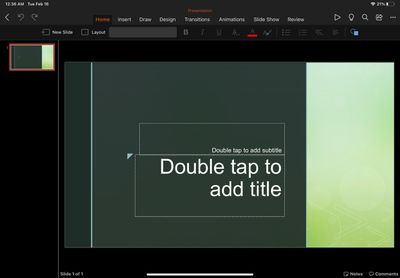
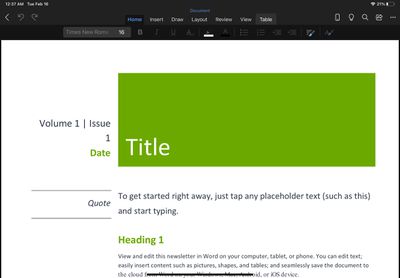
Microsoft's Office app for iOS has been updated today to version 2.46 with support for iPadOS, bringing the unified Office experience of Word, Excel, and PowerPoint to Apple's tablet platform.
Office is now available on iPad: We're combining the Word, Excel, and PowerPoint apps you know into a single, iPadOS-optimized app. Plus, you’ll see additional tools to keep you more productive than ever. For example, you’ll be able to quickly create and sign PDFs, and transform pictures into documents.
While individual Office apps have been available for the iPadsince 2014, the unified Office app launched in February 2020 has until now only been able to run on the iPad as a windowed iPhone app.
Office for iPad is free to use for iPad Air, iPad, and iPad mini users, but requires an Microsoft 365 subscription to make full use of all features. For iPad Pro users, a paid subscription is required to even edit or create documents.
Wednesday March 11, 2026 7:05 am PDT by Joe Rossignol
Starting today, the seven new Apple products that were announced last week are available at Apple Stores and beginning to arrive to customers.
The colorful MacBook Neo and all of the other new products are on display at most Apple Store locations around the world starting today. Apple Stores have inventory of the new products for both walk-in customers and Apple Store pickup, but...
Apple is continuing to test the iOS 26.4 beta, and the latest update is now available for developers and public beta testers. As testing goes on, there are fewer new features in each beta, but today’s release adds new emoji characters and a few other changes.
New Emoji
Apple added new emoji characters, including trombone, treasure chest, distorted face, hairy creature, fight cloud, orca,...
Apple is planning to launch an all-new "MacBook Ultra" model this year, featuring an OLED display, touchscreen, and a higher price point, Bloomberg's Mark Gurman reports.
Gurman revealed the information in his latest "Power On" newsletter. While Apple has been widely expected to launch new M6-series MacBook Pro models with OLED displays, touchscreen functionality, and a new, thinner design...
I know these have been available for the iPhone. I'm frankly not sure what is the advantage versus just starting the Word or PowerPoint standalone apps.
For me, who has a device managed iPhone and iPad there’s one nice benefit of having it in one app. One of the rules imposed on the device is that on corporate managed apps (Which includes the office apps) copy-pasting more than 75 chars between apps isn’t allowed. So if you want to copy an excel table to a PowerPoint you can’t. With this it’ll be possible since it’s within the same app.
Microsoft once again try to enforce the subscription software model. I own my hardware and I wish to own my software too. If it's one time purchase app - I'll buy it, but I'll never pay for office 365 every year.
Microsoft once again try to enforce the subscription software model. I own my hardware and I wish to own my software too. If it's one time purchase app - I'll buy it, but I'll never pay for office 365 every year.
If you don't want to pay for it, then don't use it. Use many other alternatives, which many are free.
I know these have been available for the iPhone. I'm frankly not sure what is the advantage versus just starting the Word or PowerPoint standalone apps.
Also sharing the same sentiment as others in this thread. Why does the “pro” iPad need a subscription to edit a word document? Maybe I’m in the minority but editing a word document or sorting a table my boss sent me doesn’t qualify as “pro work”. Definitely doesn’t warrant a subscription. Anyone with facts know what extra features I would get on the iPad Pro version? I hope there are actually other features and it’s not just a blatant money grab.