YouTube Kids Now Available on Apple TV
The popular YouTube Kids app is now available on Apple TV, making it easier to access the platform's kid-friendly video content on bigger screens.
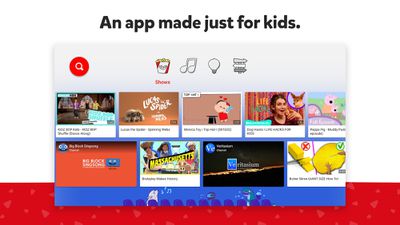
YouTube Kids uses a combination of automated filters, human review, and parent feedback to offer a safer environment for kids to watch videos. Parental controls offer additional customization, from allowing only parent-approved collections to be viewed and age-level ratings, to screen time limitations and video/channel blocking.
Even with the filtering and curation in place, YouTube has faced criticism for allowing some inappropriate content onto the YouTube Kids platform, and the company has pledged to improve its policies and procedures to be more strict. Early on, the service was also criticized for targeting children with advertising, with YouTube making some changes to help provide better distinction between ads and video content.
As noted by Engadget, YouTube Kids is compatible with both 4K and HD models of Apple TV, and it works with Siri.
Popular Stories
Just two days before Apple's "Welcome home" experience in New York, Bloomberg's Mark Gurman has leaked several details about the new products set to be unveiled, including an all-new smart home hub, a HomePod mini 2, and a new Apple TV 4K.
Here is an all-in-one summary of the details shared by Gurman:Apple's home hub with a touch-enabled display will be named HomeView, seemingly confirming a ...
Apple today announced the fourth-generation Apple TV 4K, with key features including an A19 chip, Siri AI support, an updated Siri Remote that has Find My support with Precision Finding, built in far-field microphones, support for surround sound with four HomePods in front and rear pairs, and more.
The A19 chip in the new Apple TV 4K delivers up to 50% faster CPU performance and up to twice...
Apple likely plans to release MacBook Pro models with OLED displays, 14-inch MacBook Pro and iMac models with M6 chips, and/or an iPad mini 8 with an OLED display on Friday, November 6, according to Bloomberg's Mark Gurman.
The devices are expected to be announced on Tuesday, October 27 or Wednesday, October 28.
If this timeframe proves to be accurate, then Apple will be releasing new...



















































