Attention Correction Feature in iOS 13 Beta Enables Appearance of Eye Contact During FaceTime Calls [Updated]
A new feature in the latest iOS 13 beta makes users appear as if they're looking directly at the camera to make eye contact during FaceTime calls, when actually they're looking away from the camera at the image of the other person on their screen.

The FaceTime Correction Feature as demoed by Will Sigmon (@Wsig) The new "FaceTime Attention Correction" feature, first spotted by
Mike Rundle on Twitter, can be turned on and off in the FaceTime section of the Settings app, although it only appears to work on
iPhone XS and XS Max devices in the third iOS 13 beta sent out to developers on Tuesday.
Why the feature is limited to these devices right now remains unknown. It clearly relies on some form of image manipulation to achieve its results, so maybe the software algorithms require the more advanced processing power of Apple's latest devices.
Rundle predicted in 2017 that FaceTime attention correction would be introduced by Apple in "years to come," but its apparent inclusion in iOS 13, due to be released this fall, has surprised and impressed him.
For more details on the many features coming to iPhones with iOS 13, be sure to check out our comprehensive MacRumors roundup.
Update: As demonstrated by Dave Schukin, the feature uses ARKit depth maps to adjust eye position to make it appear the user is looking at the camera.
Popular Stories
Apple's next-generation iPhone 17 Pro and iPhone 17 Pro Max are less than three months away, and there are plenty of rumors about the devices.
Apple is expected to launch the iPhone 17, iPhone 17 Air, iPhone 17 Pro, and iPhone 17 Pro Max in September this year.
Below, we recap key changes rumored for the iPhone 17 Pro models:Aluminum frame: iPhone 17 Pro models are rumored to have an...
The long wait for an Apple Watch Ultra 3 appears to be nearly over, and it is rumored to feature both satellite connectivity and 5G support.
Apple Watch Ultra's existing Night Mode
In his latest Power On newsletter, Bloomberg's Mark Gurman said that the Apple Watch Ultra 3 is on track to launch this year with "significant" new features, including satellite connectivity, which would let you...
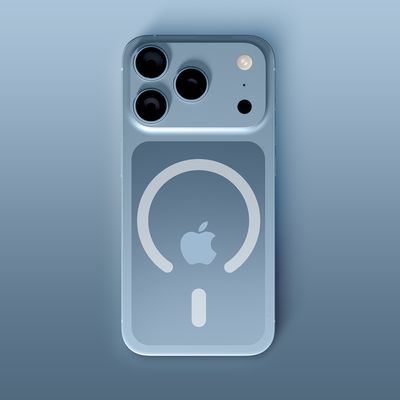
The upcoming iPhone 17 Pro and iPhone 17 Pro Max are rumored to have a slightly different MagSafe magnet layout compared to existing iPhone models, and a leaked photo has offered a closer look at the supposed new design.
The leaker Majin Bu today shared a photo of alleged MagSafe magnet arrays for third-party iPhone 17 Pro cases. On existing iPhone models with MagSafe, the magnets form a...
Apple is developing a MacBook with the A18 Pro chip, according to findings in backend code uncovered by MacRumors.
Subscribe to the MacRumors YouTube channel for more videos.
Earlier today, Apple analyst Ming-Chi Kuo reported that Apple is planning to launch a low-cost MacBook powered by an iPhone chip. The machine is expected to feature a 13-inch display, the A18 Pro chip, and color options...
iOS 26 and iPadOS 26 add a smaller yet useful Wi-Fi feature to iPhones and iPads.
As spotted by Creative Strategies analyst Max Weinbach, sign-in details for captive Wi-Fi networks are now synced across iPhones and iPads running iOS 26 and iPadOS 26. For example, while Weinbach was staying at a Hilton hotel, his iPhone prompted him to fill in Wi-Fi details from his iPad that was already...
Apple today seeded the second betas of upcoming iOS 18.6 and iPadOS 18.6 updates to public beta testers, with the betas coming just a day after Apple provided the betas to developers. Apple has also released a second beta of macOS Sequoia 15.6.
Testers who have signed up for beta updates through Apple's beta site can download iOS 18.6 and iPadOS 18.6 from the Settings app on a compatible...
Apple is planning to launch a low-cost MacBook powered by an iPhone chip, according to Apple analyst Ming-Chi Kuo.
Subscribe to the MacRumors YouTube channel for more videos.
In an article published on X, Kuo explained that the device will feature a 13-inch display and the A18 Pro chip, making it the first Mac powered by an iPhone chip. The A18 Pro chip debuted in the iPhone 16 Pro last year. ...
The iPhone 17 Pro Max will feature the biggest ever battery in an iPhone, according to the Weibo leaker known as "Instant Digital."
In a new post, the leaker listed the battery capacities of the iPhone 11 Pro Max through to the iPhone 16 Pro Max, and added that the iPhone 17 Pro Max will feature a battery capacity of 5,000mAh:
iPhone 11 Pro Max: 3,969mAh
iPhone 12 Pro Max: 3,687mAh...
Apple hasn't updated the AirPods Pro since 2022 other than a shift from Lightning to USB-C, and the earbuds are due for a refresh. We're counting on a new model this year, and we've seen several hints of new AirPods tucked away in Apple's code. Rumors suggest that Apple has some exciting new features planned that will make it worthwhile to upgrade to the latest model.
Subscribe to the ...