Apple Seeds First Beta of tvOS 11.3 to Public Beta Testers - MacRumors
Skip to Content

Apple Seeds First Beta of tvOS 11.3 to Public Beta Testers

Apple today seeded the first beta of an upcoming tvOS 11.3 update to its public beta testing group, one day after providing the beta to developers and a few days after the release of tvOS 11.2.5, a minor bug fix update.

The tvOS 11.2.5 public beta can be obtained by going to the Settings app on the Apple TV and navigating to the Software Updates section under "System." "Get Public Beta Updates" will need to be toggled on, and once it is, the Apple TV will download the beta software.
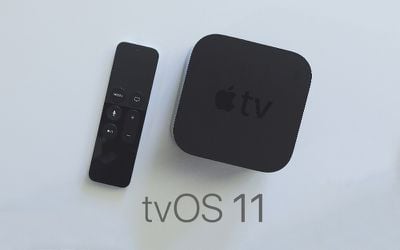
tvOS 11
tvOS 11.3 introduces support for AirPlay 2, allowing the Apple TV to be added to the Home app as part of a HomeKit setup.

With AirPlay 2, you can play music on multiple Apple TVs in different rooms, and when AirPlay 2 officially launches, that same functionality will extend to other AirPlay 2 devices like HomePod and AirPlay 2 compatible speakers.

Other new features in tvOS 11.3 include enhancements to Match Content support, automatic frame rate switching on the fourth-generation Apple TV, and automatic mode switching for AirPlay video sessions.

Related Roundup: Apple TV
Buyer's Guide: Apple TV (Don't Buy)

Popular Stories

Where is the New Apple TV Feature

Next Apple TV's Chip Revealed in Latest Leak

Tuesday September 8, 2026 10:19 am PDT by
The next Apple TV 4K will be equipped with an A19 or A19 Pro chip, according to evidence in Apple's code uncovered by MacRumors contributor Aaron Perris. In particular, the device's model identifier points towards the A19 generation of chips. Accordingly, the next Apple TV would have 8GB or 12GB of RAM, up from 4GB in the current 2022 model with the A15 Bionic chip. Other rumored upgrades for...
iOS 27 Feature Cool

Apple Releases New iOS 27, iPadOS 27, macOS 27, and tvOS 27 Public Betas

Monday August 31, 2026 2:13 pm PDT by
Apple today released the sixth public betas of iOS 27, iPadOS 27, tvOS 27, and macOS Golden Gate, allowing anyone with a compatible device to download and test the new software. The sixth betas come a week after Apple seeded the fifth betas and a few hours after the eighth developer betas. You can get started by signing up on Apple's beta website and then opting in to the public beta by...
Apple TV Remote Icon

iOS 27 to Upgrade Apple TV Remote App in Two Ways

Thursday September 10, 2026 2:33 am PDT by
Apple has updated the design of the virtual Apple TV Remote for the iOS 27 Release Candidate, which was released yesterday, and there are two new features that have been added to the iPhone app's interface. First up, Apple has added a new button to the top-right corner of the Remote UI with a glyph showing four squares. Pressing the button pops out an app menu similar to the Apple TV home...


Top Rated Comments

pgiguere1 Avatar
113 months ago
AirPlay 2 also include those improvements:

* Faster buffeting speed, so that content starts playing more quickly.
* Much longer buffer, which improves stability and makes seeking more responsive.
* Applications can be routed to different outputs. So you can take a phone call while music keeps playing on your AirPlay target.
Score: 4 Votes (Like | Disagree)
Knar Avatar
113 months ago
Anybody else notice that the play button doesn’t work anymore. Both on my 4K and 4.
Score: 3 Votes (Like | Disagree)
GIZBUG Avatar
113 months ago
Why would you turn off your ATV?
My electricity isn’t free.......
Score: 2 Votes (Like | Disagree)
Mac 128 Avatar
113 months ago
Surely that will make little difference as either the TV or Apple TV have to convert to the native resolution or am I am naïve?
My TV does a better job at upscaling native source material to 4K than ATV 4K. I also have different picture settings for 4K vs. HD content, which having the ATV upscale defeats. Certain functions of my TV are disabled for native 4K, that I use with HD sources. Apple locking us into one resolution output regardless of source is limiting on most displays, and it should be an option. As a result my ATV 4K stays in 1080p most of the time, unless I specifically decide to watch a 4K movie for maximum impact, and then it remains a 10 step process to change into and back. Heck I wouldn't even mind so much if I could just tell Siri to change into the native resolution I want to use.
Score: 2 Votes (Like | Disagree)
113 months ago
Frame rate matching on the 4th generation TV is a turn up, when they added to 5th generation I thought we’d been left in the cold.

Tested with Infuse and a BD rip and 24fps finally!
Score: 2 Votes (Like | Disagree)
Smith288 Avatar
113 months ago
Apparently I had the public beta profile on my tvOS and now it’s on beta. And my iOS remote app doesn’t work now.
Score: 2 Votes (Like | Disagree)