New Mac Purchases Bring iLife '11 to Users' Older Computers - MacRumors
Skip to Content

New Mac Purchases Bring iLife '11 to Users' Older Computers

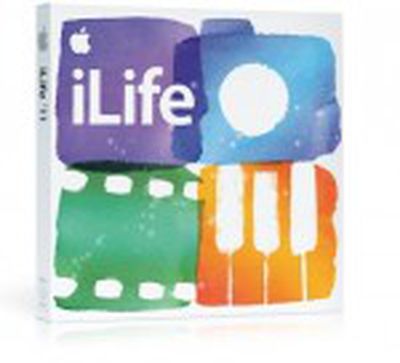
ilife 11 boxApple's new computers shipping with Lion do not include physical restore media and instead utilize a hidden recovery partition to allow users to reinstall their system software should the need arise. But as noted by Macworld, reinstallation of the iLife '11 software included on new Macs occurs via the Mac App Store, which recognizes the machines' iLife licenses and links them to users' Apple IDs during the initial setup process.

But one key feature of the Mac App Store is that a single purchased license permits downloading of the software to any machines owned or controlled by the person linked to that Apple ID and logged in with the account. That key feature means that the iLife licenses issued to new computers via the Mac App Store permit users to download the software to their other Macs that may not have been upgraded to the latest version of iLife.

Purchase an app on your laptop, and you can launch the Mac App Store app on your iMac, click the Purchases button, and install that same app without having to purchase it again.

The iLife license you get when you set up one of the latest Macs is no different. Which means that if you haven’t yet gotten around to upgrading to iLife ’11, buying a new Mac mini or MacBook Air essentially gets you iPhoto, iMovie, and GarageBand for all your Macs running OS X 10.6.6 or later (since you need at least that version of Snow Leopard to run the Mac App Store). And this isn’t sneaky or dishonest—it’s right there in the Mac App Store’s software license.

The report notes that the policy only applies to iPhoto, iMovie and GarageBand, as Apple is in the process of phasing out iWeb and iDVD and does not offer them for download via the Mac App Store or include them on the new MacBook Air and Mac mini. The applications were included in the boxed version of iLife '11, but did not receive any meaningful updates from the iLife '09 versions, meaning that users with fully-updated iLife '09 installed are already running the most up-to-date versions of iWeb and iDVD anyway.


Popular Stories

Apple Card iPhone 16 Pro Feature

Apple Card Promo to Offer Free AirPods Pro 3

Friday May 15, 2026 8:59 am PDT by
Starting as early as next week, customers who sign up for an Apple Card at Apple's retail stores in the U.S. will receive $249 cash back when they purchase AirPods Pro 3, according to Bloomberg's Mark Gurman. The promotion has yet to be officially announced by Apple, so exact terms and conditions are not available at this time. AirPods Pro 3 are priced at $249 in the U.S., so customers who...
Apple WWDC25 iOS 26 CarPlay Light mode 250609

Six Popular iPhone Apps Now Available on CarPlay

Thursday May 14, 2026 9:10 am PDT by
Apple's CarPlay system for accessing iPhone apps on a vehicle's dashboard screen has received six popular apps in recent weeks: ChatGPT, Perplexity, Grok, Google Meet, WhatsApp, and the indie artist streaming platform Audiomack. Make sure you have the latest version of each app and they will automatically appear on CarPlay. ChatGPT Starting with iOS 26.4, CarPlay supports voice-based...
ipad mini 7 blue

OLED iPad Mini: Release Date, Pricing, and What to Expect

Thursday May 14, 2026 5:08 am PDT by
According to the latest rumors, Apple is close to launching its next-generation iPad mini. So what should we expect from the successor to the iPad mini 7 that Apple released over a year ago? Read on to find out. Processor and Performance Apple is working on a next-generation version of the iPad mini (codename J510/J511) that features the A19 Pro chip, according to information found in code...

Top Rated Comments

King Flamez1 Avatar
193 months ago
I'll miss iDVD a little bit, it was so much easier adding titles and hyper links on DVDs to make them look professional on an easy to use piece of software. Hope they integrate some features in iMovie or another program in the future
Score: 4 Votes (Like | Disagree)
King Flamez1 Avatar
193 months ago
i'd trade it for iWork '11 ;)
Score: 4 Votes (Like | Disagree)
193 months ago
Well here's something to think about... this linking to your Apple ID also means you can't sell the mac with the software you bought on the app store unless you want to let the buyer keep the Apple ID.

So... does this mean the person has to buy Lion if they buy a Macbook that came with Snow Leopard originally? Or even more interesting, do they have to buy Lion if the computer came with Lion (I'm guessing having it on a partition means it can still be installed with a new Apple ID on this one though)?

Also, people are acting like this is new that it is easy to "game" the system to put new software that comes with a new computer on older computers... you could do that when the software came on DVD too, you just used that DVD on any other compatible mac.
Score: 2 Votes (Like | Disagree)
Clive At Five Avatar
193 months ago
It's sad that my gut reaction to this was that it was somehow "gaming the system." It's funny how software companies, EULAs and DMCA have conditioned us to (or at least me) to feel that way. =P

Regardless, I'm glad companies are (slightly) moving back towards looser copyright policies. Now if only Nintendo would let me download the NES titles I still have in cartridge form to my Wii...

-Clive
Score: 2 Votes (Like | Disagree)
shartypants Avatar
193 months ago
I'll miss iDVD a little bit, it was so much easier adding titles and hyper links on DVDs to make them look professional on an easy to use piece of software. Hope they integrate some features in iMovie or another program in the future

Apple has embraced the cloud so I guess they view DVDs as ancient history :), one less thing for their engineers to worry about. But it would still be nice to have some kind of a DVD like wrapper (UI with menus) around our home movies...?
Score: 2 Votes (Like | Disagree)
193 months ago
The whole thing with App Store-ready iLife programs would be great if it actually (https://forums.macrumors.com/showthread.php?t=1195824) worked (https://discussions.apple.com/thread/3205881). I had the same problem with my brand new Air.
Score: 1 Votes (Like | Disagree)