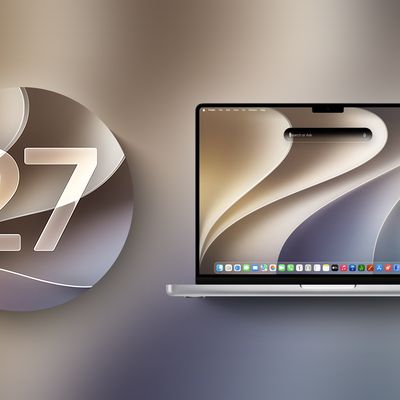
iOS 27 has been the star of the rumors we've been hearing ahead of Apple's WWDC 2026 event, but there have also been a few tidbits about the next version of macOS, macOS 27. We don't know as much about macOS 27 as we do about iOS 27, so there will be some surprises in store.
Liquid Glass Revision
Hate Liquid Glass on the Mac? It's not going anywhere, but Apple is planning a "slight redesign."
Liquid Glass transparency and shadows don't work as well on the Mac as they do on the iPhone, and Apple has some revisions in mind. Don't expect Apple to revert to the pre-Tahoe design, but minor improvements are likely.
Siri
Most people probably never use Siri on the Mac, but that could change with macOS 27. The smarter, more capable version of Siri that we've been hearing about endlessly isn't just for iOS. Siri is also coming to macOS, with a new Siri interface planned and, presumably, a standalone Siri app for the Mac.
We don't know as much about the macOS 27 Siri interface as we do about the iOS 27 interface, but it'll probably parallel what's coming in iOS. On the iPhone, Siri will be integrated in the Dynamic Island. Will Apple somehow carry that over to the Mac's notch? Who knows, but it's possible. Siri on iOS has a dark interface that's hinted at in WWDC graphics, and we could get that same style in macOS 27.
If you want to read more about the changes coming to Siri, check out our iOS 27 roundup.
AI App and Feature Updates
Most of these rumors are for iOS 27, but a lot of what's available on iOS is also available on macOS.
- Photos - The Photos app will include new Extend and Reframe options. Extend generates image content beyond the original frame of the photo, and Reframe lets users change the perspective of an image after it's captured. There's also a tool for natural language photo edits, but it might not be ready to go when macOS 27 launches.
- Image Playground - Apple is testing new models that produce more lifelike images, plus there could be some updates to the app interface.
- Wallpaper - iOS 27 is getting a wallpaper-generating feature that uses Image Playground, so it makes sense for it to be available in macOS 27 too.
- Shortcuts - The Shortcuts app will let users ask Siri to generate a shortcut using natural language. With a short statement on what a shortcut should do, AI will whip it up and add it to the app. It'll make shortcuts much easier for the average person to use.
- Writing Tools - In addition to spell check, there will be a grammar check feature. Writing Tools will also support expanded rewriting and text generation capabilities.
- Safari - Safari is getting a feature for automatically organizing browser tabs into groups, which will be useful for tab addicts who like to see just how many tabs their Mac can handle before it starts to feel sluggish.
Bug Fixes and Performance Improvements
Bug fixes and performance improvements will be a focus in both iOS 27 and macOS 27. In fact, Bloomberg's Mark Gurman said Apple is working on a "Snow Leopard-style update" for iOS 27 and macOS 27.
Apple wants to improve the underlying quality and performance of macOS.
Touchscreen Support
There is a MacBook Pro with a touchscreen OLED display that's going to come at some point during the macOS 27 release cycle, so there could be hidden touch-based tweaks. This isn't a device that we're expecting until late 2026 at the earliest (and 2027 is more likely), but researchers who like to dig into macOS code might find some hints of touchscreen support.
No More Intel Macs
It's the end of the road for Intel Macs. If you're still using a Mac with an Intel chip, you won't be able to upgrade to macOS 27. macOS Tahoe is the last version of macOS that runs on Intel Macs, and macOS 27 will require an M1 Apple silicon chip or later.
Apple has phased out all Intel Macs, and it stopped selling the last Mac with an Intel chip in 2023.
Speaking of phasing things out, Apple is ending support for Rosetta 2 after macOS 27. Rosetta will still be available in macOS 27, but not macOS 28. If you're still using an app that relies on Rosetta, it will need an Apple silicon update by fall 2027 or it's not going to work anymore.
macOS Name
One detail that rarely leaks ahead of WWDC is Apple's name for the next version of macOS. Apple uses California landmarks for its Mac software, and there are still plenty to choose from. "Project Big Bear" is the name of the hashmoji file that Apple shared on X, so macOS Big Bear is a possibility. If macOS 27 focuses on bugs and is a "Snow Leopard" update, Apple could pick macOS Emerald after Emerald Bay.
Emerald Bay is a small bay off of Lake Tahoe, and it would be a fitting choice. "Snow Leopard" followed "Leopard," and using the same kind of linked name would be a strong signal of Apple's commitment to performance improvements in the macOS 27 update.
Launch Date
macOS 27 will be available for developers after the June 8 WWDC keynote event. A public beta will follow in July, and the software will see a public launch in the fall.