Google Maps for iOS and Apple CarPlay Gains Live Speedometer Feature - MacRumors
Skip to Content

Google Maps for iOS and Apple CarPlay Gains Live Speedometer Feature

Apple's WWDC 2026 Keynote: Follow along with our live blog.

The Google Maps app for iOS and Apple CarPlay now features a live speedometer, TechCrunch reports.
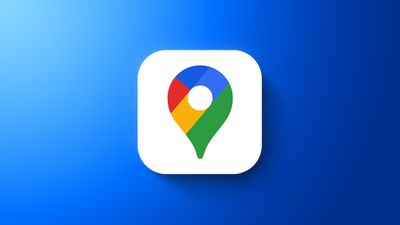
Google maps feaure
The feature, which was previously only available on Google Maps for Android, helps users to stay within the speed limit while driving. Now, when a user begins navigation, the vehicle's speed is shown in miles or kilometers per hour, depending on the region. The icon changes color depending on the speed indicator to subtly encourage drivers to remain within the speed limit.

Google confirmed to TechCrunch that the speedometer display is now rolling out to iOS users globally, but it cautions that the feature is for "informational use only" and drivers should still rely on their vehicle's speedometer to confirm its actual speed. To turn on the speedometer and speed limits in the Google Maps app, users should navigate to their profile, Settings, Navigation, and Driving options.

Popular Stories

Aston Martin CarPlay Ultra Screen

Apple Says CarPlay Ultra is Coming to These Vehicle Brands

Thursday May 21, 2026 11:53 am PDT by
Last year, Apple launched CarPlay Ultra, the long-awaited next-generation version of its CarPlay software system for vehicles. Nearly a year later, CarPlay Ultra is still limited to Aston Martin's latest luxury vehicles, but that should change fairly soon. In May 2025, Apple said many other vehicle brands planned to offer CarPlay Ultra, including Hyundai, Kia, and Genesis. CarPlay Ultra...
ios 26 iphone 16 pro lock screen notifications feature 1

iOS 27 Notifications Will Slide in From Left Side of Your iPhone's Screen

Friday June 5, 2026 7:24 am PDT by
Bloomberg's Mark Gurman today revealed another iOS 27 change: notifications will slide in from the left side of the screen instead of from the top. In addition, accessing Notification Center on iOS 27 will require swiping down on the top-left corner of the screen. If you swipe down on the Dynamic Island area, a new "Search or Ask" interface tied to the revamped Siri will appear, instead of...
WWDC26 Mock Feature 2

Will Apple Launch New Hardware at WWDC Next Week?

Friday June 5, 2026 7:56 am PDT by
Apple has several hardware releases in the pipeline, but will we see any of them unveiled at this year's Worldwide Developers Conference? WWDC is primarily a software event where new versions of iOS, iPadOS, macOS, watchOS, tvOS, and visionOS take center stage, but it's not unusual for Apple to introduce new hardware during the developer conference. Take WWDC 2017, for example, where Apple...

Top Rated Comments

sdwaltz Avatar
25 months ago
Excellent news. All GPS/Mapping apps should do this - Waze blazed the trail.
Score: 14 Votes (Like | Disagree)
dannyyankou Avatar
25 months ago

Waze had this for ages ...

So have cars
Score: 7 Votes (Like | Disagree)
Canyda Avatar
25 months ago
This is a great idea. Car manufacturers should start putting speedometers in vehicles so that we don't have to check our speeds by averting our gaze to the side when driving to look at our phones. Maybe car makers could put our driving speed right on the main dashboard of the vehicle so we can glance down and see it there.
Score: 7 Votes (Like | Disagree)
victorvictoria Avatar
25 months ago
That's fine, except I CAN'T DRIVE 55!
Score: 7 Votes (Like | Disagree)
WarmWinterHat Avatar
25 months ago
Okay, that's nice I guess.

The real question, is Google EVER going to show a Saved Location's/Favorite's name, in CarPlay, instead of just the address? It's always worked on the phone.
Score: 6 Votes (Like | Disagree)
Mr_Ed Avatar
25 months ago
Can someone explain to me how this is helpful or necessary? AFAIK the speedometer is the most prominent element in the instrument cluster of most motor vehicles (save some like the traditional Porsche 911 cluster arrangement). If you are behind the wheel and don’t have at least a rough idea of how fast your vehicle is moving and the applicable speed limit, you may already be more distracted than you should be. How does flashing something on the entertainment display (not directly in front of driver in most vehicles) make things better?

Some modern vehicles already have this function built-in but at least in that case, the warning appears in the instrument cluster and/or HUD (if the vehicle has one), which I would expect the driver to be checking regularly.
Score: 5 Votes (Like | Disagree)