iPhone 15 Might Support Charging Speeds Up to 35W
With the transition to USB-C, the iPhone 15 models could get faster charging speeds up to 35W. 9to5Mac says that it has heard from industry sources that "at least some" of the iPhone 15 models are able to charge at this higher wattage.
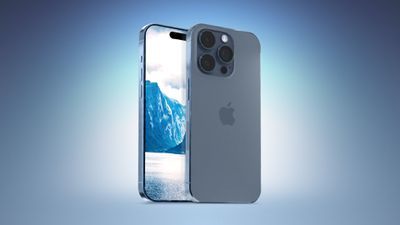
At the current time, the iPhone 14 models can charge at a maximum of around 27W, with the Pro models able to charge a bit faster. An increase to 35W would speed up charging times.
Apple does not sell a power adapter with the iPhone anymore, but the company recommends a 20W+ charger for fast charging purposes right now. If the iPhone 15 models support up to 35W charging, Apple could start recommending its 30W MacBook Air charger or its 35W Dual USB-C charger for maximum charging speed.
Earlier this year, Apple analyst Ming-Chi Kuo said that the iPhone 15 models would support faster charging speeds due to the transition to USB-C. He said that the faster speeds would be available with MFi-certified USB-C chargers, including the 20W power adapter.
There have been rumors that Apple will limit faster charging speeds to MFi-certified cables and chargers, and it is also possible that the fastest charging speeds could be reserved for the iPhone 15 Pro models.
Popular Stories
Some iPhone Duos are already experiencing hinge issues that cause display cracks, based on photos shared on Reddit and the MacRumors forums. Almost all of the display faults are right along the hinge, and most result in a line of bright pixels across one side of the screen.
An iPhone Duo owner in Australia said his device cracked after being opened fewer than 20 times, and there was no...
Apple Music has a 404 page easter egg on the web: a functional iPod that appears when you load a page that does not exist, such as music.apple.com/macrumors.
"Page Not Found," says Apple. "Give this a spin instead."
Apple is clever with this. If you navigate to music.apple.com/ipod instead, the page says "Looking for something?" instead of "Page Not Found."
The easter egg is only...
Apple's iPhone Duo has failed JerryRigEverything's latest durability test. Despite its IP68 dust-resistance rating, dust entered the hinge through several ingress points, overwhelming the magnets that hold the phone shut. The bend test then left a permanent green line across the inner display, before the screen became unresponsive.
The outer screen with Ceramic Shield 2 scratched at level 7...