Apple Releases Third Public Beta of macOS Monterey 12.5 - MacRumors
Skip to Content

Apple Releases Third Public Beta of macOS Monterey 12.5

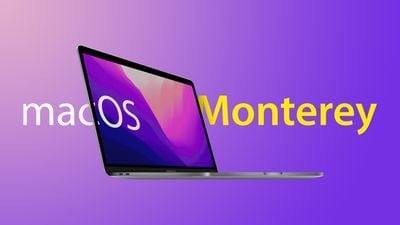
Apple today seeded the third beta of an upcoming macOS Monterey 12.5 update to its public beta testing group, with the update coming one day after Apple provided the beta to developers.
macOS Monterey on MBP Feature
Public beta testers can download the macOS Monterey 12.5 update from the Software Update section of the System Preferences app after installing the proper profile from Apple's beta software website.

There's no word yet on what new features or changes might be included in macOS Monterey 12.5, and nothing new was found in the first developer beta. Apple has provided no details on this time, so we may need to wait for release to find out what bug fixes or minor changes might be included.

macOS Monterey 12.5 is likely to be one of the final updates to the macOS Monterey operating system as Apple begins its transition to the next-generation version of macOS, macOS Ventura. macOS Ventura is set to be released this fall.

Related Forum: macOS Monterey

Popular Stories

Apple Card iPhone 16 Pro Feature

Apple Card Promo to Offer Free AirPods Pro 3

Friday May 15, 2026 8:59 am PDT by
Starting as early as next week, customers who sign up for an Apple Card at Apple's retail stores in the U.S. will receive $249 cash back when they purchase AirPods Pro 3, according to Bloomberg's Mark Gurman. The promotion has yet to be officially announced by Apple, so exact terms and conditions are not available at this time. AirPods Pro 3 are priced at $249 in the U.S., so customers who...

Apple WWDC25 iOS 26 CarPlay Light mode 250609

Six Popular iPhone Apps Now Available on CarPlay

Thursday May 14, 2026 9:10 am PDT by
Apple's CarPlay system for accessing iPhone apps on a vehicle's dashboard screen has received six popular apps in recent weeks: ChatGPT, Perplexity, Grok, Google Meet, WhatsApp, and the indie artist streaming platform Audiomack. Make sure you have the latest version of each app and they will automatically appear on CarPlay. ChatGPT Starting with iOS 26.4, CarPlay supports voice-based...

ipad mini 7 blue

OLED iPad Mini: Release Date, Pricing, and What to Expect

Thursday May 14, 2026 5:08 am PDT by
According to the latest rumors, Apple is close to launching its next-generation iPad mini. So what should we expect from the successor to the iPad mini 7 that Apple released over a year ago? Read on to find out. Processor and Performance Apple is working on a next-generation version of the iPad mini (codename J510/J511) that features the A19 Pro chip, according to information found in code...

Top Rated Comments

Realityck Avatar
51 months ago

I want them fixed in the next Monterey release. I haven't been on any of the betas and having these issues continuously
You can't blame the OS all the time. We don't know what added software you are utilizing that might have issues with Monterey creating what you mentioned? While I was using a M1 Max 16" with previous 12.5 beta it was very stable. Why don't you first boot in safe mode and see if some of your issues manifest. You can always use a backup program to create a ASR volume so you can restore your settings/apps/data after an Apple Store does a DFU restore (total wipe/fresh system FW/MacOS) to return the laptop to factory default.
Score: 4 Votes (Like | Disagree)
51 months ago
Fix the stupid speaker pop. Fix documents not appearing on desktop unless reloaded. Fix the random freezes. 2021 16" M1 pro has worst performance than my 2014 MBP did
Score: 3 Votes (Like | Disagree)
Realityck Avatar
51 months ago

All I want is Apple to fix the god damn quick preview bug that prevents Finder from previewing the file, image, video etc. by hitting the space bar. This bug has existed since I installed Monterey and I cannot even tell you how many times each day I have to restart Finder to make it work again.

I have been reporting this bug to Apple on countless occasions but they just don't seem to care. So if I can get just one fix let it be the quick preview fix, please!
Releated
https://piunikaweb.com/2022/02/26/macos-12-monterey-quick-look-preview-not-working-try-this-workaround/

I see its against a M1 Mini for you, for me on a M1 iMac its working,

the workaround instead of killing finder


i figured it out by force killing the quick look task in activity monitor. seems like a bug. and your welcome! its a great feature.
Score: 3 Votes (Like | Disagree)
Realityck Avatar
51 months ago

I've never felt Safari more unstable than it is in 12.4. It's been doing some crazy crap like new tabs refusing to open, Google maps not showing satellite view, websites not loading at all, but then again, I've started using Tab Groups extensively since 12.3. I just hope all or at least most of the Safari issues get ironed out in 12.5
Every beta build has a different Safari build you know. Websites not loading due to various reasons can effect other tabs. Compare another browser like FireFox 101.0.1 to verify if is a server issue with downloading content from that site or if the HTML scripts/content is causing issues.
Score: 2 Votes (Like | Disagree)
loby Avatar
51 months ago
Hoping Apple gets macOS 12.5 stable enough so many who have unsupported Ventura Macs can park on it for some time. Apple cut off many intel's systems (some maybe earlier) like Mac Pro 2013. Yes...old system, but stopped selling them in 2019.

Any idea when 12.5 will come out? End of July or earlier?
Score: 2 Votes (Like | Disagree)
Realityck Avatar
51 months ago

Yes! Speaker pop is driving me crazy!!! Apple fix your stupid core audio drivers!
Reference
https://developer.apple.com/forums/thread/132423?page=12

One method of fixing it
Here's what worked for me:
[LIST=1]
* (Menu Bar): Go > Computer > Macintosh HD > Library > Preferences > Audio
* Delete the com.apple.audio.DeviceSettings.plist and com.apple.audio.SystemSettings.plist files
* Empty trash
* Shut down the laptop and wait 30 seconds
* Turn it back on
Score: 1 Votes (Like | Disagree)