Apple Releases macOS Catalina 10.15.6 Supplemental Update With Virtualization Bug Fix
Apple today released a supplemental update for macOS Catalina 10.15.6, with the update coming a month after the original launch of macOS Catalina 10.15.6.
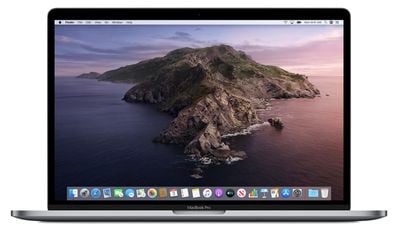
The macOS Catalina 10.15.6 Supplemental Update can be downloaded from the Mac App Store using the Update feature in the System Preferences app.
According to Apple's release notes, the update fixes a problem that could cause virtualization apps like VMware to crash. It also fixes an issue that could cause the 2020 iMac to appear washed out after waking from sleep. Apple's full release notes are below:
macOS Catalina 10.15.6 supplemental update includes bug fixes for your Mac.
- Fixes a stability issue that could occur when running virtualization apps
- Resolves an issue where an iMac (Retina 5K, 27-inch, 2020) may appear washed out after waking from sleep
macOS Catalina 10.15.6 will likely be the last update to the macOS Catalina operating system as Apple transitions to macOS Big Sur, the newest version of macOS set to be released in the fall.
Popular Stories
Apple made the first beta of iOS 17.2 available to developers in October. Since then we've seen two more betas, and with each iteration Apple continues to add more new features and changes, many of which users have been anticipating for quite a while. Below, we've listed 25 new things that are coming to your iPhone when the finalized version is publicly released in December. 1. Help You...
A new Apple TV is expected to be released in the first half of 2024. Below, we recap rumored features and changes for the streaming box. The current Apple TV was released in November 2022, with key features including the A15 Bionic chip, a larger 128GB storage option, a slightly thinner and lighter design, HDR10+ support, a USB-C port on the Siri Remote, lower pricing, and more. A...
Apple appears to be internally testing an iOS 17.1.2 update for the iPhone, based on evidence of the software in our website's analytics logs within the past few days. As a minor update, iOS 17.1.2 should be focused on bug fixes, but it's unclear exactly which issues might be addressed. Some users have continued to experience Wi-Fi issues on iOS 17.1.1, released earlier this month, so...
Black Friday is now just a few days away, and Apple products are seeing major discounts across various online retailers right now, with the year's best prices on AirPods, iPad, MacBook, and more. Of course, there's no guarantee that better prices won't appear later in the holiday season, but if you want to shop right now these are the best deals currently available on each product. Note:...
The iPhone 16 series is at least 10 months away, and yet there are 17 rumors already circulating about the devices. Below, we've recapped all of the new features and changes we have covered here at MacRumors so far. Subscribe to the MacRumors YouTube channel for more videos. The following key changes have been rumored for the iPhone 16 lineup as of November 2023: Larger Displays: The...
Images purporting to depict a new battery designed for the iPhone 16 Pro today leaked online, showing a new metal casing and a slightly larger capacity. The images come from the leaker known as "Kosutami," who has disseminated accurate information about Apple's plans in the past. If authentic, the images are the first to be shared of the iPhone 16's components. The battery is said to be...
Apple eventually plans to build its own custom modem into cellular MacBook models that could arrive in 2028 at the earliest, according to Bloomberg's Mark Gurman. Apple has reportedly been working on its own modem since 2018, as it seeks to move away from Qualcomm's component currently used in iPhones. The timeframe for launching the modem has slipped several times and is now expected to be...
Now that we're in Black Friday week, discounts on a range of Apple products have become abundant at numerous retailers. For MacBooks, you'll find all of the best deals available at Best Buy this season, particularly for My Best Buy Plus and My Best Buy Total members. Note: MacRumors is an affiliate partner with Best Buy. When you click a link and make a purchase, we may receive a small...
Top Rated Comments
How about the Product Manager who signed off on the release? The director of software engineering? The VP of Software?
Or how about the executives who decided to allocate only so many resources to software testing, while maintaining pressure to meet an ambitious feature release schedule?
In any company, the responsibility for releasing buggy software goes all the way up the chain, not just theoretically but in actual practice. The danger of demanding that heads roll is that 1) the heads probably won’t belong to the people responsible for creating the conditions that lead to the release of buggy software, 2) the people who replace your decapitated developers will have less experience with the software you’re developing, and 3) your developers may become more concerned about covering their posteriors (a singularly inappropriate metaphor for someone facing decapitation) than about working together to release high-quality software.
Don’t get me wrong. As someone who used to run software QA for a living, I’m inclined to think that people should be serving jail time for some of the software bugs I keep reading about, but actually deciding who to fire or hang or sacrifice to the Red God isn’t entirely straightforward, nor perhaps entirely helpful.
My biggest concern is access to root as Apple continues to extend SIP. I've always disabled SIP and Gatekeeper as I require read/write access for development and third party apps. Certainly this it not something everyone should do and doing so is always with risk yet is a necessity for my personal needs and I utilize other precautions, etc.
That stated, my biggest concern is read/write access to root as Apple created two volumes for Applications - User and System. I've created a script that mounts the drive for read/write, assigns the necessary permissions, then deletes it. I've used this on my MacBook Pro for development work which is now running Big Sur.
My concerns with 10.15:
- Will this be necessary in case my system needs to be restarted? (I rarely do so unless necessary)
- Has Apple locked the ability to mount and change root permissions with incremental 10.15.x updates?
Don't even get me started on Big Sur. Running it on my MacBook Pro for development and struggling to adjust to the UI in addition to SSV. I completely understand Apple's focus on security especially for novices/everyday users, yet their focus on locking the system down further with each release makes it difficult for third party developers to maintain their apps which is most likely Apple's true intentions as they want to force developers to utilize the Mac App Store. Given there are ways to easily bypass Apple's security measures - granted they've made the processes more difficult - and users have already found backdoors in Big Sur, I wonder if there are better methods for security measures than what Apple has been implementing since SIP and Gatekeeper were introduced.
Make no mistake—I, too, get upset and irritated when software bugs interrupt my productivity and enjoyment of technology. I’ve complained a lot to Apple over the years, and logged countless support cases for numerous products, both software and hardware. When something is not to my liking or when it causes me inconvenience as a user, I will complain.
That said, I also realize that with something as complex as an operating system, there’s not just one person pulling the strings behind the curtain, so to speak. It’s a team effort, and sometimes mistakes are made. No manufacturer has ever released a flawless product without blemish, one which operates perfectly in every way. In the end, it’s up to the end user to make sure their bases are covered, so that when a particular piece of software or hardware they use does not function properly, they have a means of recovering.