Apple Seeds Second Beta of macOS High Sierra 10.13.4 to Developers - MacRumors
Skip to Content

Apple Seeds Second Beta of macOS High Sierra 10.13.4 to Developers

Apple today seeded the second beta of an upcoming macOS High Sierra 10.13.4 update to developers, two weeks after seeding the first beta and two weeks after releasing macOS High Sierra 10.13.3.

The new macOS High Sierra 10.13.4 beta can be downloaded from the Apple Developer Center or through the Software Update mechanism in the Mac App Store with the proper profile installed.
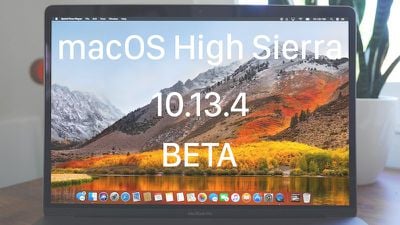
macoshighsierra10134beta
macOS High Sierra 10.13.4 includes bug fixes and performance improvements for issues that weren't addressed in macOS High Sierra 10.13.3. The update includes support for some features that are also available in iOS 11.3, like Messages on iCloud, which uploads all of your iMessages to the cloud. It will also support Business Chat, a feature coming when iOS 11.3 and macOS 10.13.4 are released to the public.

The new macOS update also includes the smoke cloud wallpaper that was previously only available on the iMac Pro, and it introduces a warning when opening up a 32-bit app as part of an effort to phase them out.

In the future, Apple plans to phase out 32-bit Mac apps, just like it did with 32-bit iOS apps. Apple says macOS High Sierra is the last version of macOS that will support 32-bit apps without compromises.

Related Forum: macOS High Sierra

Popular Stories

iOS 27 Next to iPhone

Here's When iOS 27 Rolls Out Today in Every Time Zone

Sunday September 13, 2026 3:00 am PDT by
Apple is about to release iOS 27, which will finally deliver more advanced Siri AI capabilities as well as a variety of other refinements, improvements, and new features to iPhones. It's Apple's biggest software update of the year, and Apple announced at Wednesday's iPhone event that it will be releasing iOS 27 sometime today – Monday, September 14. iOS 27 won't be the only release today,...

deep black iphone 18 pro

Apple Says iPhone 18 Pro Max Sold in U.S. Differs in One Way

Saturday September 12, 2026 3:27 pm PDT by
As noted by Nicolas Lellouche, who writes for the French tech website Numerama, Apple has updated its tech specs pages for the iPhone 18 Pro and iPhone 18 Pro Max to clarify which models are equipped with its new C2 cellular modem and where. Apple now says the iPhone 18 Pro has a C2 modem worldwide, while the iPhone 18 Pro Max uses the chip in every country except for the U.S. According...

iphone duo

IMAX Reacts to iPhone Duo's 1:1.4 Aspect Ratio Displays

Friday September 11, 2026 4:42 am PDT by
Production theater company IMAX has responded in a mixed way to Apple's embrace of a 1:1.4 aspect ratio on the iPhone Duo's inner and outer displays. The boxier ratio happens to be very close to the classic "full-frame" IMAX 1.43:1 aspect ratio, which comes from the geometry of the company's original 15-perforation/70mm film system. In response to an X post from someone wondering if we'll see...

Top Rated Comments

112 months ago
This release also has a lot of goodies for eGPU owners. We can now attach remove the egpu without a logout. Also clamshell mode is now supported. Looking forward to the final version to install on my production computer.
Score: 7 Votes (Like | Disagree)
chucker23n1 Avatar
112 months ago
They actually did rewrite a significant amount of under the hood code between Sierra and High Sierra.
If they hadn’t, they’d be accruing more and more technical debt. You can’t just keep piling on.

I know it’s hip to hate on discoveryd, but the fact that it was ultimately reverted may be a bad sign for the long-term
quality of Bonjour. They couldn’t make a rewrite work, so they had to tack Continuity (Handoff, AirDrop, etc.) on to the existing core, which is now a decade and a half old. That’s not so great. And guess where I do have flakiness? In Continuity.
Score: 3 Votes (Like | Disagree)
112 months ago
When MacOS 10.13.3 came out, we upgraded 3 MacBook Pro's (2 x 15 inch retina 2012 and one 2014 13 inch). All MacBooks experienced a mayor drop down in performance. It was like thick sirup against the wind running uphill. We all downgraded to Sierra and got our performance back. So my advice? Do not upgrade 'older' Macs. I really hope High Sierra or it's successor wil have way better performance...
I think it always depends on the specific machine. Since the window server is now Metal2 instead of OpenGL I got a huge performance boost with High Sierra.
Score: 3 Votes (Like | Disagree)
hsotnicam8002 Avatar
112 months ago
I’ve heard this is the release that makes MacOS solid. Yes, still bugs as there will always be, but the release that isn’t brand damaging and the one Apple should have released.

Clearly, Apple needed another four months—plus even more time to finish the other features.
What are you on? I need some. ;-)
Score: 3 Votes (Like | Disagree)
112 months ago
Same. I gave up on High Sierra and restored our machines to Sierra. High Sierras little instabilities and annoyances I could get around, but its inability to move files over a network, even without AFPS on any of them, without crashing or hanging, made it impossible to use. Our new fully decked out iMac never once successfully completed a shut down or restart without hanging after High Sierra. Sierra on the other hand runs perfectly fine, and I have yet to notice anything High Sierra did that I wish Sierra did.
You mention APFS, which may have had some problems, I'm not sure. But there was a significant bug with SMB that was only fixed in 10.13.3 that caused the finder to lock up when doing simple copying/moving of files (!!). That could mean millions of macs hooked up to windows networks! It sure affected me.

I agree that 10.13.3 is finally decently stable. But the fact that this basic functionality got borked and took months to fix is unacceptable. No wonder they recently announced that they will 'focus on stability'. Major releases should be moved to a 2 year cycle at least!
Score: 2 Votes (Like | Disagree)
112 months ago
When Apple can fix Command-B for BOLD STILL not working in the MAIL program, I'll know they are serious!

And then there's this. With 40GB of memory, an SSD, and 5TB of HD space, should Safari give me this message just running Facebook & MAIL? Clearly, we have here monkeys throwing paint at a wall thinking it's art. :(


This message appears on my screen dozens of times each day just running FACEBOOK! INSANE!

I also get spinning beachball freezes when dragging a link to the dock to launch another browswer. That never happened in Sierra either or El Capitan or previous!

The few new features are just not worth the added pain of breaking other apps. :(
The irony is that APFS makes my SSD slower! It boggles my mind. I do have my HD partitioned, but APFS cannot handle that?
Interestingly, I have an SSD and only 8 GB RAM and suffer from none of those issues.
Score: 2 Votes (Like | Disagree)