Apple Provides Third Beta of tvOS 11 to Developers
Apple today seeded the third beta of an upcoming tvOS 11 update designed for the fourth-generation TV, nearly three weeks after seeding the second beta and more than a month after releasing the first beta during the 2017 Worldwide Developers Conference.
Registered developers can download tvOS 11 by connecting the Apple TV to a computer with a USB-C cable and installing the beta software using iTunes.
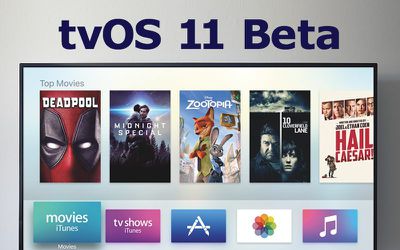
tvOS 11 received little attention at the Worldwide Developers Conference, but according to Apple's release notes, it introduces a few new features to the operating system, and the third beta likely focuses on bug fixes, as the second beta did.
tvOS 11 introduces automatic switching between light/dark mode based on local time, Home screen syncing options that keep multiple Apple TVs in a household in sync, new background modes and notification support, Focus API improvements, custom sound support, network-based pairing and development support, improvements to Mobile Device Management, and more.
The new tvOS 11 update is available for registered developers and for the first time, public beta testers. A new tvOS 11 beta for public beta testers is likely to come out later this week.
Popular Stories
The next Apple TV 4K will be equipped with an A19 or A19 Pro chip, according to evidence in Apple's code uncovered by MacRumors contributor Aaron Perris. In particular, the device's model identifier points towards the A19 generation of chips.
Accordingly, the next Apple TV would have 8GB or 12GB of RAM, up from 4GB in the current 2022 model with the A15 Bionic chip. Other rumored upgrades for...
Apple today released the sixth public betas of iOS 27, iPadOS 27, tvOS 27, and macOS Golden Gate, allowing anyone with a compatible device to download and test the new software. The sixth betas come a week after Apple seeded the fifth betas and a few hours after the eighth developer betas.
You can get started by signing up on Apple's beta website and then opting in to the public beta by...
Apple has updated the design of the virtual Apple TV Remote for the iOS 27 Release Candidate, which was released yesterday, and there are two new features that have been added to the iPhone app's interface.
First up, Apple has added a new button to the top-right corner of the Remote UI with a glyph showing four squares. Pressing the button pops out an app menu similar to the Apple TV home...