Apple Seeds Second Beta of macOS High Sierra to Developers - MacRumors
Skip to Content

Apple Seeds Second Beta of macOS High Sierra to Developers

Apple today seeded the second beta of an upcoming macOS High Sierra update to developers for testing purposes, a little over two weeks after introducing the new software and releasing the first beta at its 2017 Worldwide Developers Conference.

The new beta can be downloaded from the Apple Developer Center, and once installed, subsequent betas will be available through the Software Update mechanism in the Mac App Store.
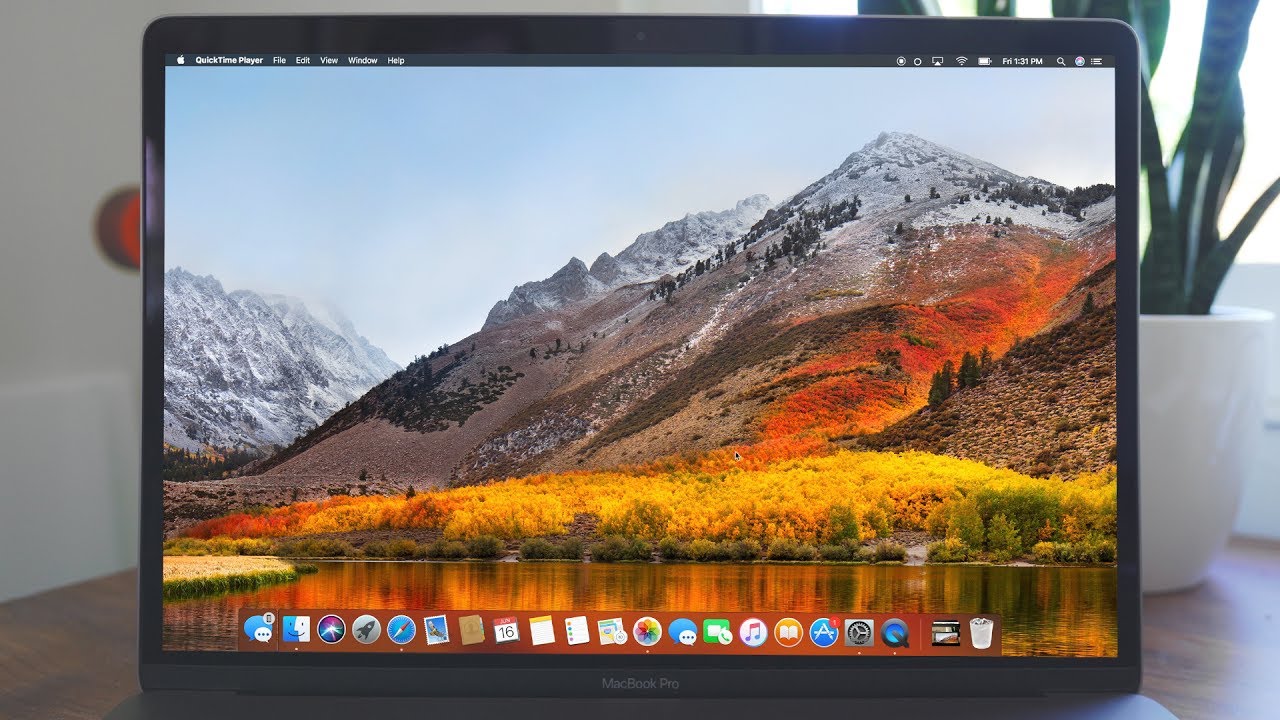

macOS High Sierra introduces new core storage, video, and graphics technology. The update supports the new Apple File System (APFS) and High Efficiency Video Codec (HEVC), plus it introduces an updated version of Metal with support for VR and external GPUs.

Photos is being updated with a new sidebar that makes it easier to access editing tools and albums, and there are new editing options like Curves and Selective Color. It also supports external editing apps like Photoshop and Pixelmator, saving changes made in those apps.

Improvements to Safari are coming, including speed enhancements and a new feature that puts a stop to data tracking. Siri in macOS High Sierra has expanded music capabilities and a new, more natural voice, and Spotlight supports flight status information. There are also improvements to iCloud, FaceTime, Messages, and Notes.

macOS High Sierra is available only for registered developers, but Apple plans to make a public macOS High Sierra beta available later this summer, giving public beta testers a chance to try out the software before it sees a public release in the fall.


Related Forum: macOS High Sierra

Popular Stories

iPhone 18 Pro Deep Red Feature

iPhone 18 Pro Launching Next Month With These 12 New Features

Sunday August 9, 2026 1:45 pm PDT by
It is now August, and that means the iPhone 18 Pro and iPhone 18 Pro Max are just a month away. The devices are expected to look similar to the iPhone 17 Pro and iPhone 17 Pro Max, but there will still be many year-over-year changes, with rumored features including a smaller Dynamic Island, 5G via satellite, and more. Apple is expected to unveil the iPhone 18 Pro, iPhone 18 Pro Max, and a...

iPhone 18 Pro Dark Cherry Feature

iPhone 18 Pro Max's Larger Battery Capacity Allegedly Revealed

Monday August 10, 2026 9:37 am PDT by
The upcoming iPhone 18 Pro Max will be equipped with a nearly 12% larger battery compared to the iPhone 17 Pro Max, according to an apparent leak. An alleged photo of a battery pack for a Chinese model of the iPhone 18 Pro Max with a SIM card tray lists a capacity of 5,391 mAh, up from 4,823 mAh for the equivalent iPhone 17 Pro Max battery. The photo was shared on the Korean platform Naver...
Apple Skipping iPhone 18 This Year

Apple Skipping iPhone 18 Launch This Year

Wednesday August 12, 2026 6:59 am PDT by
Apple supplier Pegatron today indirectly confirmed that the standard iPhone 18 model will not be released until next year, according to a new report. Pegatron held an earnings call for the second quarter of 2026 today. On the call, Taiwan's Economic Daily News said Pegatron indicated that one of its customers will be changing its usual smartphone shipment schedule. As widely expected, the...

Top Rated Comments

Apple_Robert Avatar
119 months ago
Reviews for a Developer's Beta? Seriously?
I thought my humor and apropos smiley made it obvious I was kidding.
Score: 9 Votes (Like | Disagree)
godrifle Avatar
119 months ago
I installed on an external USB3 SSD on top of Sierra 10.12.6 beta 4 (I think), and DP1 went smooth as butter. But, then I noticed it didn't update the SSD to APFS. It *did* put it in an APFS container, but the volume was still HFS+. So, I tried to use Disk Utility in Restore 10.13 restore mode, and selected "Update to APFS" and viola... it refused to boot. In fact, if I have the USB drive connected, my Mac refuses to boot no matter what. The only recourse was to blow away the volume, destroy the APFS container, blah blah blah. I then used command line to create APFS container and volume, but can't install directly to the APFS volume. Weird. Will see if DP2 exhibits the same results.
Score: 4 Votes (Like | Disagree)
RadioGaGa1984 Avatar
119 months ago
I've been running DP1 on my 2015 rMBP since day 1. It's been incredibly stable. I've had not one issue to speak of.
Score: 4 Votes (Like | Disagree)
Apple_Robert Avatar
119 months ago
* After starting a software update, the installation progress may not be displayed for up to fifteen minutes. Do not reboot your Mac during this time.


* The Mac may be stuck at a black screen with a cursor then first time you log in after a software update.

Workaround: Restart your Mac.

Score: 3 Votes (Like | Disagree)
Apple_Robert Avatar
119 months ago
Problems with launching Microsoft Office 15.35 have been resolved.


* There is a known issue where APFS systems with FileVault enabled cannot reset their password with iCloud
* Resizing APFS containers is currently not supported in Disk Utility
* Workaround: In Terminal, use the diskutil tool to resize APFS containers.
* Reinstalling macOS 10.13 from the Recovery OS no longer requires using Disk Utility to unlock your FileVault-encrypted volume.


Score: 3 Votes (Like | Disagree)
Apple_Robert Avatar
119 months ago
Is this second beta already working with a fusion unit?
I don't have an iMac.

Don't know if this is any help to you, but the following is from the release notes.


* Some iMacs with 3TB Fusion drives and BootCamp may be unsupported for use with APFS.


* APFS support for Mid 2012 Mac Pro will be included in an upcoming seed.


* An APFS container on a Fusion drive can have only 1 macOS 10.13 volume.


* The encryption policy used for unencrypted APFS volumes that are converted to FileVault can cause the system to select the wrong block offset during the encryption process. This issue will be resolved in an upcoming beta, and will require the affected volumes to be re- encrypted. Encrypted HFS+ volumes that have are converted to APFS are unaffected.

Score: 2 Votes (Like | Disagree)