Apple Seeds Fourth Beta of watchOS 3.2 to Developers - MacRumors
Skip to Content

Apple Seeds Fourth Beta of watchOS 3.2 to Developers

Apple today seeded the fourth beta of an upcoming watchOS 3.2 update to developers for testing purposes, one week after seeding the third watchOS 3.2 beta and more than a month after the release of watchOS 3.1.3, the current public version of the operating system.

The watchOS 3.2 beta can be downloaded through the dedicated Apple Watch app on the iPhone by going to General --> Software Update after installing the proper configuration profile on the iPhone. To install the update, the Apple Watch must have 50 percent battery, it must be placed on the charger, and it must be in range of the iPhone.


watchOS 3.2 requires an iPhone running iOS 10 to install and will only be available to developers. Apple does not make watchOS betas available to the public as there is no way to downgrade the software on an Apple Watch.

watchOS 3.2 includes a "Theater Mode" designed to let customers quickly mute the sound on the Apple Watch and disable Raise to Wake, preventing the screen from lighting up with arm movement.

Customers are still able to receive haptic feedback-based notifications, and information can be viewed by either tapping the screen or pressing down on the Digital Crown.

watchOS 3.2 also brings SiriKit to the Apple Watch, allowing customers to ask Siri to do things like send messages, send payments, book a ride, log a workout, make a call, or search through photos. SiriKit has been available on iOS devices since the release of iOS 10, but is new to the Apple Watch.

Related Roundup: Apple Watch 11
Buyer's Guide: Apple Watch (Caution)

Popular Stories

watchOS 27 Hands On Thumb

Hands-On With watchOS 27: Every New Apple Watch Feature

Thursday June 18, 2026 12:35 pm PDT by
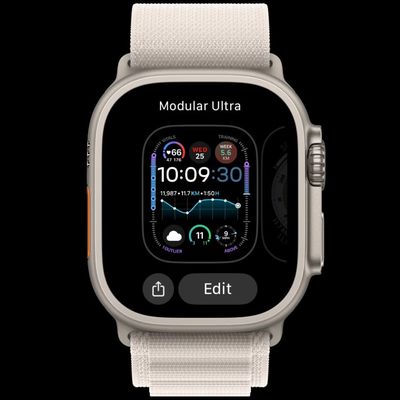
watchOS 27 is the new version of watchOS that's coming to the Apple Watch this fall. It's a little light on features, but there are some useful new additions, including access to Siri AI. Subscribe to the MacRumors YouTube channel for more videos. watchOS 27 will have Siri AI, so you'll be able to use many of the same Siri features that you have on the iPhone on your wrist. Right now, the...
watchos 27

No watchOS 27? No Problem. Your Apple Watch Still Works With iOS 27

Friday June 19, 2026 6:36 am PDT by
Apple's decision to drop watchOS 27 support for five Apple Watch models – the Series 6, 7, 8, SE 2, and the original Ultra – likely caused some hand-wringing at this year's WWDC. The software's compatibility list cuts off three years of devices in one update. Fortunately, Apple today confirmed that unsupported watches will still work with iOS 27 when it's released in the fall. Speaking to Tec...
watchos 27

watchOS 27 Is Wiping Four Apps From Your Apple Watch

Monday June 22, 2026 8:17 am PDT by
Apple's watchOS 27, previewed at this month's WWDC, removes four built-in apps from all supported Apple Watch models, folding three of them into a single Find My app and dropping Walkie-Talkie entirely, based on the first developer beta released this month. The largest change affects Find My. watchOS 27 developer beta 1 replaces the separate Find Devices, Find People, and Find Items apps...

Top Rated Comments

Mad Mac Maniac Avatar
122 months ago
Not sure if this has been said previously or not, but Theater Mode makes a lot of sense when imagining series 3 having an always on display....
Score: 4 Votes (Like | Disagree)
andreigherghe Avatar
122 months ago
There is a new sound when unlocking a Mac with the WATCH - sounds like an actual mechanical lock now.
Score: 2 Votes (Like | Disagree)
122 months ago
There is a new sound when unlocking a Mac with the WATCH - sounds like an actual mechanical lock now.
The new taptic feedback is pretty a nice touch to the new sound as well!
Score: 1 Votes (Like | Disagree)
xDKP Avatar
122 months ago
It makes more than enough sense for the series 2. It is handy to turn off Raise to Wake and Sounds in 1 toggle from the Control Center.

Besides, Apple watch is not getting an Always-On display. Anyone who told you otherwise is wrong.
Wow would love a crystal ball like the one you have - must be amazing!

Looking forward to this - think it might be better than do not disturb mode for meetings - I use that at the moment but it should still have all notifications in the menu so a quick glance after the meeting would update me - but it doesn't
Score: 1 Votes (Like | Disagree)
Mad Mac Maniac Avatar
122 months ago
It makes more than enough sense for the series 2. It is handy to turn off Raise to Wake and Sounds in 1 toggle from the Control Center.

Besides, Apple watch is not getting an Always-On display. Anyone who told you otherwise is wrong.
Sure, it can absolutely be handy for series 0-2, but it would be supremely useful on an always on display.

I must have missed that story. I highly doubt that would be ready for version 3. ... Maybe if they make the display bigger, as the increase in display size usually doesn't outweigh the increase in volume to hold more battery capacity.
I haven't necessarily heard a specific rumor of an always on display, but I've heard rumors for series 3 that screen technology is changing and that a focus is on battery life. Take these rumors, combine them with the fact that there are several other smart watches that have this feature and there appears to be significant desire for this feature (at least in these forums, granted not the most fully represented demographic), and I would argue that it's certainly plausible. And I would argue that the feature would lend even more credence to that as a possibility.

Additionally I think I would welcome a small increase in size. Maybe either move from 38mm/42mm to 40/44? Or perhaps keeping 38/42 and adding a 46mm? For me (and I have small-to-medium male wrists), 42mm is fine, but I honestly think I would prefer something more in the 45mm range, both for added screen size and battery life.
Score: 1 Votes (Like | Disagree)
122 months ago
Not sure if this has been said previously or not, but Theater Mode makes a lot of sense when imagining series 3 having an always on display....
It makes more than enough sense for the series 2. It is handy to turn off Raise to Wake and Sounds in 1 toggle from the Control Center.

Besides, Apple watch is not getting an Always-On display. Anyone who told you otherwise is wrong.
Score: 1 Votes (Like | Disagree)