Sprint and Apple Working On "Issue" With iPhone Data Speeds
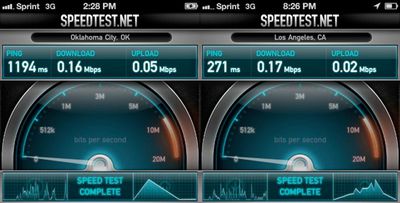
In the days after the iPhone launched on Sprint, a number of customers complained about extremely slow data speeds on Sprint's network. Sprint initially denied that there were any problems, but now a report from TheNextWeb suggests that is a problem with Sprint's iPhone data speeds:
Now it seems that an internal email has been sent to Sprint representatives, informing them that Apple and Sprint are working together on a “confirmed nationwide issue” dealing with the slow data rates many users are experiencing. There was no information about what the cause of the issues are or what the expected resolution date might be.
The email did contain a reference to a ‘Service Settings’ update, which sounds like it could be referring to the carrier settings file that contains access point info for the carriers.
The iPhone 4 and iPhone 4S broke Sprint's "device family" one-day sales record on October 14, the first day the phones were available on the network.
Popular Stories
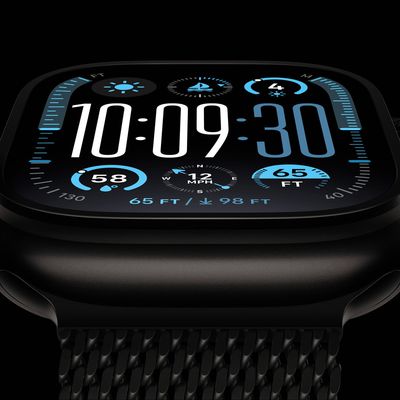
Bloomberg's Mark Gurman today further outlined what to expect from the Apple Watch Series 12 and Apple Watch Ultra 4 set to be unveiled on September 9.
While it was initially rumored that Touch ID may be coming to the Apple Watch this year, Gurman reiterated that he does not expect the Series 12 or Ultra 4 to have any major design changes compared to the current Series 11 and Ultra 3 models.
...
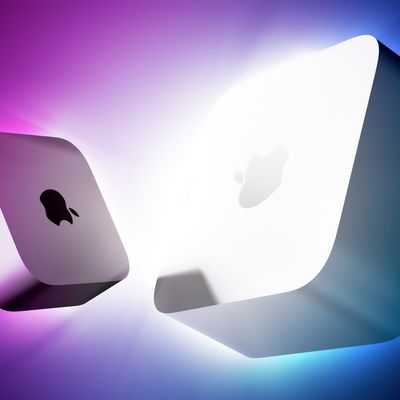
Apple's unusually timed announcement of new Mac mini and Mac Studio models this week was driven by unexpectedly strong enterprise appetite for AI hardware, according to The Information.
Apple normally releases new Mac models in the autumn, closer to October or November, making this week's announcement unusually early, falling just before the anticipated arrival of new iPhone models. The...
Apple has announced that it will be holding an event on Wednesday, September 9 at 10 a.m. Pacific Time, with the company widely expected to unveil the iPhone 18 Pro, iPhone 18 Pro Max, its first-ever foldable iPhone, and more.
Other products expected to be announced at the event include an Apple Watch Series 12 with a ceramic case option, an Apple Watch Ultra 4, AirPods 5 with and without...