Some 16-inch MacBook Pro Owners Report MagSafe 3 Charging Issues When Mac Is Closed

Some 16-inch MacBook Pro owners appear to have identified a shared issue suggesting the MagSafe 3 connector sometimes fails to deliver the expected charge when their Mac is turned off and the lid is closed.
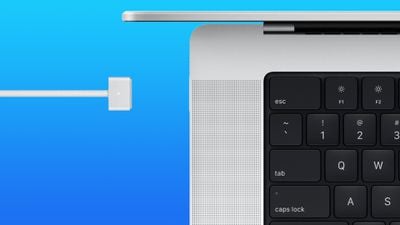
16 inch magsafe 3
As outlined on Reddit, some 16-inch ‌MacBook Pro‌ Models, when powered off, are failing to charge if the ‌MagSafe‌ connector is plugged in. Instead of turning green, the ‌MagSafe‌ light flashes amber and fails to deliver power to the Mac battery. Some customers have contacted Apple Support to find a solution, with varying degrees of success. One user, in particular, said that after a lengthy back and forth, Apple Support decided to send them a replacement laptop.

So it's not just me then! I have the EXACT same issue. Went to the genius bar and they tested with a cable and charger that they have and it still had the same problem. They said they would order a new 140 watt charger for me to see it would fix it but said most likely it's a firmware issue but didn't really provide any evidence for such a thing. I went home and the next day I get a call from Apple. Someone was calling me to follow up and they asked me a bunch of questions and provided instructions to run a special diagnostics program. After I did all that they said they want to take my MacBook and its charger back and that they would give me a completely brand new MacBook as soon as they get one. I'm still waiting for that but that's where I'm currently at.

A video shared on Reddit shows that when the ‌MacBook Pro‌ is closed, the light on the ‌MagSafe‌ charger repeatedly flashes amber and is accompanied by the typical macOS charging sound effect. A consistent orange light means the MacBook is being charged, while green shows it's fully charged.

If a ‌MacBook Pro‌ is connected to ‌MagSafe‌ while turned on and it is then turned off, ‌MagSafe‌ 3 continues to charge the Mac as expected. The issue only occurs for some users when attempting to plug in the ‌MagSafe‌ connector when the Mac is already turned off. The flashing amber ‌MagSafe‌ light is an indication that something is not functioning as normal, and an Apple Support page includes steps for users to take to return ‌MagSafe‌ to normal operation. However, the steps don't seem to work in the reported cases where the ‌MacBook Pro‌ is turned off with the lid closed.

Not all 16-inch ‌MacBook Pro‌ owners face the problem, and MacRumors has been unable to reproduce the bug. Regardless, there are enough users facing the problem that Apple may address it in the near future.


Related Roundup: MacBook Pro
Buyer's Guide: MacBook Pro (Caution)
Related Forum: MacBook Pro

Popular Stories

maxresdefault

Apple Shows Off a Key Reason to Upgrade to the iPhone 17

Saturday February 7, 2026 9:26 am PST by
Apple today shared an ad that shows how the upgraded Center Stage front camera on the latest iPhones improves the process of taking a group selfie. "Watch how the new front facing camera on iPhone 17 Pro takes group selfies that automatically expand and rotate as more people come into frame," says Apple. While the ad is focused on the iPhone 17 Pro and iPhone 17 Pro Max, the regular iPhone...
m5 macbook pro deal

Why You Shouldn't Buy the Next MacBook Pro

Tuesday February 10, 2026 4:27 pm PST by
Apple is planning to launch new MacBook Pro models as soon as early March, but if you can, this is one generation you should skip because there's something much better in the works. We're waiting on 14-inch and 16-inch MacBook Pro models with M5 Pro and M5 Max chips, with few changes other than the processor upgrade. There won't be any tweaks to the design or the display, but later this...
iOS 26

Apple Releases iOS 26.3 and iPadOS 26.3

Wednesday February 11, 2026 10:07 am PST by
Apple today released iOS 26.3 and iPadOS 26.3, the latest updates to the iOS 26 and iPadOS 26 operating systems that came out in September. The new software comes almost two months after Apple released iOS 26.2 and iPadOS 26.2. The new software can be downloaded on eligible iPhones and iPads over-the-air by going to Settings > General > Software Update. According to Apple's release notes, ...
apple wallet drivers license feature iPhone 15 pro

Apple Says These 7 U.S. States Plan to Offer iPhone Driver's Licenses

Monday February 9, 2026 6:24 am PST by
In select U.S. states, residents can add their driver's license or state ID to the Apple Wallet app on the iPhone and Apple Watch, and then use it to display proof of identity or age at select airports and businesses, and in select apps. The feature is currently available in 13 U.S. states and Puerto Rico, and it is expected to launch in at least seven more in the future. To set up the...
Apple Logo Zoomed

Apple Expected to Launch These 10+ Products Over the Coming Months

Tuesday February 10, 2026 6:33 am PST by
It has been a slow start to 2026 for Apple product launches, with only a new AirTag and a special Apple Watch band released so far. We are still waiting for MacBook Pro models with M5 Pro and M5 Max chips, the iPhone 17e, a lower-cost MacBook with an iPhone chip, long-rumored updates to the Apple TV and HomePod mini, and much more. Apple is expected to release/update the following products...

Top Rated Comments

macintoshmac Avatar
55 months ago

Who turns their MacBook off?
This.

Apple should make sure we are unable to turn our devices off. Problem solved.

Their engineering team never listens to the unknown geniuses of the world. SMH.
Score: 24 Votes (Like | Disagree)
IllinoisCorn Avatar
55 months ago
Rev A stories.
Score: 12 Votes (Like | Disagree)
Mr. Dee Avatar
55 months ago
Always gotta appreciate the early adopters taking one for the team.
Score: 12 Votes (Like | Disagree)
55 months ago
Who turns their MacBook off?
Score: 11 Votes (Like | Disagree)
Kylo83 Avatar
55 months ago
We need some serious updates to this MacBook Pro like this and safari 120hz
Score: 9 Votes (Like | Disagree)
white7561 Avatar
55 months ago
This article is kinda outdated on the info IMHO.. in the threads that were talking about this problem. We know this =

1. The problem only appears when you're using MagSafe with the 140w charger
2. It only appears if your battery is below 80% (as far as I can remember)
3. It only appears if your laptop is already off and have the lid closed. Then when you plug the MagSafe it'll just cycle over and over and over again.
4. It's only affecting the 16"
5. From few reports, it seems like the bug is introduced on 12.0.1. While people on 12.0 didn't have this problem

Now for the workaround =
1. If your laptop is turned on. Just plug the MagSafe in. When it's charging just fine then turn it off and close the lid.
2. If your laptop is already turned off and the lid is closed. Just plug in the MagSafe, open the lid. It will charge just fine and auto boot the laptop.. When it's on the login screen click shutdown and when it is shutdown it'll cycle like normal and then you can close the lid without any problems
Score: 6 Votes (Like | Disagree)