PSA: macOS Sequoia 15.2 Breaks SuperDuper Bootable Backups - MacRumors
Skip to Content

PSA: macOS Sequoia 15.2 Breaks SuperDuper Bootable Backups

Apple's latest macOS Sequoia 15.2 update has introduced a critical bug that prevents the popular backup utility SuperDuper from creating bootable backups, according to the app's chief developer, Shirt Pocket's Dave Nanian.

superduper macos
The issue stems from a "Resource Busy" error that occurs during the final stages of the backup process when attempting to copy system preboot or recovery files. While similar errors in the past could be resolved by keeping the system awake during backup, Ninian reports that this new bug appears to be more fundamental.

The problem originates from Apple's earlier decision to restrict third-party apps from directly copying the operating system, instead requiring them to use Apple's own replication tools. With these tools now malfunctioning in macOS 15.2, SuperDuper and potentially other backup utilities are unable to create complete bootable backups.

As a temporary workaround, SuperDuper users can still back up their applications, data, and settings using the app's "Backup - all files" option with "Smart Update" enabled. However, this method won't create a bootable backup that can be used for immediate system recovery.

Shirt Pocket has filed a bug report with Apple and is awaiting a resolution, but Nanian is keen to emphasize that since the issue lies within Apple's system components, third-party developers cannot implement their own fixes.

The timing of this bug is particularly concerning for users who rely on bootable backups as part of their data protection strategy, especially given the recent release of macOS 15.2 and the potential for other undiscovered issues. Have you been affected by the bug? Let us know in the comments.
Related Forum: macOS Sequoia

Popular Stories

apple wallet drivers license feature iPhone 15 pro

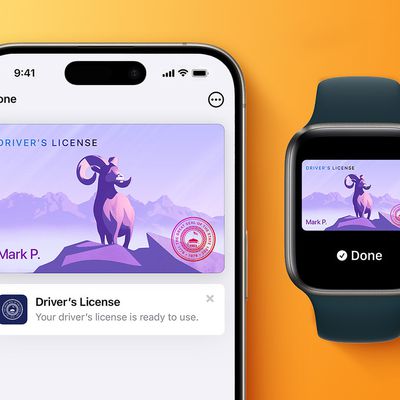
Apple Says iPhone Driver's Licenses Will Expand to These 6 U.S. States

Thursday July 9, 2026 7:29 am PDT by
In select U.S. states, residents can add their driver's license or state ID to the Apple Wallet app on the iPhone and Apple Watch, and then use it to display proof of identity or age at select airports and businesses, and in select apps. To set up the feature, open the Wallet app on the iPhone and tap on the plus sign in the top-right corner. Next, tap on Driver's License and ID Cards,...
apple silicon 1 feature

Apple Silicon is Taking an Unexpected Turn

Friday July 10, 2026 7:24 am PDT by
Ever since the Mac switched from Intel processors to Apple silicon starting in 2020, each generation of M-series chips has included higher-end Pro and Max variants. If a recent report proves to be accurate, though, that streak will be coming to an end. According to Bloomberg's Mark Gurman, Apple will be releasing a regular M6 chip, but it has no plans to offer higher-end M6 Pro and M6 Max...
iphone 16 teal

'Siri AI' Lawsuit Update: Apple to Pay Owners of These iPhone Models

Thursday July 9, 2026 7:08 am PDT by
In May, Apple agreed to pay $250 million to settle a U.S. class action lawsuit over Siri AI's delayed launch, and eligible iPhone users could receive up to a $95 payout. This week, the California court overseeing the case held a hearing regarding preliminary approval of the settlement, but the judge has not yet issued a ruling. It will likely be at least a few more months before eligible...

Top Rated Comments

Chungry Avatar
21 months ago

I still use super duper as I have for decades but I stopped making bootable backups. Mac OS drives are so small now I just use the internal for the system and keep everything else on the external
I love how this is a situation of Apple's own design unwittingly. Be stingy with prices so folks go for smaller internal storage. Be sloppy with the OS so long-standing features are broken. This slow slide into mediocrity is killing me
Score: 17 Votes (Like | Disagree)
21 months ago
Genmoji>backups.
Score: 15 Votes (Like | Disagree)
apples_arrogance Avatar
21 months ago
Did they properly do the job and also break bootable Carbon Copy Cloner backups with macOS 15.2?
Score: 11 Votes (Like | Disagree)
21 months ago
So it's not a bug then, but a feature
Score: 11 Votes (Like | Disagree)
21 months ago

I did not know that this backup could be done, I have to check into it :rolleyes:

I thought this wasn’t possible for years now, I used CCC for years but stopped using it after (I thought) it could not make bootable backups anymore.

I'm of the understanding that It can, you just have to jump through hoops to do so?
Here's my experience. I did nightly bootable backups for years, with the intention of being able to pick up where I left off in the event of a hard drive crash leaving my boot up disk unrecoverable.

I don't think I've been able to do a single bootable backup in the M-chip era. I've used SuperDuper and I've used CCC. I've emailed back and forth with David Nanian. (Who by the way, is super responsive in email and has helped me out a ton.)

I gave up. Apple just makes it impossible in the modern Mac era. My Drives just don't do it. If it works for you, great! But my advice after trying to solve this for years is to embrace non-bootable backups because they are far more reliable.
Score: 10 Votes (Like | Disagree)
justperry Avatar
21 months ago
I thought this wasn’t possible for years now, I used CCC for years but stopped using it after (I thought) it could not make bootable backups anymore.
I will definitely going to use it again, not a fan of Apples own solution, never been and probably never will.
Score: 9 Votes (Like | Disagree)