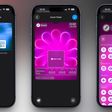
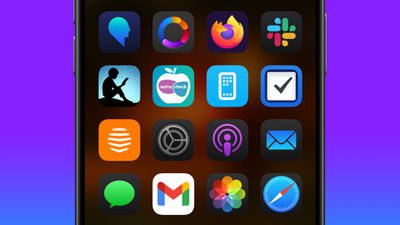
As part of its Home Screen customization overhaul, iOS 18 lets iPhone users hide the labels on app icons for a cleaner look.
Turning off the labels causes the icons to expand and take up the space where the text usually appears underneath. Here's how it currently works in the iOS 18 Developer Beta.
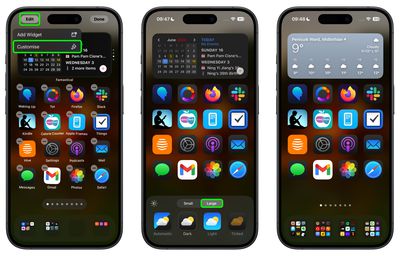
On the Home Screen, press and hold on an empty area.
Tap Edit in the top-left corner.
Tap Customize.
In the customization menu that appears, tap the Large button.
Tap anywhere on the Home Screen to save your preference.
As things stand, it's not possible to hide labels and keep app icons small, but this could change in succeeding beta versions.
Friday September 25, 2026 8:16 am PDT by Joe Rossignol
MacRumors contributor Aaron Perris has uncovered an image file from Apple for an unreleased Apple TV 4K, suggesting that a new model will finally be released soon. The image is specifically for an "Apple TV 4K (4th generation)" model.
Apple TV 4K (4th generation) image (on a gradient)
The image reveals that the Apple TV will have the same external design as the current model, with all of its...
Friday September 25, 2026 8:18 am PDT by Joe Rossignol
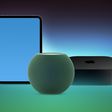
The next iPad mini, HomePod mini, and Apple TV 4K models have all leaked, just a few weeks before the devices are expected to be announced. Specifically, MacRumors contributor Aaron Perris discovered a few of Apple's official images of the devices, confirming their existence and some new features that are planned.
The most notable iPad mini details revealed in today's leak include an A20 Pro ...
Apple's new HomePod mini will share the same design as the original model and come in five colors, MacRumors has found.
The information originates from Apple's own code (spotted by MacRumors contributor Aaron Perris) and shows clear product images of the new models in all of their colors. The above image contains Apple's own icons, which specifically refer to a "HomePod mini 2."
The new...
I wish I could edit app names. I have a folder with a bunch of smart home apps and the icons are pretty much all a house within a rounded square and some variation of "home", "smart" in it. I wish I could call them "temperature sensors", "lights", "security cam", "solar", "vacuum", etc.
Apple's first foldable iPhone, with a book-style design featuring a 5.4-inch outer display and a 7.6-inch inner display with a minimal crease down the middle.







/https://forums.macrumors.com/attachments/2387410/)