

Last September, Apple's iPhone 15 Pro models debuted with a new customizable Action button, offering faster access to a handful of functions, as well as the ability to assign Shortcuts. Apple is poised to include the feature on all upcoming iPhone 16 models, so we asked iPhone 15 Pro users what their experience has been with the additional button so far.
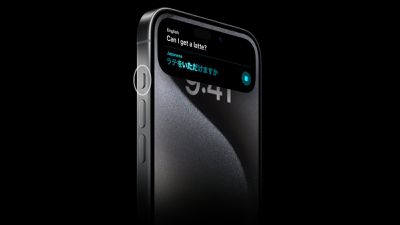
The Action button replaces the switch that activates Ring and Silent on Apple's iPhone 15 Pro models, while the standard iPhone 15 and iPhone 15 Plus models retain the traditional Ring/Silent switch. By default, the Action button still activates these two functions via a long press, but users can also make it activate a range of other functions, including quickly opening the camera app or enabling the flashlight, activating Voice Memos, Focus modes, Translate, and accessibility features like Magnifier.
Of around 7,000 MacRumors readers who responded to our poll on social media, just over half (50.6%) said they often forgot the Action button is even there, while over a quarter of respondents (26.8%) said they use the Action button "occasionally." Based on readers who commented, most occasional users assigned the camera or flashlight to the Action button – functions that are also easily accessible via the Lock screen. A subsection of users in the same category said they have the Action button set to activate/deactivate Mute, to mimic the physical Mute switch it replaced.
Some respondents (12.6%) agreed with the description that the Action button is a "game changer." Most users in this category used it to activate custom Shortcuts, which allowed for novel uses like skipping forward in podcasts, adding to-dos, prompting ChatGPT, activating smart lights, or opening a folder. Some in this category simply appreciated the fact that it saved them time accessing more standard functions that would otherwise involve navigating through onscreen menus.
The rest of our poll respondents (10%) agreed that the Action button was something of a "volume decoy," implying that they often pressed it by accident when they intended to adjust audio levels via the volume buttons, usually when their iPhone was in a pocket or purse.
With the Action button introduced on the iPhone 15 Pro set to expand to all models later this year, we want to hear from current users: Does it make your iPhone life easier? — MacRumors.com (@MacRumors) April 15, 2024
Our social media poll represents a small, self-selecting cohort of iPhone 15 Pro users. It is also an example of convenience sampling, and by no means statistically sound. Even so, it seems the case could be made that many people have had trouble finding a dedicated use case for the Action button.
Assigning the button to the camera appears to be the most popular way to increase the likelihood that it gets used. Launching the camera app like this avoids having to press or swipe the Lock Screen or select the Camera app from the Home screen. However, Apple is rumored to be adding a "Capture button" to the iPhone 16 for video recording, so the Action button might get less useful for those who use it for this purpose.
Meanwhile, anecdotal evidence suggests there is a fair amount of frustration among "power users" that Apple has not added more flexibility to the way the Action button works. Currently the button only responds to a long press, but more sophisticated iPhone users want a built-in ability to set different customizations for short presses, double-presses, and triple presses.
So what do you think of the Action button? Is it a hit or miss for Apple? Let us know your thoughts and any favorite use cases in the comments.


















































