Google Chrome for iOS Now Lets You Move URL Bar to Bottom of iPhone
Google Chrome users on the iPhone can now opt to move the Chrome address bar to the bottom of the iPhone's display, mirroring a design change that Apple implemented in Safari last year.
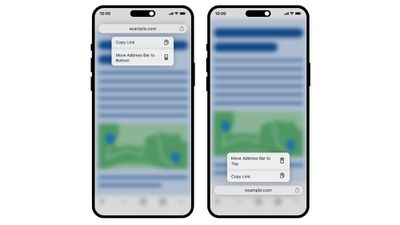
Chrome for iOS can be customized to have the URL bar at the top or the bottom of the interface depending on where the user prefers it to be. Google says this is a feature that Chrome users have been requesting for quite some time.
To move the Chrome address bar, long press on it and then choose the "Move address bar to the bottom" option. Users can also navigate to the Settings menu and choose "address bar" to change the bar's position.
Popular Stories
Apple has launched a new "Switch to Safari" marketing campaign that encourages Chrome users to switch to Safari as their web browser of choice on the Mac.
"Safari is a more powerful and private browser than Chrome," says Apple.
Apple has a new "Switch to Safari" page on its website that outlines more than 10 reasons that Chrome users should switch to Safari, including faster performance...
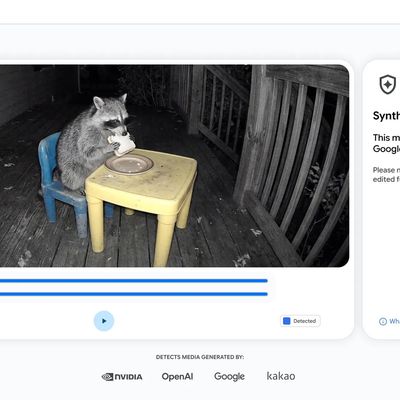
Google today said it is making its SynthID Detector available to everyone for identifying content created using AI.
SynthID Detector first rolled out to members of the media last year, and it is now available worldwide in English. SynthID Detector is a website that lets users upload a photo, video, or audio file to determine whether it has a SynthID watermark that identifies it as...
Some iPhone Duos are already experiencing hinge issues that cause display cracks, based on photos shared on Reddit and the MacRumors forums. Almost all of the display faults are right along the hinge, and most result in a line of bright pixels across one side of the screen.
An iPhone Duo owner in Australia said his device cracked after being opened fewer than 20 times, and there was no...