A new iOS 16 app lets users open any app of their choice directly from their Lock Screen without ever needing to navigate their iPhone.
The app called "Launchify" lets users configure one or more iOS 16 Lock Screen widgets that directly open any app of their choosing. Users can create a widget to quickly open Messages, Twitter, the Phone app, or Apple or Google Maps, for example.
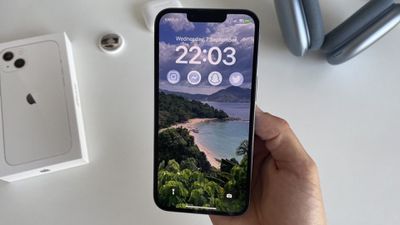
While iOS 16 includes a redesigned Lock Screen with new customization features, Apple does not allow users to replace the flashlight and Camera app shortcuts with custom apps. Users can, however, customize a wide range of visual elements on the Lock Screen, including the font and color of the time, custom wallpapers with a depth effect, and more.
Launchify is available for free on the App Store but features an in-app subscription that enables more advanced features, such as adding more than one app shortcut on the Lock Screen.
Thursday October 22, 2026 11:01 am PDT by Juli Clover
Apple has temporarily removed Keynote, Pages, and Numbers from the App Store, just after releasing an update that added iPhone Duo support and a new Intelligent Assistant.
It is not clear if the apps were removed intentionally, or if it is a bug. Apple has not said when the apps will be reinstated, but if it was in error, they should return soon.
Update: The Mac versions are back without...
Tuesday October 20, 2026 11:12 am PDT by Juli Clover
With just three days to go until the iPhone Duo is released, Apple is getting ready for the launch. Behind the scenes, the App Store now has screenshots of Apple's built-in apps running on the Duo. We've seen some apps in marketing materials, but images of the ones we haven't seen give us an idea of what it will be like using the iPhone Duo day to day.
Many apps are shown in landscape...
Friday October 23, 2026 7:11 am PDT by Joe Rossignol
Apple Music has a 404 page easter egg on the web: a functional iPod that appears when you load a page that does not exist, such as music.apple.com/macrumors.
"Page Not Found," says Apple. "Give this a spin instead."
Apple is clever with this. If you navigate to music.apple.com/ipod instead, the page says "Looking for something?" instead of "Page Not Found."
The easter egg is only...
This is a perfect example of a piece of software offering a subscription where it's entirely not necessary. If you want to use this app and are perfectly happy with the functionality it offers today, there should be an option to purchase it outright.
I understand that developers want to be paid for the ongoing development of their software and that makes sense if there are new features to be added in future. But when you're buying a set of features that are already there and you're happy to live with them perpetually, let's see a standard purchase option.
Yet another app where the AppStore description fails to mention anywhere what the limits of the 'free' downloaded version are and what you get with the in-app subscription.
Surely it should be an AppStore requirement that developers are up-front about what the app offers, its (free) limitations and what in-app subscriptions actually give you? Having to download an app just to find out this basic information is very annoying.














































![Apple Pulls Keynote, Pages and Numbers From App Store [Update: Back]](https://images.macrumors.com/t/Okb7kitB_gNr6qe5Pex9nQIysD8=/112x112/article-new/2026/01/Apple-Creator-Studio-iWork-suite.jpg)



