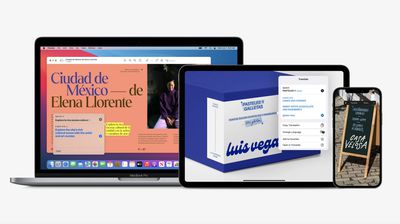
Apple today announced that iOS 15, iPadOS 15, and macOS Monterey feature system-wide translation, allowing users to translate text by simply selecting it and tapping or right clicking on the Translate option that appears.
iPhone, iPad, and Mac users can also translate selected text in photos as part of a new Live Text feature in the latest software versions.
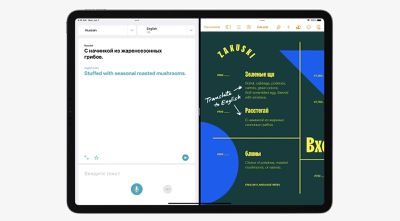
Apple also announced that the Translate app is available on the iPad starting with iPadOS 15, after launching on the iPhone last year. On both iOS 15 and iPadOS 15, a new Auto Translate feature lets users translate speech without tapping the microphone button in a conversation, and selecting languages is now easier with convenient drop‑down menus.
Friday September 18, 2026 4:27 pm PDT by Juli Clover
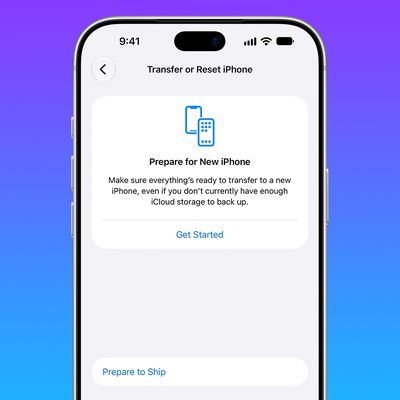
The iPhone 18 Pro Max has a battery capacity over 20 watt-hours, which means there are additional shipping requirements. If an iPhone 18 Pro Max needs to be shipped somewhere, its maximum battery capacity has to be limited through firmware.
According to Apple, the iPhone 18 Pro Max uses an "innovative battery-firmware solution" that limits battery capacity to below 20Wh between when the...
Thursday September 17, 2026 4:17 am PDT by Tim Hardwick
In iOS 27, available now, CarPlay gets its biggest update in years, but some features depend on what type of car you have rather than your iPhone model. Some of the biggest additions won't do anything in the vast majority of vehicles on the road today. Here's how the new features pan out.
Works in Any CarPlay Vehicle
Custom widgets: In iOS 27, CarPlay is no longer limited to Apple's handful ...
Friday September 18, 2026 10:07 am PDT by Joe Rossignol
Last month, Apple announced new Mac mini and Mac Studio models, and the computers are finally set to launch this coming Tuesday, September 22.
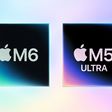
The new Mac mini is available with M6 and M5 Pro chip options, while the new Mac Studio can be configured with M5 Max or M5 Ultra chips.
To learn more, read our coverage:Apple Announces New Mac Mini With M6 and M5 Pro Chips and More
Apple Unveils ...
With image OCR, text translation, and local speech recognition it really feels like we are getting close to having the Universal Translator from Star Trek.
With image OCR, text translation, and local speech recognition it really feels like we are getting close to having the Universal Translator from Star Trek.
And what’s more, (with the possible exception of translation, some of that may be cloud based) it’s all done on the phone itself, so it can be used offline. It’s pretty dang impressive what Apple has been able to pull off in the AI space, especially with its privacy stance (whereas Google can just throw more computing clusters at any AI problem it encounters).
Apple's first foldable iPhone, with a book-style design featuring a 5.4-inch outer display and a 7.6-inch inner display with a minimal crease down the middle.