Microsoft Edge Gains New 'Kids Mode' for Safer Web Browsing
Microsoft has released a new Kids Mode for its popular Edge browser that allows children to discover the web in a fun way while limiting their access to only approved sites.
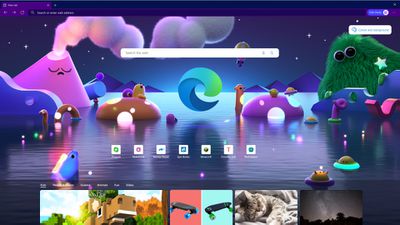
Aimed at pre-teens, Kids Mode can be accessed via the profile button in the toolbar, although it doesn't require a child account or a profile to use. It offers options for age ranges 5-8 and 9-12 years old.
Both ranges provide the highest level of tracking protection and use Bing's SafeSearch to filter out adult content from searches, but the 9-12 range adds a news feed to the tab with curated articles from MSN for Kids that includes subjects like science, fun facts, and animals.
Microsoft includes 70 popular kids' sites in its built-in whitelist, and parents and guardians can add more sites if they choose. If a kid tries to navigate to a site outside of that allowed list, they’ll be greeted with a friendly block page, encouraging them to either ask for permission or try navigating elsewhere.
Kids Mode features customizable themes that include Disney and Pixar wallpapers, and Microsoft believes it will be a "game-changer" for parents, with children spending more time online. Kids Mode is available in the browser's latest updates for iOS and Mac.
Popular Stories
Some Apple retail employees have been told to warn customers against visiting to purchase an iPhone Duo without a pre-order on Friday, October 23.
Apple Store employees told MacRumors that they have been advised that there will likely be no iPhone Duo stock available for walk-in purchases on launch day. Staff have been instructed to discourage customers without pre-orders from coming in...
Despite knowing that the iPhone Duo would face "severe supply constraints" due to manufacturing challenges, Apple chose to begin iPhone Duo pre-orders on Friday instead of waiting until it had more inventory ready, according to Bloomberg's Mark Gurman. In his Power On newsletter today, he called this decision a "major mistake."
"Let me cut to the chase: Apple made a major mistake here," he...
Verizon plans to charge customers $10 per month for the iPhone Handoff feature that Apple added in iOS 27. iPhone Handoff allows one phone number to be shared across two separate iPhones.
Pricing was included in Verizon's iPhone Duo announcement today, with the carrier confirming iPhone Handoff will work with the iPhone Duo and the iPhone 18 Pro models.
Verizon will support iPhone Handoff,...



















































