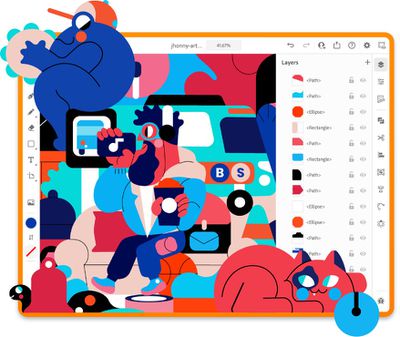
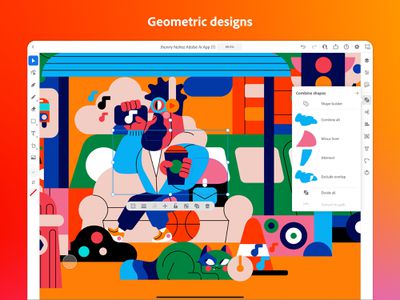
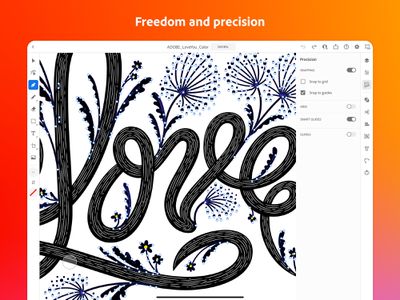
The launch of Illustrator for iPad follows several months of beta testing, and like Photoshop, Illustrator for iPad brings the core functionality that Illustrator users are familiar with to the tablet form factor. Illustrator for iPad redesigns the Illustrator experience for the touch screen and for the Apple Pencil.
Adobe aimed to make Illustrator for iPad intuitive and simple to use without sacrificing key Illustrator tools. Adobe says that while the interface seems simple when you first launch the app, additional capabilities become available as you work. Adobe focused on seamless connections across devices and file interoperability, so files created on iPad can be opened on the desktop and vice versa.
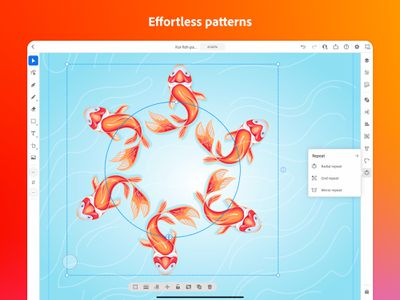
Drawing with Illustrator for iPad is simpler than on the desktop thanks to the Apple Pencil, making it easier than ever to create graphics. Illustrator for iPad adds new features like radial, grid, and mirror repeat for a unique tablet design experience that makes it easy to create patterns, plus it takes unique advantage of the iPad's camera.
Adobe says that the launch of Illustrator is "just the beginning" of the journey, with plans to add additional features like effects, more brushes, options to turn sketches into vector graphics, and more.
Adobe Illustrator for the iPad is free for Creative Cloud members with current access to Adobe Illustrator for the desktop, and it can be purchased standalone for $9.99 a month. More info is available on Adobe's site.
Monday January 26, 2026 1:55 pm PST by Joe Rossignol
Apple today introduced its first two physical products of 2026: a second-generation AirTag and the Black Unity Connection Braided Solo Loop for the Apple Watch.
Read our coverage of each announcement to learn more:Apple Unveils New AirTag With Longer Range, Louder Speaker, and More
Apple Introduces New Black Unity Apple Watch BandBoth the new AirTag and the Black Unity Connection Braided...
Monday January 26, 2026 3:56 pm PST by Juli Clover
Alongside iOS 26.2.1, Apple today released an updated version of iOS 12 for devices that are still running that operating system update, eight years after the software was first released.
iOS 12.5.8 is available for the iPhone 5s and the iPhone 6, meaning Apple is continuing to support these devices for 13 and 12 years after launch, respectively. The iPhone 5s came out in September 2013,...
Monday January 26, 2026 6:07 am PST by Joe Rossignol
Apple today introduced the second-generation AirTag, with key features including longer range for tracking items and a louder speaker.
For those who are not familiar, the AirTag is a small accessory that you can attach to your backpack, keys, or other items. Then, you can track the location of those items in the Find My app on the iPhone, iPad, Mac, Apple Watch, and iCloud.com.
The new...
Tuesday January 27, 2026 2:39 pm PST by Joe Rossignol
Update: Apple Creator Studio is now available.
Apple Creator Studio launches this Wednesday, January 28. The all-in-one subscription provides access to the Final Cut Pro, Logic Pro, Pixelmator Pro, Motion, Compressor, and MainStage apps, with U.S. pricing set at $12.99 per month or $129 per year.
A subscription to Apple Creator Studio also unlocks "intelligent features" and "premium...
Sunday January 25, 2026 6:02 pm PST by Joe Rossignol
2026 promises to be yet another busy year for Apple, with the company rumored to be planning more than 20 product announcements over the coming months.
Beyond the usual updates to iPhones, iPads, Macs, and Apple Watches, Apple is expected to release its all-new smart home hub, which was reportedly delayed until the more personalized version of Siri is ready. Other unique products rumored for ...
Seems like a good app for people locked into the Adobe ecosystem or for those required to use Adobe tools. For anyone else I just have two words: Affinity Designer
One time payment, No account required, fantastic UI, great updates and full compatibility with the desktop Mac version so you can easily pass files back and forth...
It's ok, but for vector graphics, there are a half dozen better apps, designed from the ground up as a touch/pencil vector design program. Affinity Designer comes to mind as a leader in iPad vector tools.