

Skip to Content

Parallels Desktop 16 Brings macOS Big Sur Support, Multi-Touch Gestures, 20% Faster DirectX, and More

Parallels Desktop 16 released today, bringing some notable new features and performance enhancements to the virtualization software, including full support for macOS Big Sur.

When Apple introduced macOS Big Sur, it ended support for the third-party kernel extensions that previous versions of Parallels were built on. That forced the developers to re-engineer the virtualization software from the ground up, but that challenge has now been officially completed.
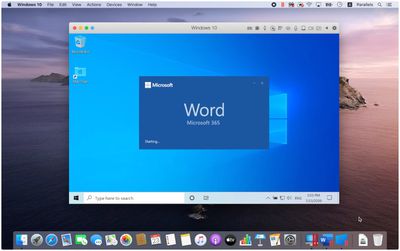
parallels 16
While support for Big Sur is the headline feature, Parallels 16 also comes with several new features and improvements. This version claims to launch twice as fast and offers a 20 percent improvement in DirectX performance, with OpenGL 3 graphics in Windows and Linux also said to be improved.

There are new multi-touch gestures for Windows apps such as smooth zoom and rotate multi-touch gestures, while printing from Windows (with Shared Printers) now allows users to print on both sides and use more paper sizes, from A0 to envelope.

Virtual machines can now be set to automatically return unused disk space when shutting down, and Windows Travel Mode claims to be able to increase laptop battery by up to 10 percent.

Elsewhere, Pro Edition users can now name their custom networks, and export virtual machines in a compressed format that are a said to be a fraction of their pre-compressed size. Parallels has also launched a plug-in for Microsoft Visual Studio to simplify testing on different operating systems.

Lastly, in addition to all the work that has gone on under the hood to ensure Big Sur compatibility, Parallels 16 also brings a new look to the software that's more in keeping with Apple's redesigned interface in macOS 11.

There's no word at present whether Parallels will run Windows on the forthcoming Apple Silicon Macs that Apple announced at WWDC, but Parallels says it will release further information on this further down the line.


Parallels Desktop 16 requires High Sierra 10.13 or later to run, and can be purchased for a one-off fee of $99.99 for the standard edition, with the more feature-laden Pro and Business editions available at $79.99 per year on a subscription basis.

Users with Parallels Desktop 14 and 15 (including Pro and Business Editions) can upgrade for $49.99, while college students in the United States, Canada, Germany and U.K. have access to the reduced price Student Edition. A 14-day trial of the virtualization suite is also available.


Popular Stories

AirPods Max 2 Feature

Apple Announces AirPods Max 2 With H2 Chip and More

Monday March 16, 2026 6:12 am PDT by
Apple today unveiled AirPods Max 2, with key upgrades including the H2 chip, increased active noise cancellation, improved sound quality, and features such as Adaptive Audio, Conversation Awareness, Voice Isolation, and Live Translation. The new AirPods Max have the same overall design as the previous generation, with most of the new features coming from the upgrade to the H2 chip:- Adaptive ...
Apple Logo Sketch Feature

Apple Unveiled a Surprise New Product Today

Monday March 16, 2026 10:50 am PDT by
Surprise! Apple today unveiled the AirPods Max 2, despite no rumors suggesting that a new version of Apple's over-ear headphones were imminent. Key upgrades compared to the previous AirPods Max include Apple's H2 chip, increased active noise cancellation, improved sound quality, and features such as Adaptive Audio, Conversation Awareness, Voice Isolation, and Live Translation. AirPods Max ...
iOS 27 Mock Quick

iOS 27 Will Reportedly Be Like Mac OS X Snow Leopard

Sunday March 15, 2026 9:42 am PDT by
In his Power On newsletter today, Bloomberg's Mark Gurman reiterated that iOS 27 will be similar to 2009's Mac OS X Snow Leopard, in the sense that one of Apple's biggest priorities is bug fixes for improved performance and stability. During WWDC 2008's State of the Union, Apple showed a slide that said Mac OS X Snow Leopard had "0 new features," as it opted to focus on performance and...

Top Rated Comments

haruhiko Avatar
73 months ago
Parallels Inc. has solved the problem with subscription software. You buy the software at full price with full ownership, but you always have to buy a new one every year. Best of both worlds.

/end sarcasm
Score: 33 Votes (Like | Disagree)
LeeW Avatar
73 months ago
Every year something is always 20% faster with Parallels :)
Score: 29 Votes (Like | Disagree)
Kylo83 Avatar
73 months ago
every year when a new macOS comes out they make us pay another 49.99 not fair
Score: 21 Votes (Like | Disagree)
TheOldChevy Avatar
73 months ago

Their pricing model is abhorrent. They charge you twice as much for the "Pro" version to remove completely arbitrary CPU and RAM limits.

Or if you're a developer they charge you twice as much for "Pro" just so you can integrate it with free open-source tools such as Vagrant.

If they actually had a fair pricing model they would get money from me, but as it is I am content virtualising Linux under VirtualBox. The performance difference isn't big enough to justify $100 a year.
1) How many hours of work do you need to earn $100 ?
2) How many hours of work do you spare by using Parallels (or VMWare) ?

If 1 < 2 then buy it, otherwise don't.
Score: 19 Votes (Like | Disagree)
johannnn Avatar
73 months ago

every year when a new macOS comes out they make us pay another 49.99 not fair
Do you want new features or not? Do you think these features magically appear, or do you developers need to code them and that these developers want salaries?

If you want something cheaper, take look at VirtualBox. It's really really bad compared to Parallels.
Parallels is a luxury alternative. It's the best but also expensive.
Score: 10 Votes (Like | Disagree)
chucker23n1 Avatar
73 months ago

Problem is, v16 still doesn’t run on Big Sur! It’s still broken. Epic fail
You do realize Big Sur isn't out, right?
Score: 9 Votes (Like | Disagree)










