Nanoleaf Canvas Squares Now Support 'Touch Actions' to Activate HomeKit Scenes - MacRumors
Skip to Content

Nanoleaf Canvas Squares Now Support 'Touch Actions' to Activate HomeKit Scenes

by

Nanoleaf today introduced a useful new capability for its Nanoleaf Canvas Smarter Kit, allowing individual Canvas squares to serve as touch controls to activate HomeKit scenes.

For those unfamiliar with the Nanoleaf Canvas, it's a set of light-up panels that attach to the wall or the ceiling, providing accent lighting. The Canvas tiles are touch-compatible and support different touch gestures, which is what enables this new feature.

nanoleaf2
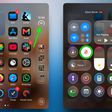
Touch Actions lets a Canvas light square double as a smart button to activate different ‌HomeKit‌ scenes, such as turning off the lights or getting a bedtime scene ready. Three actions are available for each of the squares, including a single press, double press, and long press.

nanoleaf1
More than one button can have scenes assigned, so the Nanoleaf Canvas can double as a control panel for all of your ‌HomeKit‌ scenes.

nanoleaf3
Setting up Touch Actions requires a Home Hub for ‌HomeKit‌, which can be an Apple TV, a HomePod, or an iPad. Scenes need to be set up, and from there, you can turn Canvas panels into buttons by opening up the Nanoleaf app, selecting My Devices, choosing the Canvas, tapping the gear icon for more settings, and then selecting Touch Actions. It's a little bit complicated, but Nanoleaf has created a tutorial video.


Touch Actions are available today following a firmware update for the Nanoleaf Canvas. The Nanoleaf Canvas can be purchased from the Nanoleaf website starting at $119.99.


Top Rated Comments

Doctor Q Avatar
93 months ago
The implementation may be poor, but the idea is great, combining style, convenience, and practicality.

Score: 1 Votes (Like | Disagree)
93 months ago
An over-priced, cheaply made, buggy product. If you're up for spending a lot of time trying to diagnose why they keep disconnecting from your network then definitely order some. But personally, I regretted buying these and could want to return them.
Score: 1 Votes (Like | Disagree)

Popular Stories

All Screen iPhone 2030 Feature Sans Text

iPhone 18 Pro: Nine Reasons Not to Upgrade This Year

Monday September 7, 2026 5:01 am PDT by
Apple is set to unveil new iPhone 18 Pro and iPhone 18 Pro Max models on Wednesday, September 9, and the devices are expected to feature a design that's largely similar to the iPhone 17 Pro models, with a peppering of enhancements inside. Major changes are not expected until next year, when Apple is expected to introduce a radically redesigned 20th-anniversary iPhone. If you're thinking of...
apple watch series 12

Leak Hints at Four New Features for Apple Watch Series 12 and Ultra 4

Monday September 7, 2026 8:57 am PDT by
Ahead of the announcement of the Apple Watch Series 12 and Ultra 4 later this week, code in the watchOS 27 and iOS 27 betas points to a series of new features for the product line. The information comes from a new post from MacRumors forums member "pdfu." The findings include: New "Readiness" app: An all-new separate Watch app referred to in code as "Readiness," distinct from the...
iphone 17 pro dark blue 1

Five iPhone 18 Pro Camera Features Seemingly Leak in Code

Monday September 7, 2026 9:07 am PDT by
Apple is working on a broader set of Camera app improvements in iOS 27 it has announced, according to a new deep dive from MacRumors forum member "pdfu." iOS 27 beta code apparently points to five features that could arrive alongside new iPhone models this week or in a future software update: Exposure scopes: The Camera app can display a waveform or histogram to help judge exposure...