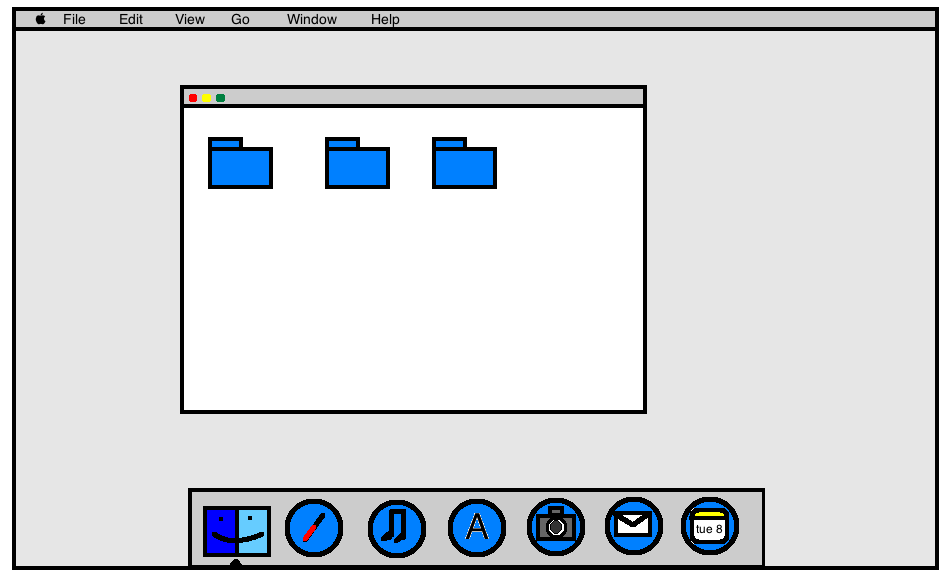
With the introduction of OS X Yosemite, Apple introduced a significant visual change with an iOS 7-like "flat" look and completely redesigned icons. While Apple's icons will see a refresh once Yosemite is released, users will have to wait until third-party companies have updated their icons to match Apple's new design language for OS X icons.
In the meantime, users in this long running MacRumors' forums thread have been designing their own "flat" versions of both Apple and third-party applications, allowing some users to switch out their icons until the real thing is available. Additionally, some users are redesigning Apple's own icons for users who are using Mavericks rather than the Yosemite beta.
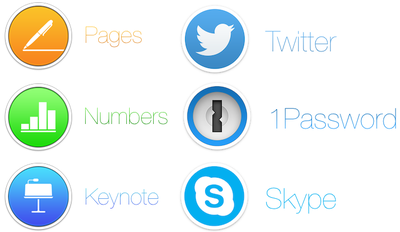
While the icons may not be fully representative of the official icons, they do provide a look into Apple's new icon philosophy enacted upon an icon not designed for it, allowing for a glimpse into various companies' processes.
Forum member Arn0 had been taking requests from other forum members, recreating various icons to fit more along more nicely with Yosemite's design aesthetics.
Alongside stand-alone apps like 1Password, Twitter and Skype, Arn0 also redesigned icons for entire suites of software, like Adobe's Creative Suite. Thread starter Humex has been sharing a number of different examples of flat OS X icons from around the web, including concepts that hew closer to Apple's style than Arn0.
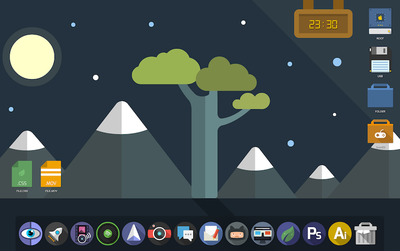
Alternatively, designers like drflash have taken a different approach to flat design. Rather than mimic Apple's philosophy and match OS X Yosemite, they created their own design language with Flat OS, which provides a completely different experience for OS X users. The design seems to marry "flat" design alongside some skeumorphic principles, giving icons a more tangible feel.
In a blog post on Gizmodo, MartianCraft's Nick Keppol explains that Yosemite's new look centers around four basic ideas: visual rhythm in the dock, three basic icon shapes and their design grid, shape hierarchy and lighting effects and materials.
Visual rhythm allows the new dock to look more consistent, although that is helped by the fact that OS X icons are now broken up into three types: circles, squares and titled rectangles. While Apple itself isn't totally consistent with these three types, Keppol found that - for the most part - circles are used for more consumer-oriented apps, squares are used for System-related utilizes and titled rectangles are used for applications that are most often used for work.
Finally, Apple uses Hollywood-style yellow and orange highlights and blue and teal shadows to give the metal-like materials that the icons are made out of feel warm and tangible. This helps create the illusion that the icons are more physical than previous icons while also looking flatter than before.
If you'd like to switch out your icons until they're fully upgraded with OS X Yosemite, the icon sets shown are linked above, while all of Arn0's redesigned icons are available to download via Dropbox. Icon sets from arn0 and other designers are also available to download via the forum thread. Here are easy instructions on how to change app icons on OS X.