Apple Releases Mail Update for Mavericks to Address Gmail Issues
Apple today released Mail Update for Mavericks 1.0, a software update designed to enhance compatibility with Gmail accounts, as well as several other improvements. The update entered testing last week and addresses a number of complaints about changes Apple made in Mavericks Mail.
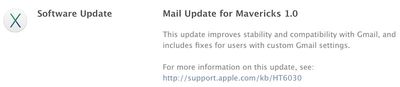
Mail Update for Mavericks includes improvements to general stability and compatibility with Gmail, including the following:
- Fixes an issue that prevents deleting, moving, and archiving messages for users with custom Gmail settings
- Addresses an issue that may cause unread counts to be inaccurate
- Includes additional fixes that improve the compatibility and stability of Mail
Full information on the update, including Apple's recommendations about backing up before applying the update, are included in an Apple support document. The update is available via the Software Update mechanism in the Mac App Store.
Popular Stories
Update 10:04 a.m.: iOS 27 is rolling out now, though it may take a bit for all users to see it, so keep checking!
Apple is about to release iOS 27, which will finally deliver more advanced Siri AI capabilities as well as a variety of other refinements, improvements, and new features to iPhones. It's Apple's biggest software update of the year, and Apple announced at Wednesday's iPhone event...
Update — 10 a.m. Pacific Time: Apple has released iOS 27.
During its iPhone 18 Pro and iPhone Duo event last week, Apple announced that iOS 27 will be released widely on Monday, September 14.
iOS 27 should be available around 10 a.m. Pacific Time / 1 p.m. Eastern Time today via the Settings app, under General → Software Update.
Below, we have highlighted eight new features and...
Apple today announced a new subscription initiative that turns paid iCloud+ subscriptions into a broader services bundle in more than 100 countries.
In select countries, Apple says every paid iCloud+ plan, including the cheapest 50GB tier, now includes Apple TV and Apple Arcade "at no additional cost," while family sharing extends the storage, TV and Arcade access to up to five people....























