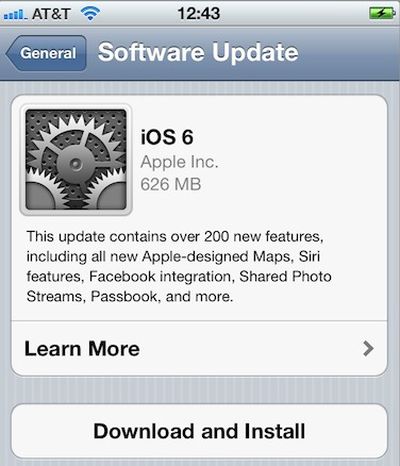
As expected, Apple has just released iOS 6 to the public, making the download available to users of recent iPad, iPhone, and iPod touch models. Users can obtain the update either by connecting their devices to iTunes and clicking the "Check for Update" button or checking for over-the-air updates on their devices via Settings -> General -> Software Update. It may, however, take a few minutes for the update to propagate to all users.
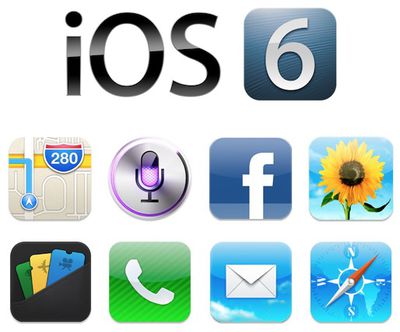
iOS 6 adds over 200 new features, including Apple's own Maps app, Facebook integration, Siri improvements, Apple's new Passbook digital wallet app, and more. Discussion of the new operating system is ongoing in our iOS 6 forum.
iOS 6 is compatible with the third-generation iPad, iPad 2, iPhone 4S, iPhone 4, iPhone 3GS, and fourth-generation iPod touch. It will also ship on the iPhone 5, which launches on Friday, and on the fifth-generation iPod touch launching next month. The operating system arrives as the golden master build 10A403 for existing devices, and Apple has also posted a special 10A405 build for the iPhone 5 and a 10A406 build for the upcoming fifth-generation iPod touch.
Friday October 30, 2026 3:20 pm PDT by Joe Rossignol
In a memo shared with Apple Stores and Apple Authorized Service Providers this week, and later obtained by MacRumors, Apple provided technicians with guidance on how to diagnose and address the iPhone Duo's inner display cracking issue.
If a customer reports the issue, Apple advised technicians to inspect the iPhone Duo and repair or replace it in accordance with their standard procedures....
Thursday October 29, 2026 1:47 pm PDT by Joe Rossignol
While the new iPad mini has an OLED display, the device does not support ProMotion, meaning the display's refresh rate is limited to 60Hz instead of 120Hz.
ProMotion support would have allowed for the iPad mini's refresh rate to automatically adjust from 10Hz to 120Hz depending on the content being displayed, but evidently Apple has kept the feature exclusive to the iPad Pro among iPad...
Thursday October 29, 2026 11:52 am PDT by Joe Rossignol
In the U.S. and most other countries, Apple's website shows the new iPad mini being held by pinched fingers, but this is not the case in South Korea.
The new iPad mini shown with pinched fingers on Apple's website in the U.S.
On its South Korean website, Apple simply shows an image of the iPad mini on its own.
The new iPad mini shown without pinched fingers on Apple's website in South Korea ...