

Twelve South recently launched the StayGo, a portable USB-C hub that's designed to add additional ports to USB-C MacBooks and MacBook Pros. There are a lot of hubs out there on the market, but Twelve South is known for its high-quality Apple accessories, so I thought I'd take a closer look at the StayGo.
Design wise, the StayGo offers a simple but attractive design that's slim, portable, and easy to carry so it can go wherever you need it, but it's not quite as slim as some other USB-C hubs on the market.
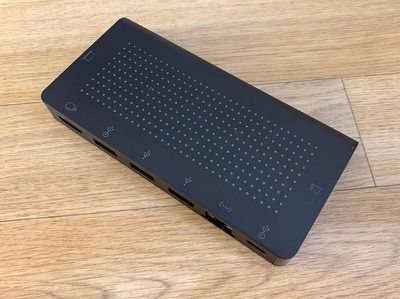
The StayGo is made from a black aluminum material with a dot design on the front, and it measures in at about five inches by 2.5 inches and it's half an inch thick. There are four little rubber feet at the bottom so that it's stable and won't move when on a flat surface, and on the whole it's about as attractive as you can expect a USB hub to be.
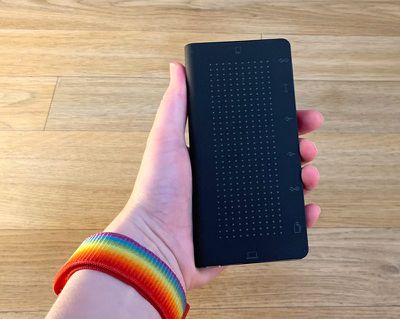
The rectangular shape of the StayGo houses multiple ports and a short built-in USB-C to USB-C cable so that you're never without a cord to use the StayGo with a Mac notebook. There's also a longer USB-C to USB-C cord included for when you need to position it further away from your Mac.
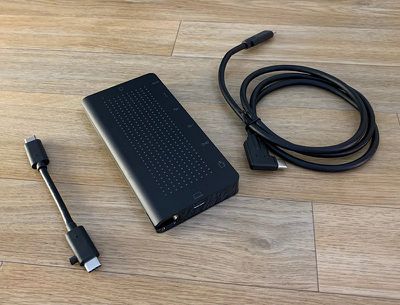
The longer USB-C to USB-C cable is meant to provide users with a way to tidy up the cables on their desks while also providing additional ports, which it does successfully. The idea is to set it up away from where the Mac is, hiding most of the mess of the cords for a tidier workspace.
The built-in cable is a unique feature that other USB-C hubs don't include, and I appreciated always having a USB-C to USB-C cable on hand. The cable comes all the way out of the StayGo using a little button on the cable that you can push up to expose it.
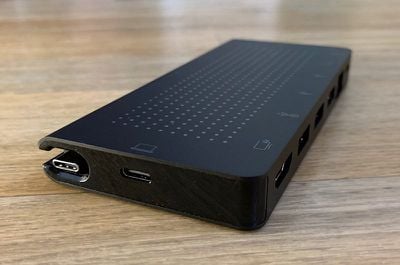
There's a single USB-C port at the top of the StayGo next to the built-in cable, which can plug into a power source and supports passthrough charging up to 85W, enough to charge a 15-inch MacBook Pro using the power adapter that comes with your Mac if needed (a power adapter is not included). From an external power source, the hub supports up to 100W of power.
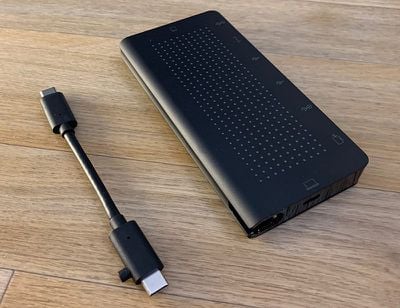
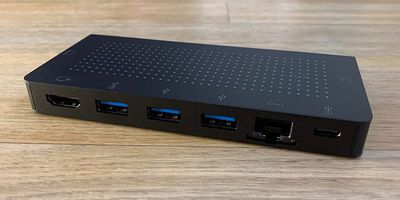
A second USB-C port on the side connects the StayGo to the MacBook Pro, and then there's a Gigabit Ethernet Port, a 4K HDMI port that can support a 4K display at 30Hz, three USB-A ports that provide power and support transfer speeds up to 5Gb/s. Two of the three ports offer 900mA power, while the third is a BC 1.2 port that supports up to 7.5W.
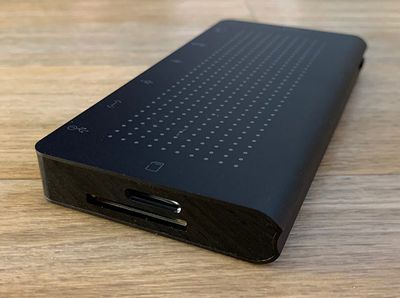
At the bottom, there's an SD card slot and a micro SD card slot that work with the cards used in cameras, drones, and other devices. In testing, all of the ports on the StayGo worked as expected, and file transfer speeds were about as promised, though I did not test the HDMI port because I don't have a 4K monitor.
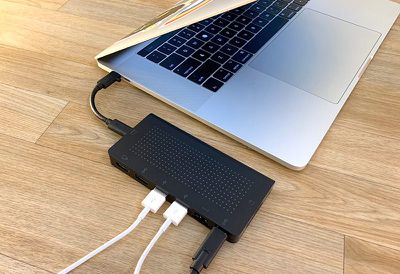
It's worth noting that if you use a 4K display, the StayGo does not support 4K at 60Hz, plus it doesn't work with the faster UHS-II SD card specification, and it doesn't support faster USB 3.1 Gen 2 transfer speeds, so it may not be the best choice if you're looking for maximum performance. It is, however, a good all around hub for day-to-day usage when tops speeds aren't a priority or if you're not dealing with huge file sizes or a ton of file transfers.
Bottom Line
Twelve South's StayGo is more expensive than some other hubs on the market, but it has a greater number of available ports (most don't offer three USB-A ports), more port variety (Ethernet ports are rare), and it's flexible when it comes to usage because of the two cord lengths.
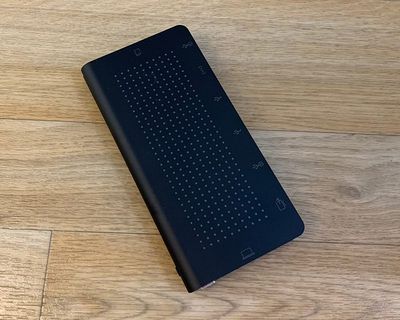
If you're looking for a USB-C hub that's going to be reliable and that takes up minimal space, the StayGo is worth checking out. The StayGo isn't going to offer the speeds and versatility you're going to get with a Thunderbolt 3 hub, of course, but it's much more affordable than Thunderbolt 3 docks if you don't need the TB3 connectivity.
How to Buy
The StayGo from Twelve South can be purchased from the Twelve South website for $99.99.
Note: MacRumors is an affiliate partner with Twelve South. When you click a link and make a purchase, we may receive a small payment, which helps us keep the site running. Twelve South provided MacRumors with a StayGo for the purpose of this review. No other compensation was received.


















Top Rated Comments