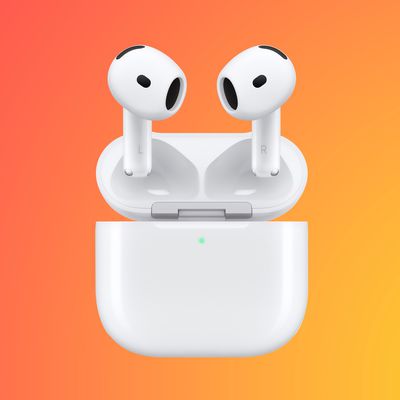
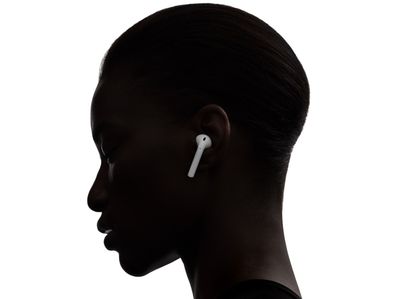
AirPods and AirPods 2 have built-in beamforming microphones in each earpiece that make it easy for you to take calls or interact with Siri when you're wearing the earphones.
airpodsinear
For optimal performance and to make the experience as seamless as possible, the default setting is for the active microphone to switch automatically between one AirPod and the other. And if you wear only one AirPod, then that one becomes the active microphone.

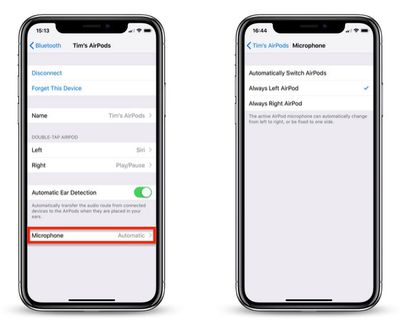
If you want, you can change these settings so that either one or the other AirPod is always the active microphone. Before you change the setting, bear in mind that the AirPod you select as the microphone will continue to be set that way even if you remove it or insert it back in its case.

How to Set One AirPod as the Active Microphone

Before continuing, make sure you're wearing the AirPods and they're connected to your iOS device.

  1. On your iPhone or iPad, launch the Setings app.
  2. Tap the name of your connected AirPods, just under your Apple ID banner. Alternatively, tap Bluetooth, then tap the circled "i" icon next to your connected AirPods.
    airpods set mic to one airpod

  3. Tap Microphone.
  4. Tap Always Left AirPod or Always Right AirPod so that a tick appears beside the chosen setting.
    Related Roundup: AirPods 4
    Buyer's Guide: AirPods (Neutral)
    Related Forum: AirPods

Popular Stories

Apple Creator Studio

Apple Introduces New 'Creator Studio' Bundle of Apps for $129 Per Year

Tuesday January 13, 2026 6:11 am PST by
Apple today introduced a new Apple Creator Studio bundle that offers access to six creative apps, as well as exclusive AI features and content, as part of a single subscription. In the U.S., pricing is set at $12.99 per month or $129 per year. Here are the six apps included with an Apple Creator Studio subscription:Final Cut Pro on the Mac and iPad Logic Pro on the Mac and iPad Pixelmator...
Verizon New

Verizon is Down: iPhones Show 'SOS' Mode Due to Network Outage [Resolved]

Wednesday January 14, 2026 10:18 am PST by
Verizon is experiencing a major outage across the U.S. today, with hundreds of thousands of customers reporting issues with the network on the website Downdetector. There are also complaints across Reddit and other social media platforms. iPhone users and others with Verizon service are generally unable to make phone calls, send text messages, or use data over 5G or LTE due to the outage....
iPhone Top Left Hole Punch Face ID Feature Purple

New Leak Reveals iPhone 18 Pro Display Sizes, Under-Screen Face ID, and More

Wednesday January 14, 2026 7:09 am PST by
While the iPhone 18 Pro models are still around eight months away, a leaker has shared some alleged details about the devices. In a post on Chinese social media platform Weibo this week, the account Digital Chat Station said the iPhone 18 Pro and iPhone 18 Pro Max will have the same 6.3-inch and 6.9-inch display sizes as the iPhone 17 Pro and iPhone 17 Pro Max. Consistent with previous...
iOS 26

Here's What's New in iOS 26.3 So Far

Monday January 12, 2026 1:15 pm PST by
Apple today seeded the second beta of iOS 26.3, nearly a month after the first beta. So far, the update includes a couple of new features for iPhones. iOS 15.3 through iOS 18.3 were all released in late January over the years, so it is thereby likely that iOS 26.3 will be released towards the end of this month as well. The update is compatible with the iPhone 11 series and newer. Below,...
airpods pro 3 design

Apple Releases New AirPods Pro 3 Firmware Update

Tuesday January 13, 2026 11:29 am PST by
Apple today released a firmware update for the AirPods Pro 3. The latest firmware has a version number of 8B34, up from the previous version 8B30. Apple has a support document for AirPods firmware updates, and it indicates that the 8B34 update contains unspecified "bug fixes and other improvements." No other AirPods models received firmware updates today. How to install AirPods Pro...