Computer monitors and displays don't typically receive firmware updates, but Apple's 27-inch 5K Studio Display isn't typical. That's because it contains its own dedicated A13 processor (the same chip Apple used in the iPhone 11) and runs a full version of iOS, which powers the audio output and deals with webcam processing.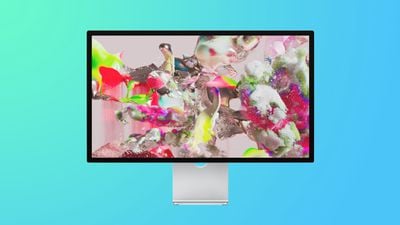
The inclusion of a dedicated computer processor means Apple can issue updates for the firmware, which is the software that provides low-level control for the display's hardware.
The first available Studio Display firmware update issued by Apple was version 15.4, which adds support for Boot Camp on Intel-based Macs and applies some minor stability improvements. Apple is also expected to release another update in the near future to fix visual quality issue's with the built-in webcam.
You can check the firmware version of your Studio Display by clicking the Apple () symbol in your Mac's on-screen menu bar and choosing About This Mac. Click System Report, then click Graphics/Displays. In the "Studio Display" section, the firmware version is shown next to Display Firmware Version.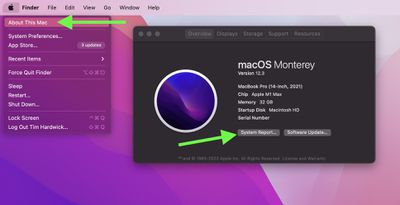
If already know there's a newer firmware version available for your Studio Display, or if you want to check for one, follow the steps below.
How to Update Your Apple Studio Display
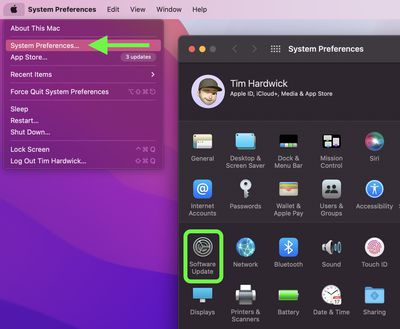
- Click the Apple () symbol in the menu bar and choose System Preferences....
- Click Software Update in the preferences panel.

- If you see a firmware update available for your display, click Update Now to start download it.
- When the update has fully downloaded, click Restart in the notification that appears in the top-right corner of the screen.
- Don't unplug the display while the update is in progress.
While the update is being installed, an ellipsis icon may appear or the screen might go blank. This is normal and you should allow the update to finish.