In November 2020, Apple updated its popular 13-inch MacBook lineup with the first Apple Silicon chip for the Mac, the M1 chip. Both the 13-inch MacBook Air and 13-inch MacBook Pro received updates with the M1 chip.
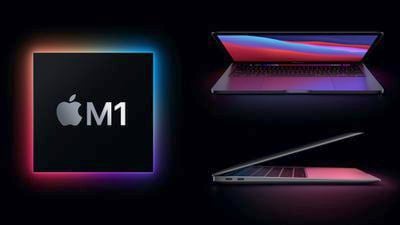
The M1 MacBook Air and M1 MacBook Pro appear to be very similar owing to their shared processor, form factor, and keyboard, so should you consider purchasing the lower-cost MacBook Air, which starts at $999, to save money, or do you need the higher-end MacBook Pro, which costs at least $300 more? Our guide helps to answer the question of how to decide which of these two Apple Silicon MacBooks is best for you.
Comparing the M1 MacBook Pro and the M1 MacBook Air
The Macbook Air and MacBook Pro share a large number of important features such as processor, display size, and ports. Apple lists these same features of the two devices:
Similarities
- 13.3-inch LED-backlit display with IPS technology
- Wide Color (P3) and True Tone technology
- Eight-core M1 chip with up to eight-core GPU and 16-core Neural Engine
- Up to 16GB of unified memory
- Up to 2TB of storage
- Wide stereo sound and support for Dolby Atmos playback
- 802.11ax Wi-Fi 6
- Bluetooth 5.0
- Magic Keyboard
- Touch ID
- Two Thunderbolt/USB 4 ports
- Available in Silver and Space Gray
Apple's breakdown shows that the two MacBooks share a large number of key features. Even so, there are some meaningful differences between the M1 MacBook Air and M1 MacBook Pro that are worth highlighting, including design, battery life, and display brightness.
Differences
M1 MacBook Air
- Slim, wedge-style design
- Configurable with up to eight-core GPU
- Passive cooling (fanless)
- 400 nits brightness
- Up to 18 hours of battery life
- Stereo speakers
- Three-mic array with directional beamforming
- Weighs 2.8 pounds (1.29 kg)
- Available in Silver, Space Gray, and Gold
M1 MacBook Pro
- Thicker, slab-like design
- Eight-core GPU as standard
- Active cooling
- 500 nits brightness
- Up to 20 hours of battery life
- Stereo speakers with high dynamic range
- Studio-quality three-mic array with directional beamforming
- Weighs 3.0 pounds (1.4 kg)
- Available in Silver and Space Gray
- Touch Bar
Read on for a closer look at each of these aspects, and see exactly what Apple's first MacBooks with Apple Silicon processors have to offer.
Design
Both the M1 MacBook Air and MacBook Pro share the same designs as their Intel-based predecessors. This means that the MacBook Air retains its iconic wedge-shaped design, while the MacBook Pro still has its more uniform, slab-style design. Although the MacBook Air is actually thicker than the MacBook Pro at its thickest point, the wedge shape of the MacBook Air makes it look much thinner overall. The MacBook Air is also 0.2 pounds lighter than the MacBook Pro and is available in Gold.
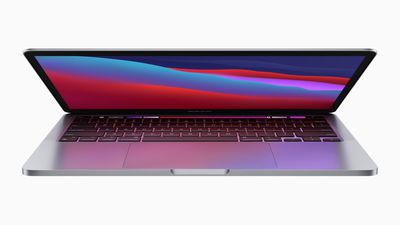
If you will be traveling with your MacBook frequently and portability is a priority, then the MacBook Air is the more appropriate device. However, it is worth noting that the MacBook Pro is only slightly heavier than the MacBook Air, so both models will be very similar in terms of portability.
Performance
The two machines share the same Apple Silicon M1 processor, but with a key difference in cooling systems. Since Apple didn't provide any specific benchmark comparisons between the two models, it is difficult to speculate exactly how well the two machines will perform until benchmarks can be compared. However, there are a number of assumptions that can be made.
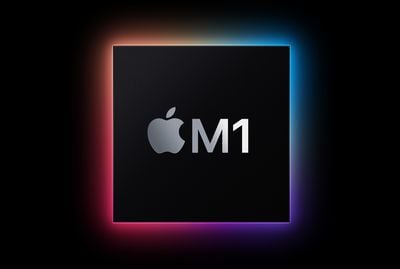
The MacBook Air certainly has more thermal constraints than the MacBook Pro since it is passively cooled and thus has no fans or active ventilation. Unlike the MacBook Air, the MacBook Pro has ventilation and fans. The MacBook Pro can therefore run faster, pushing the M1 harder for longer and achieving better performance from the same chip. This is because the MacBook Pro runs the M1 at higher temperatures since it can cool it more effectively using its active cooling system than the MacBook Air.
The cooling systems of both machines strongly indicate that the MacBook Pro performs better than the MacBook Air, but the margin of difference is not major. The MacBook Pro will still be better for users who need the best performance. However, since the two devices share the same M1 processor, the MacBook Air could perform similarly enough for some tasks or tasks that don't require sustained processing power.
The cheapest $999 MacBook Air configuration also has a seven-core GPU. The $1,249 higher-tier configuration of the MacBook Air, however, comes with an eight-core GPU. The MacBook Pro comes with the eight-core GPU as standard. The difference between 7 and 8 cores isn't expected to be dramatic, but users who will be setting about a lot of graphics-based work should opt for the MacBook Pro, as it is only $50 more than the eight-core GPU MacBook Air.
Display
The MacBook Pro and MacBook Air share the same 13.3-inch LED-backlit display with IPS technology, True Tone, and P3 Wide Color. Content and colors will look exactly the same on both devices.
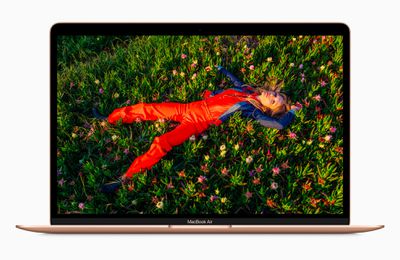
However, the MacBook Pro's display can reach 500 nits of brightness compared to the MacBook Air's 400 nits. This means that it can get up to 20 percent brighter. You may prefer the MacBook Pro's brighter display, particularly if you often use your machine outdoors, but the brightness of the MacBook Air's display will likely not disappoint most users.
Battery Life
The M1 MacBook Pro has a battery life two hours better than the MacBook Air, according to Apple's estimates. This is likely due to smaller batteries in the MacBook Air due to its slimmer, wedge-shaped profile.
Both machines have excellent battery life at up to 20 hours on the MacBook Pro and 18 hours on the MacBook Air, thanks to the power-efficient M1 chip. While the battery life of both machines is outstanding, if you need to prioritize battery life for long periods of time away from a power source, the MacBook Pro is clearly the better option.
Microphones and Speakers
The MacBook Air has stereo speakers and a three-mic array with directional beamforming. The MacBook Pro pushes these features into the "pro" market with stereo speakers that support high dynamic range, as well as a "studio-quality" three-mic array with directional beamforming.
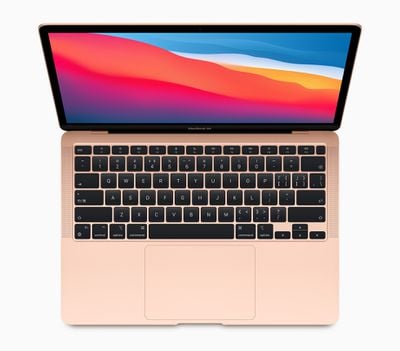
If you consume a lot of video content or music using the built-in speakers, or frequently use the built-in microphones for video calls or podcasting, for example, the MacBook Pro is the better device.
Touch Bar
While both machines come with Touch ID, only the MacBook Pro gets Apple's Touch Bar. The Touch Bar replaces the traditional row of function keys with a "Retina-quality" Multi-Touch display.
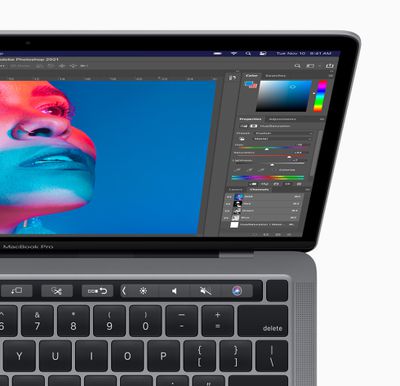
Controls on the Touch Bar change when using different apps. For example, the Touch Bar can show Tabs and Favorites in Safari, enable easy access to emoji in Messages, and provide a simple way to edit images or scrub through videos.
If you are particularly keen on having the Touch Bar, you will have to get the MacBook Pro, but not all users will appreciate the feature, and it does not directly add any new functionality that is not possible on the MacBook Air.
Other Mac Options
In addition to the 13-inch MacBook Air and MacBook Pro, the 24-inch iMac and Mac mini also contain the M1 chip, but these are desktop machines. Apple also offers considerably more powerful 14- and 16-inch MacBook Pro models, but these start at $1,999.
Final Thoughts
The Apple Silicon M1 MacBook Air and MacBook Pro are very similar in terms of specifications. Both devices sport the same M1 processor, 13.3-inch display, Touch ID, and ports, as well as most other hardware features.
The main differences are the display brightness, Touch Bar, microphone and speaker quality, two extra hours of battery life, and active cooling system that set the machines apart in favor of the MacBook Pro. For casual users, this means that the additional $300 to upgrade to a MacBook Pro may be difficult to justify, especially without knowing the exact performance benefits at this time.
If you do want the best performance, battery life, display brightness, and speaker and microphone quality, the MacBook Pro is the better option. The MacBook Pro is therefore the best current option for those who want the most out of their M1-based laptop.
Likewise, users who intend to perform a lot of graphics-based tasks should skip the MacBook Air entirely and buy the MacBook Pro because the eight-core GPU MacBook Air configuration is only $50 less than the MacBook Pro. However, this is only the case if you don't need more than 256GB of storage, because a storage upgrade would further push up the MacBook Pro's price.
While there is a small performance difference between the devices, the MacBook Air appears to be the best option for most users. The MacBook Air offers a compelling feature set at a more affordable $999 price. The MacBook Air and MacBook Pro are available to order now.