Juli Clover

Juli is the Managing Editor at MacRumors, and has been covering Apple news and rumors since 2010. She oversees MacRumors' guides, roundups, how tos, reviews, and giveaways in addition to covering daily news. Her work is regularly highlighted on Techmeme and cited by tech publications and news sites.
She is a voracious reader, cinephile, gardener, and gamer, and she resides in California with her carnivorous plants. Juli can be reached at juli@macrumors.com or on Twitter.
She is a voracious reader, cinephile, gardener, and gamer, and she resides in California with her carnivorous plants. Juli can be reached at juli@macrumors.com or on Twitter.
Juli Clover's Articles
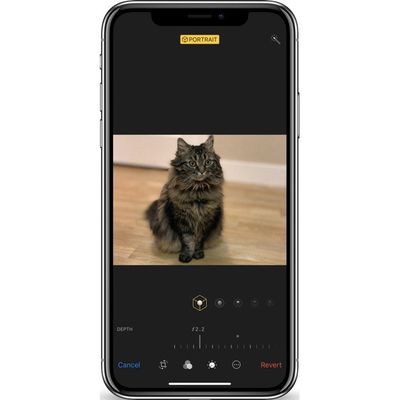
Hands-On With the New Depth Control Feature in iPhone XS and XS Max
Apple's iPhone XS, XS Max, and upcoming XR come equipped with a new Depth Control feature enabled through camera upgrades that include a new image signal processor, an improved sensor, and the A12 Bionic chip with next-generation Neural Engine.
Depth Control, which we've featured in the video below, lets you adjust the amount of blurring in the background of your Portrait Mode images, giving...
Read Full Article • 119 comments
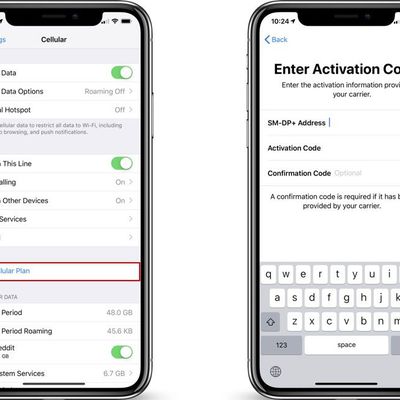
eSIM Functionality Available in iOS 12.1, But Carrier Support is Required
Apple's iOS 12.1 beta introduces support for the eSIM, aka a digital SIM that lets you activate a cellular plan from your carrier without needing to use a physical SIM card. In the iPhone XS, XS Max, and XR, the eSIM pairs with the included nano-SIM to enable dual-SIM functionality.
The eSIM in the new iPhone XS and XS Max was not available at launch, with Apple promising to activate it in a...
Apple Releases Safari Technology Preview 66 With Bug Fixes and Feature Improvements
Apple today released a new update for Safari Technology Preview, the experimental browser Apple first introduced over two years ago in March of 2016. Apple designed the Safari Technology Preview to test features that may be introduced into future release versions of Safari.
Safari Technology Preview release 66 includes bug fixes and feature improvements for Web Share API, Conic Gradients,...

Apple Pay to Be Available in 60% of U.S. Retail Locations by End of 2018
Apple Pay is expected to be available in 60 percent of retail locations in the United States by the end of the year, Apple's VP of Apple Pay Jennifer Bailey told Fortune today in an interview at the company's Brainstorm Reinvent Conference.
Since Apple Pay's 2014 introduction, Apple has worked to bring it to 24 countries around the world. Apple has to negotiate deals with each and every...

Camera Comparison: iPhone XS Max vs. iPhone X
Compared to the iPhone X, the iPhone XS and iPhone XS Max offer up an upgraded wide-angle camera with a larger sensor and new features like Smart HDR and Depth Control, all of which bring quite a few changes to photo quality on Apple's newest iPhones.
We did an in-depth comparison between the iPhone X camera and the camera in the iPhone XS Max to highlight the feature updates and what you can...

Functional Apple-1 Computer Sells for $375,000 at Auction
A rare fully operational Apple-1 computer auctioned off by RR Auction at WeWorks in Boston today fetched a total of $375,000.
The Apple-1 came from a person who purchased the machine from The Byte Shop, the store where Steve Jobs and Steve Wozniak originally sold the computers for $666.66. The seller used the Apple-1 to learn BASIC and wrote small programs before he decided to hold onto it...
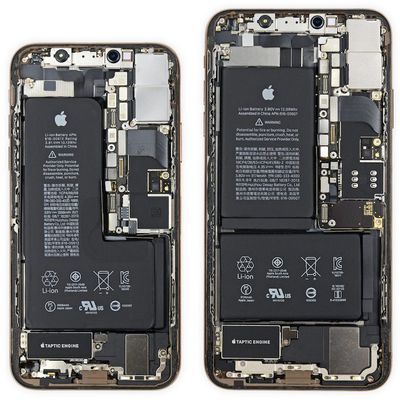
iPhone XS Max Component Costs Estimated at $453 [Updated]
The iPhone XS Max with 256GB of storage costs an estimated $443 to make, according to estimates shared by TechInsights in a teardown of the new device. At $443, the iPhone XS Max components are nearly $50 more expensive than the estimated $395.44 component cost of the 64GB iPhone X.
TechInsight's component cost breakdown suggests the iPhone XS Max display is the most expensive component in the ...

Apple Seeds First Beta of macOS Mojave 10.14.1 to Developers
Apple today seeded the first beta of an upcoming macOS Mojave 10.14.1 update to developers, just one day after releasing the macOS Mojave update.
macOS Mojave introduces a new method of installing software updates, so after the initial beta has been installed using the appropriate profile from the Developer Center, additional betas can be downloaded through opening up System Preferences and...

Apple's Bud Tribble to Offer Support for 'Comprehensive Federal Privacy Legislation' at Senate Hearing on Wednesday
Apple is sending longtime employee and Vice President of Software Technology Bud Tribble to a Senate Commerce Committee hearing on Wednesday to offer support for federal privacy regulations, reports Axios.
According to Tribble's prepared statement obtained by Axios, he plans to "convey Apple's support for comprehensive federal privacy legislation that reflects Apple's long-held view that...

Rachio 3 Smart Sprinkler Controller Gains HomeKit Support
Rachio today announced that it has added HomeKit support to its Rachio 3 Smart Sprinkler Controller, allowing the device to work with Siri and other HomeKit accessories to control sprinklers.
According to Rachio, its Smart Sprinkler Controller is the first sprinkler controller to offer HomeKit integration.
The Rachio 3 Smart Sprinkler Controller works with the Home app or through the...

Apple Devices Earn Highest Customer Satisfaction Score Among PC and Tablet Makers
Apple's Macs and iPads continue to have the highest customer satisfaction score among PC and tablet makers, according to the American Customer Satisfaction Index's new 2018 Household Appliance and Electronics Report.
Apple earned an ACSI score of 83 in 2018, the same score that it had last year, remaining in the lead over Amazon, Samsung, ASUS, HP, Lenovo, and more.
According to the ACSI, ...

How to Use macOS Mojave's New Dynamic Desktop Feature
Apple in macOS Mojave introduced Dynamic Desktops, which are wallpapers that shift with the time of day, changing the lighting and look of the wallpaper with the progress of the sun across the sky.
For example, in the afternoon, the lighting in the wallpaper is at its peak brightness and the image of the Mojave desert is depicted as it would be if you visited it in the daytime with well-lit...

Apple Outlines Metal-Capable Cards Compatible With macOS Mojave on 2010 and 2012 Mac Pro Models
Apple's new macOS Mojave update is not compatible with mid-2010 and mid-2012 Mac Pros with stock GPUs, but it is supported on 2010 and 2012 Mac Pro models that have been upgraded with graphics cards that support Metal.
Apple today shared a new support document that provides a list of graphics cards that are Metal-capable, which will be useful for 2010 and 2012 Mac Pro owners who want to...
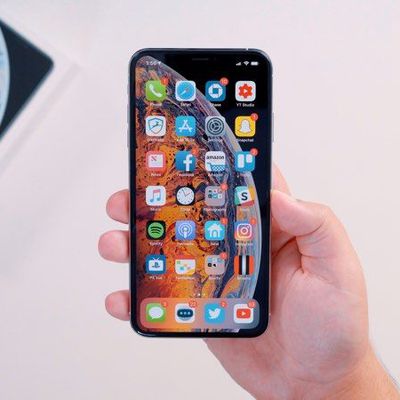
iPhone XS and XS Max Owners Complain of Wi-Fi and LTE Connectivity Issues
Apple's iPhone XS and iPhone XS Max launched last Friday, and shortly after, some customers who purchased one of the new devices started noticing an issue with LTE and Wi-Fi speeds and connectivity.
According to multiple threads on the MacRumors forums, iPhone XS and iPhone XS Max users are experiencing connectivity problems with Wi-Fi and LTE on the two new iPhones when compared to other,...

How to Organize Your Mac's Desktop With Stacks in macOS Mojave
If you're someone that has a lot of files on your desktop, you're going to love the new Stacks feature in macOS Mojave, which is designed to organize all of your files into neat little piles on your desktop, getting rid of clutter.
Unfortunately, Stacks is an option that's limited to the desktop and not available within individual file folders.
Subscribe to the MacRumors YouTube channel for ...

Boot Camp Won’t Work With macOS Mojave on 2012 27-Inch iMac With 3TB Hard Drive
Apple today shared a support document that will be of interest to customers who own a late 2012 27-inch iMac with a 3TB hard drive and are attempting to upgrade to the macOS Mojave update.
There is an issue on this iMac model that results in the following alert when attempting to install macOS Mojave: "Installation cannot proceed with Boot Camp configured."
To fix this problem, Apple says ...

How to Enable Dark Mode on Mac
MacOS includes a Dark Mode option that works across the entire system, from the dock and menu bar to all of your apps.
Here's how to turn on Dark Mode:
Choose System Preferences on the menu bar.
Select General.
In the "Appearance" section at the top of the window, click the "Dark" option.
Those are the only steps required to enable Dark Mode. If you want to turn it off again, ...
Multiple Mac Apps Updated With Support for macOS Mojave's Dark Mode and Other New Features
With the release of macOS Mojave today, third-party Mac app developers are releasing updates to take advantage of features like Dark Mode and other new Mojave additions.
Dark Mode options in third-party apps will let them blend right in to Mojave's new Dark Mode, which is a systemwide dark theme that can be used in lieu of the traditional light mode theme. We've rounded up a list of prominent...
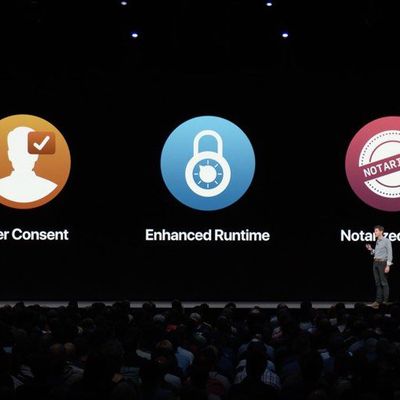
Bypass Flaw in Newly Released macOS Mojave Update Lets Hackers Access Protected Files
Researcher Patrick Wardle, who has uncovered many security flaws in Apple's macOS operating system, today shared some details on a new vulnerability that he's found in the newly released macOS Mojave update.
As outlined by BleepingComputer, Wardle discovered that he was able to access Contacts data from the address book using an unprivileged app, as demonstrated in the video below.
...

Waze for iOS Updated With CarPlay Support
Popular Google-owned mapping app Waze was today updated with support for CarPlay on devices running iOS 12. The iOS 12 update allows third-party mapping apps to be used with CarPlay for the first time, providing an alternative to the built-in Apple Maps app.
With CarPlay support, iPhone users who prefer to use Waze for mapping purposes can do so through the CarPlay interface, something that...