Apple's $349 A16 iPad Supports Final Cut Pro
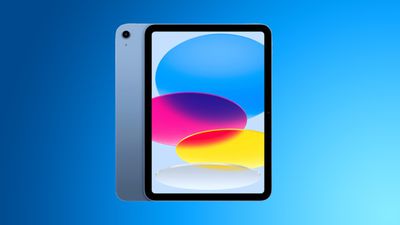
The low-cost iPad that Apple released this week with an A16 chip is able to run Final Cut Pro for iPad, according to the Final Cut Pro App Store page.
Under compatibility, Final Cut Pro for iPad has been updated to say that it requires iPadOS 17.6 or later "and a device with an M-series or A16 or later chip."
Prior to the release of the iPad, the most affordable device that was able to run Final Cut Pro for iPad was the iPad mini with A17 Pro chip, which is priced at $499. The 11th-generation iPad is cheaper, and it provides more screen space for video editing purposes.
With Final Cut Pro available on the iPad, there is a much more affordable way for people to access professional video editing software. Affordability is increased thanks to the option to pay for Final Cut Pro on a monthly basis, with Apple charging $4.99 per month for access.
While Final Cut Pro runs on the iPad, there are some features that are limited to iPads with more powerful chips and more advanced functions, such as recording in ProRes and editing video timelines with Apple Pencil hover.
Popular Stories
Apple today announced the "iPhone Duo," a new kind of iPhone featuring two screens and a foldable inner display.
The two halves of the iPhone Duo connect into a single continuous frame with the same aspect ratio across both displays, and Apple said the transition between open and closed is designed to feel fluid. When fully open, Apple says it is the thinnest iPhone ever made, with an...
Apple's "Surprise and Shine" event kicks off today at 10:00 a.m. Pacific Time, where we're expecting to see the foldable iPhone Duo, the iPhone 18 Pro and Pro Max, Apple Watch Series 12 and Ultra 4 models, new AirPods 5 earphones, and perhaps some other announcements.
Apple is providing a live video stream on its website, on YouTube, and in the company's TV app across various platforms. We...
At its event today unveiling the iPhone 18 Pro, AirPods 5, Apple Watch Series 12, and more, Apple announced that iOS 27 will be released later this month.
iOS 27 has already been available as a developer beta since June and as a public beta since July, and Apple today said that the update will be released for all users with a compatible iPhone model on Monday, September 14.
iOS 27 is...