Skip to Content

Apple Seeds macOS Sonoma 14.5 Release Candidate to Developers

Apple today seeded the release candidate version of an upcoming macOS Sonoma 14.5 update to developers, with the software coming a week after Apple released the fourth beta.
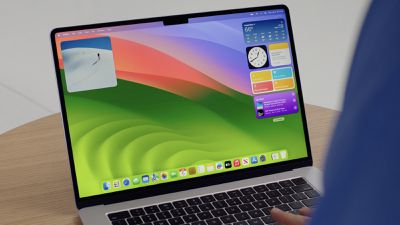
sonoma desktop wwdc
Registered developers can opt in to the beta through the Software Update section of the System Settings app. Note that an Apple ID associated with an Apple Developer account is required to get the beta.

We don't yet know what is included in macOS Sonoma 14.5, and no new features were found in the first four developer betas.

Related Forum: macOS Sonoma

Popular Stories

Apple Event Logo

Apple Released Seven New Products Today

Wednesday March 11, 2026 7:05 am PDT by
Starting today, the seven new Apple products that were announced last week are available at Apple Stores and beginning to arrive to customers. The colorful MacBook Neo and all of the other new products are on display at most Apple Store locations around the world starting today. Apple Stores have inventory of the new products for both walk-in customers and Apple Store pickup, but...
ios 26 4 yellow

Everything New in iOS 26.4 Beta 4

Monday March 9, 2026 3:50 pm PDT by
Apple is continuing to test the iOS 26.4 beta, and the latest update is now available for developers and public beta testers. As testing goes on, there are fewer new features in each beta, but today’s release adds new emoji characters and a few other changes. New Emoji Apple added new emoji characters, including trombone, treasure chest, distorted face, hairy creature, fight cloud, orca,...
Apple 50 Years of Thinking Different

Apple Announces 50th Anniversary Plans

Thursday March 12, 2026 6:10 am PDT by
Apple today announced that it will celebrate the company's 50th anniversary over the coming weeks, but it has yet to reveal any specific plans. Apple was founded on April 1, 1976, so the company will turn 50 on April 1, 2026. "While Apple is known for looking forward, this milestone offers a special moment to reflect on the journey that has brought the company here, to celebrate the...

Top Rated Comments

Realityck Avatar
24 months ago
Well this showed up at 10:10 am, and OTA was available not that long after. It was a 2 GB download. The download and prep was usual speed. The install was really quick this time. So far very sold operation.


[HEADING=2]FaceTime[/HEADING]
[HEADING=3]Resolved Issues[/HEADING]

* Fixed: Users might not be able to approve or decline a FaceTime link call because notifications might not be received on the caller side for them to accept or decline the call. (125617787)

[HEADING=2]Mac (Designed for iPad) Apps[/HEADING]
[HEADING=3]Resolved Issues[/HEADING]

* Fixed: macOS might launch the wrong version for (Designed for iPad) apps after double clicking the icon or after building from Xcode. (121404522)

Apple doesn’t divulge any security patches before the 14.5 public release occurs. I expect this to go public on Monday May 13th with everything else.
Score: 9 Votes (Like | Disagree)
Realityck Avatar
24 months ago
To Devs and also PB testers

* iOS 17.5 RC (21F79) - May 7, 2024
* iPadOS 17.5 RC (21F79) - May 7, 2024
* macOS 14.5 RC (23F79) - May 9, 2024
* tvOS 17.5 RC (21L569) - May 7, 2024
* visionOS 1.2 beta 5 (21O5587a) - May 7, 2024
* watchOS 10.5 RC 2 (21T576) - May 8, 2024

Comparison of 14.5 RC to 14.5 beta 4

macOS 14.5 RC (23F79)

* Safari Version 17.5 (19618.2.12.11.6)
* System Firmware Version: 10151.121.1 (M1 based Macs)
* Darwin Kernel Version 23.5.0: Wed May 1 20:16:51 PDT 2024; root:xnu-10063.121.3~5/RELEASE_ARM64_T8103 arm64

macOS 14.5 beta 4 (23F5074a)

* Safari Version 17.5 (19618.2.12.11.4)
* System Firmware Version: 10151.121.1 (M1 based Macs)
* Darwin Kernel Version 23.5.0: Wed Apr 24 21:23:50 PDT 2024; root:xnu-10063.121.3~3/RELEASE_ARM64_T8103 arm64

Apple Music/TV is still 1.4.5.36 no change
Score: 5 Votes (Like | Disagree)
24 months ago

I wonder if it fixes the issues with Spotlight growing laggy that came with 14.4 or 14.4.1
No, it doesn’t because there isn't a problem to begin with. If spotlight is laggy on your system then you need to troubleshoot it instead of waiting for Apple to fix something that doesn’t need fixing.

Rebuild your Spotlight index. When your Spotlight search is glitchy, lagging, or refusing to work, sometimes, a quick rebuild is the best option; here's how to do it: From the main Apple menu, go to System Settings > Siri & Spotlight. Click the Spotlight Privacy button at the bottom of the page. Delete the volume, then add it back. The Spotlight database will be rebuilt for that volume.
Score: 4 Votes (Like | Disagree)
24 months ago
Any updates when MacBook Pro m3 will support 2 external monitors?
Score: 3 Votes (Like | Disagree)
vertsix Avatar
24 months ago
I'm happy with no new features. Bug fixes and stability is just fine. Just updated and seems good.
Score: 2 Votes (Like | Disagree)
Realityck Avatar
24 months ago

Generally, the only thing that stops a release candidate from being fully released is a catastrophic bug.

So if you’re not prepared to potentially deal with that type of bug, you shouldn’t install a release candidate on any platform.
Most last minute instances are related to last moment security patches, or a compile error with the installer.
Score: 1 Votes (Like | Disagree)