Deals: Get Up to $50 Off Magic Keyboard for iPad (From $249) and Apple Pencil 2 ($99) on Amazon - MacRumors
Skip to Content

Deals: Get Up to $50 Off Magic Keyboard for iPad (From $249) and Apple Pencil 2 ($99) on Amazon

Amazon is kicking off the week with the return of an all-time low price on the Apple Pencil 2, available for $99.00, down from $129.00. The accessory is in stock today on Amazon and has an estimated delivery day of August 10 for Prime members.
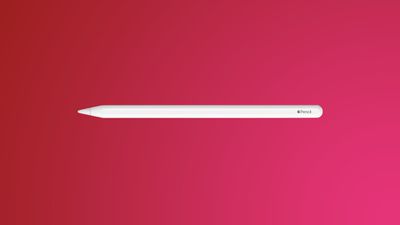
apple pencil redNote: MacRumors is an affiliate partner with Amazon. When you click a link and make a purchase, we may receive a small payment, which helps us keep the site running.

The last time we tracked this price on the Apple Pencil 2 was earlier in the summer; otherwise this record low deal has been rare throughout 2022.

The Apple Pencil 2 is compatible with the following iPads: iPad mini (6th generation), iPad Air (4th generation), 12.9-inch iPad Pro (3rd, 4th, and 5th generations), and 11-inch iPad Pro (1st, 2nd, and 3rd generations). The second generation Apple Pencil can also magnetically attach and pair to the iPad Pro, iPad mini, and iPad Air.
magic keyboard yellow 1
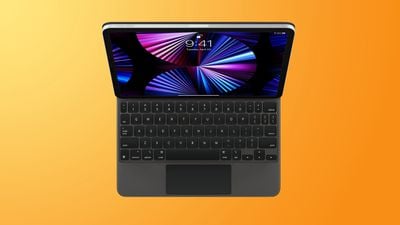
Additionally, Amazon is taking $50 off Apple's Magic Keyboards for the 11-inch and 12.9-inch iPad Pro. You can get the 11-inch model for $249.00, down from $299, and the 12.9-inch model for $299.00, down from $349.00.

Both sales represent second-best prices on the accessories, but it's been a few months since we tracked all-time low deals. This makes Amazon's markdowns a great opportunity to buy the devices at a discount for back to school shoppers.

Keep up with all of this week's best discounts on Apple products and related accessories in our dedicated Apple Deals roundup.
Related Roundup: Apple Deals

Top Rated Comments

48 months ago
Decent discount for the pencil. $50 off is also not bad for the magic keyboard for iPad.
Score: 2 Votes (Like | Disagree)
48 months ago

I don’t know what else they can do with it. Still amazing for drawing for me. Only reason I upgraded from 1st AP to the newest was because of the magnet/charge feature they added.

But I’m good with an update :)
I absolutely love mine, but the two biggest things that I find myself wishing for are:

1. A second “tip” on the back that is default-mapped to an “eraser” tool in most apps (40 years of muscle memory still has me reflexively flipping the pencil when I want to erase a mark 😅). I wouldn’t even mind if this “eraser” nib was lower precision or even simulated through some sort of ML as long as it worked.
2. Improved or tunable “secondary tap” sensitivity, because it regularly registers a secondary tap for me (switching tools) when I’m just shifting my grip on the pencil.
Score: 2 Votes (Like | Disagree)
48 months ago

I would like to try the Apple Pencil 2 but at almost 4 years old seems an update is due.
I don’t know what else they can do with it. Still amazing for drawing for me. Only reason I upgraded from 1st AP to the newest was because of the magnet/charge feature they added.

But I’m good with an update :)
Score: 2 Votes (Like | Disagree)
48 months ago

which one?
Ailun Stylus Pen with Palm Rejection,Active Pencil Compatible with iPad (2018-2022) for Precise Writing Drawing ('https://www.amazon.com/Ailun-Rejection-Compatible-2018-2021-Precise/dp/B08R6T54PT/ref=sr_1_1?crid=188J0LD8EAEM1&keywords=Ailun+Stylus+Pen&qid=1660003147&s=electronics&sprefix=ailun+stylus+pen+%2Celectronics%2C91&sr=1-1')
Score: 1 Votes (Like | Disagree)
48 months ago

I absolutely love mine, but the two biggest things that I find myself wishing for are:

1. A second “tip” on the back that is default-mapped to an “eraser” tool in most apps (40 years of muscle memory still has me reflexively flipping the pencil when I want to erase a mark 😅). I wouldn’t even mind if this “eraser” nib was lower precision or even simulated through some sort of ML as long as it worked.
2. Improved or tunable “secondary tap” sensitivity, because it regularly registers a secondary tap for me (switching tools) when I’m just shifting my grip on the pencil.
I am with you on the first one, that’s actually a really cool idea 👍

On the second: I have to turn my tap off, it’s too sensitive, or like you said doesn’t register. It always trips me up and switches when I don’t want it too 😂
Score: 1 Votes (Like | Disagree)
lostPod Avatar
48 months ago

Although I have both Apple Pencils 1 & 2, I recently found a decent 3rd party pencil on Amazon for about $20 which works fine for my needs. I keep it with my iPad mini so i don‘t need to switch out when I change iPads.
The Crayon isnt bad either.
Score: 1 Votes (Like | Disagree)