App Developers Can Now Offer Pre-Orders Up to 180 Days Before an App's Release
Apple today informed developers that they can offer pre-orders for apps up to 180 days prior to when it's released for download on the App Store, giving developers more time to build excitement for app features, services, and content.
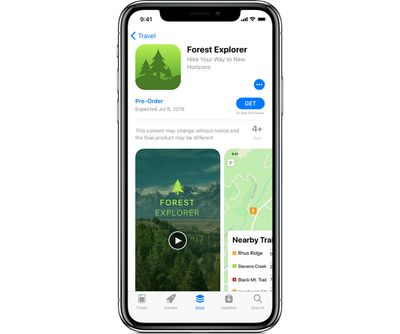
Now you can let customers pre-order your app up to 180 days before it's released for download on the App Store. Take advantage of this longer lead time to build more excitement for your app's features, services, and content, and to encourage more pre-orders. Once your app is released, customers will be notified and it will automatically download to their device within 24 hours.
Apple has been allowing developers to offer App Store pre-orders since 2017, with the pre-order feature letting customers make a purchase ahead of an app's release date. Pre-orders are available for both free and paid apps.
Prior to today's change, pre-orders could only be made available for up to 90 days before an app's release. Once the release date for an app rolls around, the app that has been pre-ordered is automatically downloaded to the customer's device, with paid apps charged at release.
Popular Stories
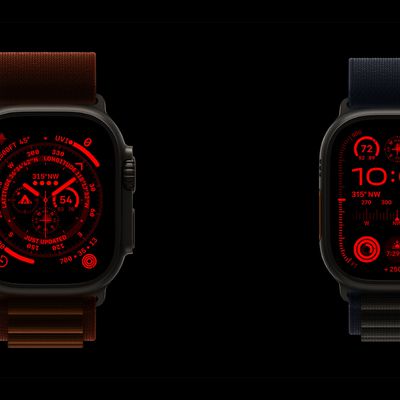
The long wait for an Apple Watch Ultra 3 appears to be nearly over, and it is rumored to feature both satellite connectivity and 5G support.
Apple Watch Ultra's existing Night Mode
In his latest Power On newsletter, Bloomberg's Mark Gurman said that the Apple Watch Ultra 3 is on track to launch this year with "significant" new features, including satellite connectivity, which would let you...
The iPhone 17 Pro Max will feature the biggest ever battery in an iPhone, according to the Weibo leaker known as "Instant Digital."
In a new post, the leaker listed the battery capacities of the iPhone 11 Pro Max through to the iPhone 16 Pro Max, and added that the iPhone 17 Pro Max will feature a battery capacity of 5,000mAh:
iPhone 11 Pro Max: 3,969mAh
iPhone 12 Pro Max: 3,687mAh...
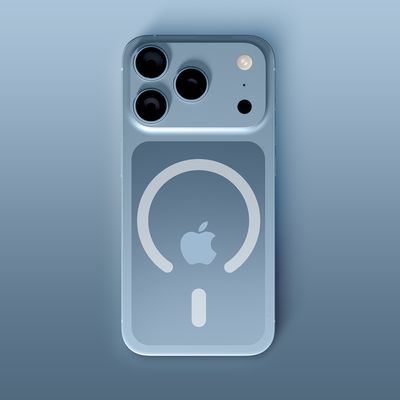
The upcoming iPhone 17 Pro and iPhone 17 Pro Max are rumored to have a slightly different MagSafe magnet layout compared to existing iPhone models, and a leaked photo has offered a closer look at the supposed new design.
The leaker Majin Bu today shared a photo of alleged MagSafe magnet arrays for third-party iPhone 17 Pro cases. On existing iPhone models with MagSafe, the magnets form a...
iOS 26 and iPadOS 26 add a smaller yet useful Wi-Fi feature to iPhones and iPads.
As spotted by Creative Strategies analyst Max Weinbach, sign-in details for captive Wi-Fi networks are now synced across iPhones and iPads running iOS 26 and iPadOS 26. For example, while Weinbach was staying at a Hilton hotel, his iPhone prompted him to fill in Wi-Fi details from his iPad that was already...
Apple's position as the dominant force in the global true wireless stereo (TWS) earbud market is expected to continue through 2025, according to Counterpoint Research.
The forecast outlines a 3% year-over-year increase in global TWS unit shipments for 2025, signaling a transition from rapid growth to a more mature phase for the category. While Apple is set to remain the leading brand by...
Apple today seeded the second betas of upcoming iOS 18.6 and iPadOS 18.6 updates to public beta testers, with the betas coming just a day after Apple provided the betas to developers. Apple has also released a second beta of macOS Sequoia 15.6.
Testers who have signed up for beta updates through Apple's beta site can download iOS 18.6 and iPadOS 18.6 from the Settings app on a compatible...
Apple's next-generation iPhone 17 Pro and iPhone 17 Pro Max are just over two months away, and there are plenty of rumors about the devices.
Below, we recap key changes rumored for the iPhone 17 Pro models.
Latest Rumors
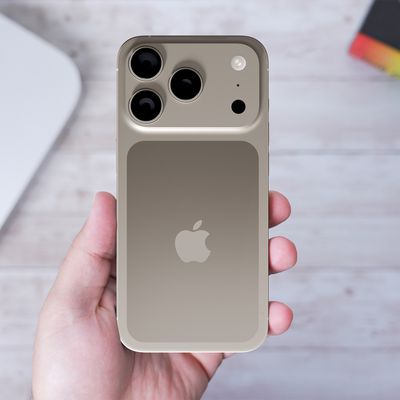
These rumors surfaced in June and July:Apple logo repositioned: Apple's logo may have a lower position on the back of the iPhone 17 Pro models, compared to previous...