Apple Updates Second-Generation AirPods Firmware to Version 2D15

A week after releasing a new firmware update for the AirPods Pro, Apple has pushed the same firmware to the second-generation AirPods, updating them from the previous 2A364 firmware to the new 2D15 firmware.
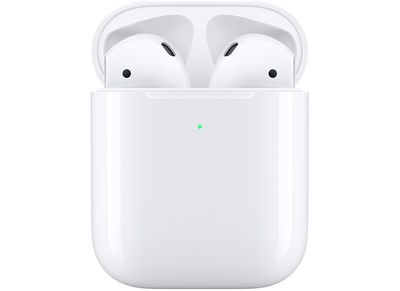
airpodschargingcase
Apple didn't make it clear what's new in the refreshed firmware at this time, and AirPods Pro owners had mixed reactions to the update, with some saying that it improved Active Noise Cancellation and others finding that it did not.

The second-generation AirPods don't have Active Noise Cancellation, so it's unknown what improvements are included in the firmware. AirPods firmware updates often provide performance improvements, bug fixes, and feature tweaks. This software update likely fixes the bug that caused some customers who were sent a replacement AirPod with unreleased firmware to be unable to use them as it should update the 2D3 firmware to 2D15, allowing them to once again be paired with existing AirPods.

You can check to see what firmware your AirPods have installed by following these steps:

  1. Make sure the ‌‌AirPods‌‌ are connected to your iOS device.
  2. Open the Settings app.
  3. Tap General.
  4. Tap About.
  5. Tap ‌‌AirPods‌‌.
  6. Look at the number next to "Firmware Version."

Apple hasn't provided explicit instructions to customers on how to initiate a firmware update, but activating the AirPods with audio and then putting them in the case and connecting them to a power source seems to be a reliable way of forcing an update.

Apple in December released the 2C54 firmware update, but later pulled it, so it's worth noting that some people who updated right away have the 2C54 firmware while others are still on 2A364.


Related Roundup: AirPods 4
Buyer's Guide: AirPods (Neutral)
Related Forum: AirPods

Popular Stories

Apple Logo Zoomed

Tim Cook Teases Plans for Apple's Upcoming 50th Anniversary

Thursday February 5, 2026 12:54 pm PST by
Apple turns 50 this year, and its CEO Tim Cook has promised to celebrate the milestone. The big day falls on April 1, 2026. "I've been unusually reflective lately about Apple because we have been working on what do we do to mark this moment," Cook told employees today, according to Bloomberg's Mark Gurman. "When you really stop and pause and think about the last 50 years, it makes your heart ...
iOS 26

iOS 26.3 and iOS 26.4 Will Add These New Features to Your iPhone

Tuesday February 3, 2026 7:47 am PST by
While the iOS 26.3 Release Candidate is now available ahead of a public release, the first iOS 26.4 beta is likely still at least a week away. Following beta testing, iOS 26.4 will likely be released to the general public in March or April. Below, we have recapped known or rumored iOS 26.3 and iOS 26.4 features so far. iOS 26.3 iPhone to Android Transfer Tool iOS 26.3 makes it easier...
imac video apple feature

Apple Makes Its Second-Biggest Acquisition Ever

Tuesday February 3, 2026 12:45 pm PST by
Apple recently acquired Israeli startup Q.ai for close to $2 billion, according to Financial Times sources. That would make this Apple's second-biggest acquisition ever, after it paid $3 billion for the popular headphone maker Beats in 2014. This is also the largest known Apple acquisition since the company purchased Intel's smartphone modem business and patents for $1 billion in 2019....
wwdc sans text feature

Apple Rumored to Announce New Product on February 19

Thursday February 5, 2026 12:22 pm PST by
Apple plans to announce the iPhone 17e on Thursday, February 19, according to Macwelt, the German equivalent of Macworld. The report, citing industry sources, is available in English on Macworld. Apple announced the iPhone 16e on Wednesday, February 19 last year, so the iPhone 17e would be unveiled exactly one year later if this rumor is accurate. It is quite uncommon for Apple to unveil...
Finder Siri Feature

Why Apple's iOS 26.4 Siri Upgrade Will Be Bigger Than Originally Promised

Friday February 6, 2026 3:06 pm PST by
In the iOS 26.4 update that's coming this spring, Apple will introduce a new version of Siri that's going to overhaul how we interact with the personal assistant and what it's able to do. The iOS 26.4 version of Siri won't work like ChatGPT or Claude, but it will rely on large language models (LLMs) and has been updated from the ground up. Upgraded Architecture The next-generation...

Top Rated Comments

GeoStructural Avatar
75 months ago
I hope, really HOPE they keep this form factor and the basic AirPods lineup. I love mine, they are so comfortable and useful, I can't believe it took me so long to buy them, but I can't imagine going back to the wired ones.
Score: 13 Votes (Like | Disagree)
biggest father1 Avatar
75 months ago
Ehh, I’ll wait for the R2D2 update.
Score: 8 Votes (Like | Disagree)
NickName99 Avatar
75 months ago
Still seeing 2C54 on mine, despite taking the usual steps. It’s pretty unpredictable when those silent firmware updates get applied.

Edit: at some point in the last hour they updated. They still sound great, I don’t notice any difference.
Score: 7 Votes (Like | Disagree)
dantracht Avatar
75 months ago

Ehh, I’ll wait for the R2D2 update.
Still on C3PO on my V1.
Score: 7 Votes (Like | Disagree)
Orien Avatar
75 months ago

I'm still on 2B588. No idea how to update it... hopefully it fixes the Noise Cancellation/Transparency "rattle". There's nothing loose, but it makes a rattling noise in my right ear. Either that or I just gotta warranty replace it.
This is for the AirPods non-Pro.
Score: 4 Votes (Like | Disagree)
DeepIn2U Avatar
75 months ago

My 2nd-gen Airpods have been acting funny lately.

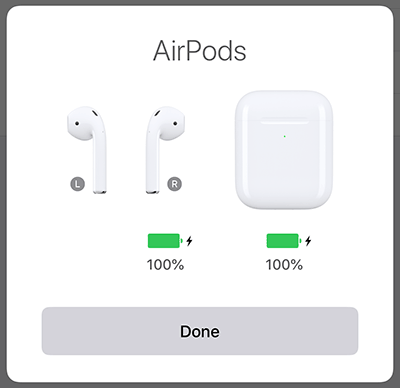
The left Airpod sometimes doesn't work and has seemingly disappeared... as shown below. But sometimes it works and the right Airpod disappears.

I've deleted them and re-connected... but it's still the same. Very strange. Are they broken?


I'd delete them, reboot ALL your iCloud connected devices ensuring they're not showing the AirPod's being paired. clean out the bottom of the Left AirPod as well as within the case. Then re-pair and try. If not time to check in with Apple Support.
Score: 4 Votes (Like | Disagree)