

PSA: Google Calendar Experiencing Syncing Issues With Apple Calendar - MacRumors
Skip to Content

PSA: Google Calendar Experiencing Syncing Issues With Apple Calendar

by

Google and Apple calendars are not playing friendly right now.
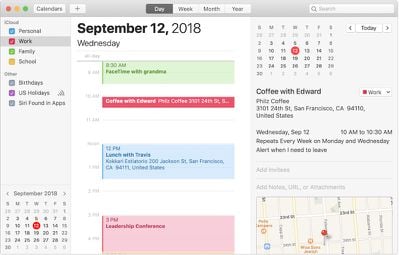
apple calendar
As alerted to us by multiple MacRumors readers, there appears to be a syncing issue with Google Calendar and Apple's Calendar that began within the past 24 hours or so. The issue prevents Google Calendar entries from appearing in Apple's Calendar app on the iPhone, iPad, Mac, and other devices.



The underlying cause is unknown at this time, but anecdotal customer reports across the Google support forums and Twitter suggest that the issue is on Google's end. In any case, a fix is likely in the works.

Top Rated Comments

90 months ago
Thank god I can stop trying to fix this, and get back to work.
Score: 6 Votes (Like | Disagree)
DCJ001 Avatar
90 months ago
“Anyone else’s @Google ('https://twitter.com/Google') calendar stopped syncing to iCal?”

iCal?
Score: 3 Votes (Like | Disagree)
90 months ago
This article is seriously lacking details, and that screenshot is meaningless.

Calendar syncing is based on industry-standard iCalendar and CalDAV technologies that both Apple and Google support. But Google also has its own proprietary protocol. It's unclear which protocol is affected, based on the information provided.

It definitely sounds like a problem at Google's end, but it could also be an incompatibility at Apple's side. Maybe Google has started incorporating some new elements in the Event feed that Apple's Calendar is choking on?
Score: 2 Votes (Like | Disagree)
macpeach55 Avatar
90 months ago
Short term fix for old & important events is to change something in the event in Google Calendar - even one letter is enough. Then the old item will sync again.

Time wasting I know, but better than nothing.
For getting back a record of all your old events, export from Google Calendar, import as a new Calendar into iCal, & all your History will be there. When the problem is fixed by Google you can simply delete this Calendar "Record"
Score: 1 Votes (Like | Disagree)
Westside guy Avatar
90 months ago
One of those seemingly minor issues that can be a real pain in the keister if you use Google Calendar at work (which we do) and rely on your iPhone and Apple Watch for your schedule (like I do).

Fortunately I’m off today. :D
Score: 1 Votes (Like | Disagree)

Popular Stories

iphone 16 teal

'Siri AI' Lawsuit Update: Apple to Pay Owners of These iPhone Models

Thursday July 9, 2026 7:08 am PDT by
In May, Apple agreed to pay $250 million to settle a U.S. class action lawsuit over Siri AI's delayed launch, and eligible iPhone users could receive up to a $95 payout. This week, the California court overseeing the case held a hearing regarding preliminary approval of the settlement, but the judge has not yet issued a ruling. It will likely be at least a few more months before eligible...

Apple TV Thumb 3

Everything Coming in the 2026 Apple TV 4K

Wednesday July 8, 2026 4:51 pm PDT by
The Apple TV 4K hasn't been updated since 2022, and it's due for a refresh. An update is planned for 2026, but Apple is likely going to wait to launch it after Siri AI launches in iOS 27. Design Apple TV design updates don't happen often, and that's not changing. The next Apple TV is going to have the same squircle shape as the current model, and it'll continue to be made from a black...
apple wallet drivers license feature iPhone 15 pro

Apple Says iPhone Driver's Licenses Will Expand to These 6 U.S. States

Thursday July 9, 2026 7:29 am PDT by
In select U.S. states, residents can add their driver's license or state ID to the Apple Wallet app on the iPhone and Apple Watch, and then use it to display proof of identity or age at select airports and businesses, and in select apps. To set up the feature, open the Wallet app on the iPhone and tap on the plus sign in the top-right corner. Next, tap on Driver's License and ID Cards,...






































